19
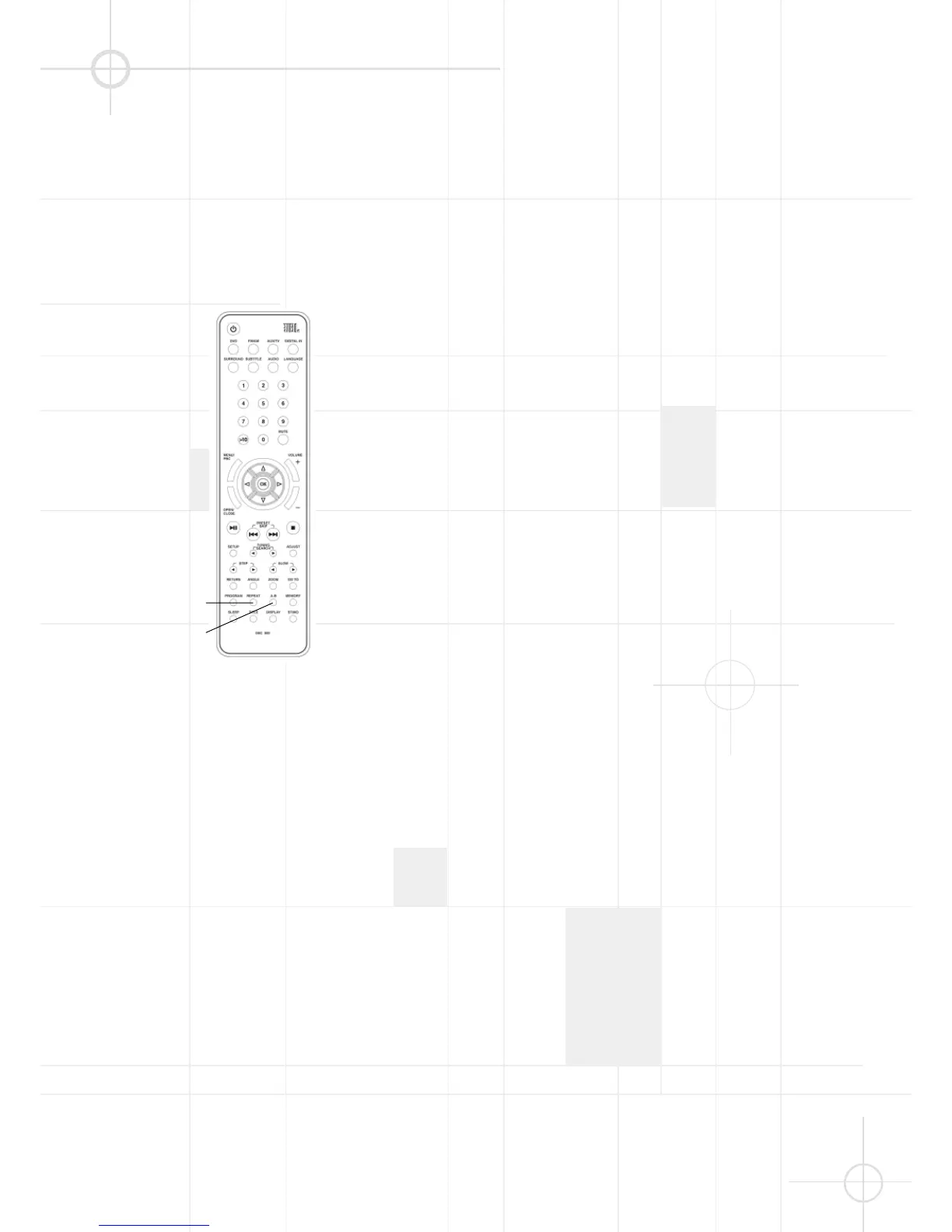
REPEAT PLAYBACK
A-B
repeat
You can repeat all chapters in a title
or on a disc. You can repeat all tracks
on a disc. You can repeat a single
title, chapter or track. In program play
mode, the system repeats the
chapters or tracks in the programmed
order.
1. Press REPEAT while playing a disc.
2. If you are playing a DVD, continue
pressing REPEAT to select one of
the following repeat modes in
sequence: Chapter Repeat On ➞
Title Repeat On ➞ Repeat Off.
3. If you are playing a CD, VCD, SVCD,
or MP3 disc, continue pressing
REPEAT to select one of the
following repeat modes in
sequence: Repeat One (Track) ➞
Repeat All (Tracks) ➞ Repeat Off.
The front panel display will show the
following message:
"RPT-ONE": means Chapter Repeat On
or Repeat One Track.
"RPT-ALL": means Title Repeat On or
Repeat All Tracks.
Notes:
• You cannot select repeat play while
the disc is stopped.
• Some DVDs do not allow repeat
playback function.
A-B Repeat Playback
You can play a specific portion in a
chapter or track repeatedly. This is
useful when you want to memorize
lyrics or repeatedly watch a portion
of the DVD.
1. When playing a disc, press A-B
one time to set the starting point
“A” of the specific portion you
want to play repeatedly.
The “[A-]” indicator appears on the
front panel display.
2. When reaching the end point “B”
you want, press A-B a second time.
The “[A-B]” indicator appears on
the front panel display. The player
starts to play the specific portion
from point “A”, and will continue
playing this portion repeatedly until
you cancel the A-B repeat function.
3. Press A-B again to cancel this
setting and resume playback in
normal order.
Notes:
• Point “A” and “B” can be set only in
the same chapter or track.
• You can set A-B repeat on only one
specific portion at a time.
• A-B repeat is canceled when:
- you stop playback.
- you open the disc tray.
- you turn the power off.
- the A-B button is pressed again.
• Some DVD's do not allow A-B
repeat playback.




 To Next Page