23
SETTINGS AND ADJUSTMENTS
Using the SETUP Menu
and Navigation Buttons
(
D
/
E
/
/
)
• The SETUP Menu contains a listing
of all of the optional settings that
are included in this home theater
system. They have all been preset to
work properly with most systems
and setups. The speaker setup
cannot be altered, as it has been
preset to the correct positions for
using the system with the 6
speakers included when you
purchased this system.
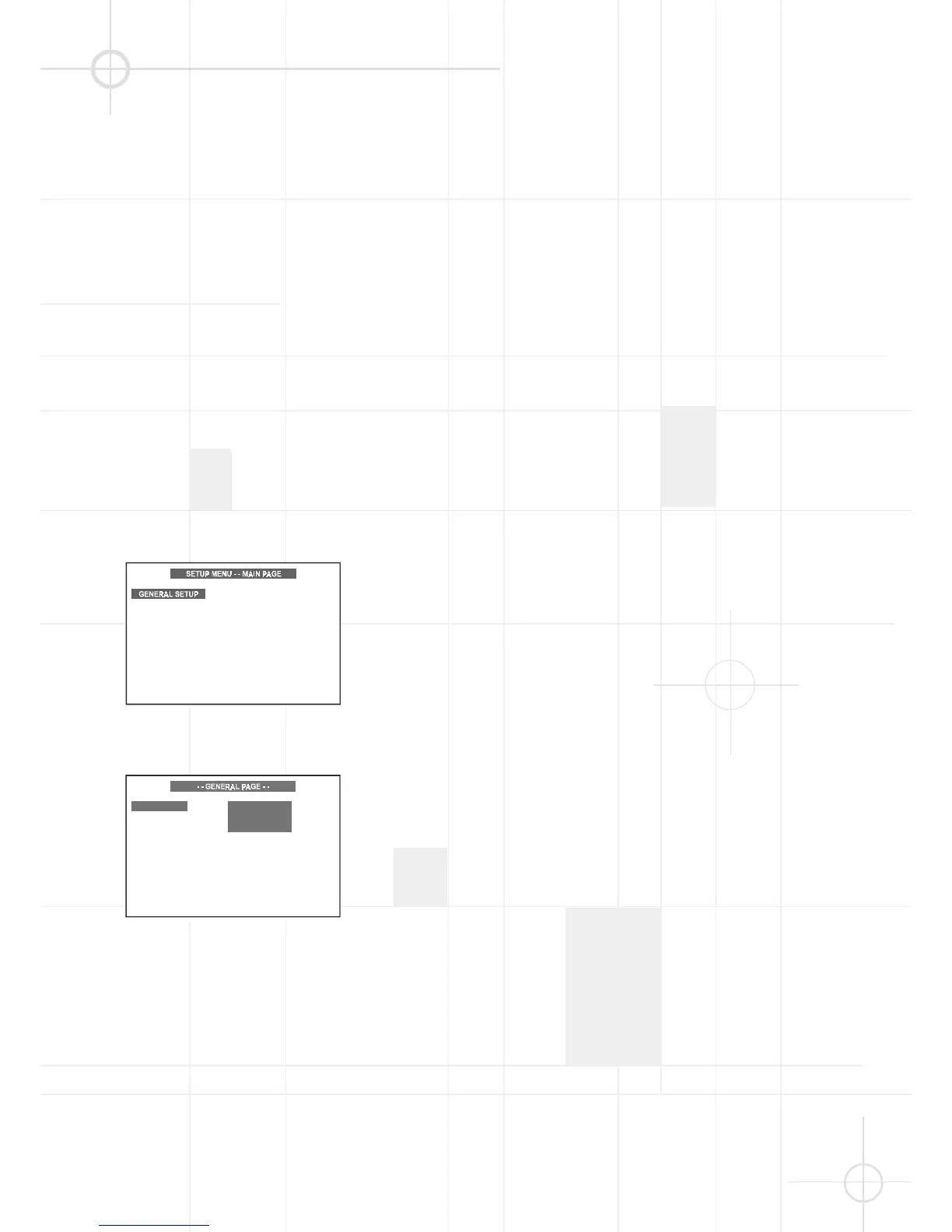
• To check or change any settings, go
to the SETUP Menu Main Page and
select one of the 4 pages on the
main page. During Stop or Play
mode (not Pause), press SETUP on
the remote control for the SETUP
Menu Main Page.
• Press (
D
/
E
) to select one of the
four pages on the Main Page, then
press OK to go to the selected page.
Note:
The Preferences Page cannot be
selected while a disc is playing. If a
disc is playing, press SETUP again to
exit the SETUP Menu page and press
STOP to stop playback. Then press
SETUP again to re-enter the Main
Page. The Preferences Page can now
be selected.
• Use (
DE
) to select one of the
settings on the page. The options for
the setting will appear in the right
column. One of those options will
already be selected. This is the
factory default setting. Use (
G
) to
move to the right column, and then
use (
DE
) to scroll up or down to
select a new setting.
• Press OK to make this the new
default setting.
• If you want to change any other
settings, use (
F
) to move back to
the left column and then use (
DE
)
to select the next item to be
changed. If you are finished making
changes, press SETUP again to exit
the SETUP Menu. The menu page
disappears.




 To Next Page