Need help?
Do you have a question about the JBL SRX828SP and is the answer not in the manual?
Details safety and EMC compliance specifications for the product.
Lists UL compliance specifications for the product.
Details FCC compliance and radiation exposure statements.
Provides warning information from Industry Canada.
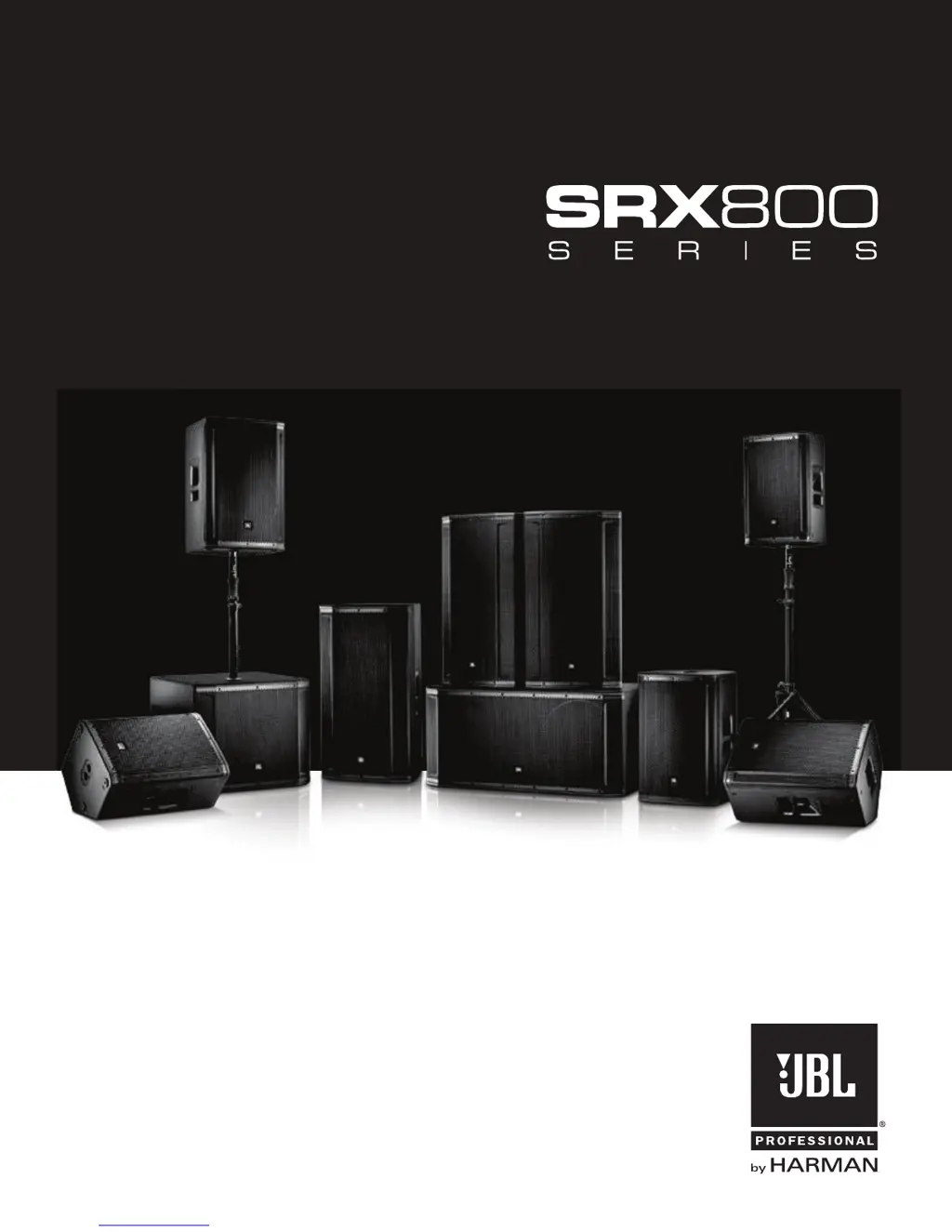
Illustrates various ways to set up the SRX800 speakers.
Details LCD screen, power button, encoders, master encoder, and back button.
Describes CH1/CH2 inputs, direct outs, and mix out connectors.
Explains IEC inlet, Ethercon connector, and status LEDs.
Details LCD screen, power button, encoders, master encoder, and back button.
Describes CH1/CH2 inputs and direct outs connectors.
Explains IEC inlet, Ethercon connector, and status LEDs.
Details design elements for portability, including handles, suspension points, and stacking feet.
Describes the JBL 2432H 3" voice-coil Compression Driver and its performance.
Explains JBL's Differential Drive® Technology ferrite drivers.
Details the SRX835's midrange driver derived from the VTX 20 system.
Explains JBL's patented Progressive Transition Waveguides for directivity.
Explains network control via Audio Architect and SRX Connect apps.
Details the onboard user-configurable DSP suite including PEQs and delay.
Highlights the 2000W Crown DriveCore amplification technology.
How to access and select presets using the Master Encoder and Back Button.
Toggling the LCD panel dimming feature and sleep mode on or off.
How to access and view input meters for channels.
Accessing and adjusting network settings like IP, Subnet, HiQNet, and DHCP.
Accessing system information like model, version, and MAC address.
Standard tuning for full-range speakers and monitor configurations.
Ideal presets for speech intelligibility and subwoofer matching.
Tunings for SRX full-range speakers used with other subwoofers.
Tunings for SRX subwoofers used with other full-range speakers.
Tunings for rear-facing subwoofers in cardioid systems.
Details V5 tuning compatibility, 96kHz FIR filters, and LevelMax™ limiting.
Lists DSP features: PEQs, delay, signal generators, input mixing, monitoring.
Control via proprietary app for iOS and Android devices.
Advanced system control using Audio Architect software.
Connecting a speaker directly to a computer via Ethernet.
Connecting speakers to a network via a router or switcher.
Connecting speakers wirelessly for control via apps.
Guidance on aiming speakers for optimal audience coverage.
Advice on speaker placement relative to microphones to prevent feedback.
Recommendation to place speakers away from turntables to avoid feedback.
Suggestion to use more speakers in large or reverberant spaces for better sound.
Guidance on upright PA use versus side-stage monitoring.
Defines who is covered, what is covered/excluded, and payment responsibilities.
Instructions on how to get warranty service or repairs.
Details limitations on implied warranties and exclusion of damages.
Step-by-step instructions for unboxing the speaker.
Illustrations of various optional speaker setup configurations.
Steps for powering on the speaker system.
Instructions for connecting audio sources to the speaker inputs.
Guidance on setting the output volume levels for the speaker.
Highlights the main features of the SRX835P speaker.
Details the speaker's design for portability, ruggedness, and ease of use.
Explains the premium JBL transducers used in the speaker.
Describes the 2000W Crown DriveCore amplification technology.
Outlines the user-configurable DSP and control features.
Explains HiQnet Network Control capabilities and setup.
Details the features of the SRX800 series back panel.
Describes various system configurations using SRX800 models.
Describes the applications for the SRX835P powered PA speaker.
Lists detailed technical specifications for the SRX835P speaker.
 General
| Brand | JBL |
|---|---|
| Model | SRX828SP |
| Category | Speaker System |
| Language | English |


 To Next Page