69 - 2
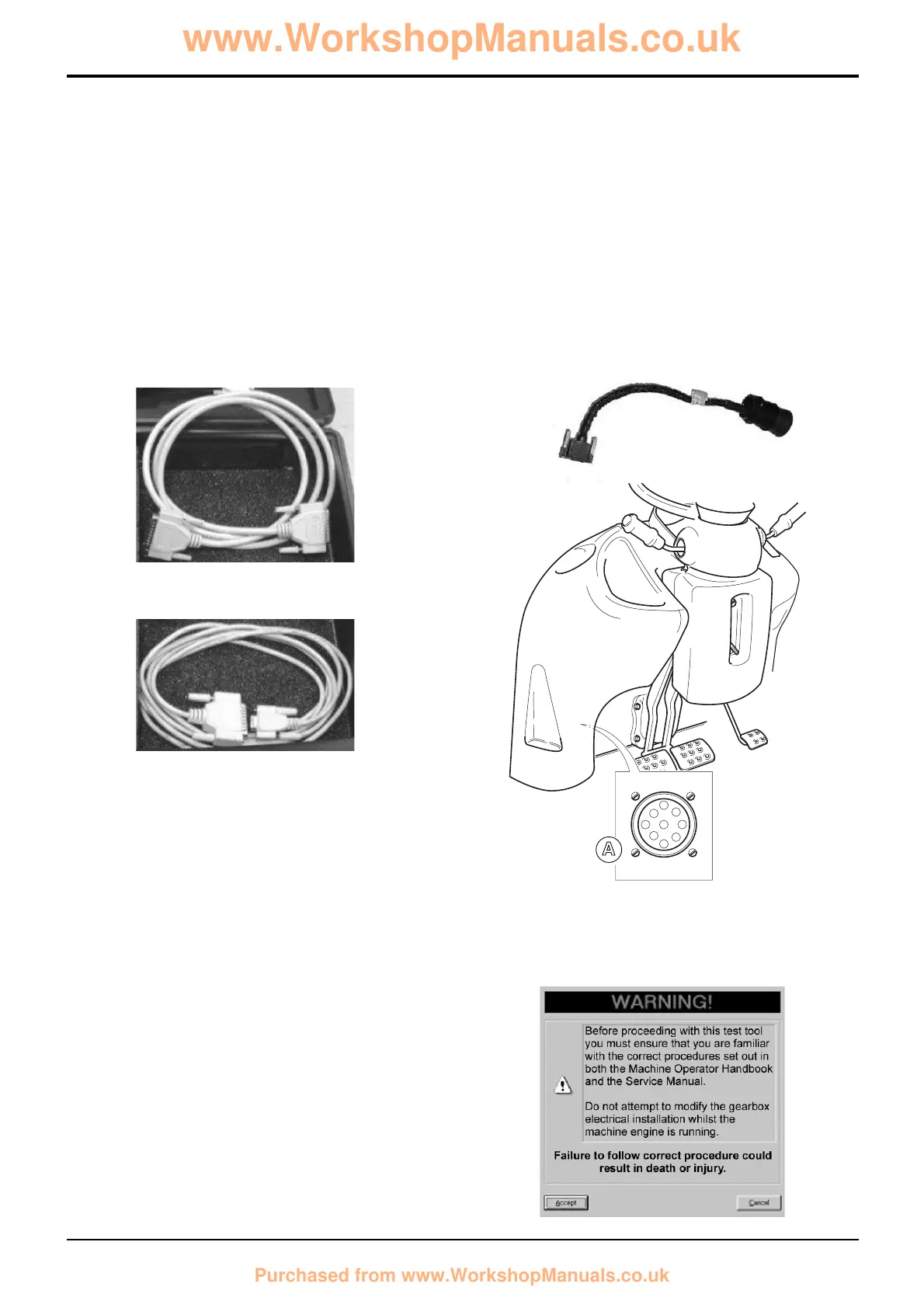
Step 2: Connect the 'Machine Cable' between the DLA and
the machines' Diagnostic Connector. The 'Machine Cable'
has a 15-way D-type connector on one end and a 9-way
CAN connector on the other. Plug the 15-way connector into
the DLA and tighten the thumb-screws, then connect the 9-
way CAN connector into the machines' Diagnostics
Connector A and twist the lock-ring to secure it.
Step 3: Turn ON the machine ignition and additionally start
the engine if required (taking normal precautions).
Note: Be sure to follow all the cautionary notes given earlier
and those which accompany the software.
Section F Transmission
9803/3280
Section F
69 - 2
Issue 1
Service Procedures
4. Starting ShiftMaster Diagnostics
This document assumes that JCB Service Master has
already been installed.
Step 1: Connect either the 'Serial PC Cable' (717/20138) or
the 'Parallel PC Cable' (721/11071) between the DLA and a
free port your laptop computer.
The 'Parallel PC Cable' has a 25-way D-type connector on
both ends or the lead.
The 'Serial PC cable' has a 9-way D-type connector on one
end and a 25-Way D-type connector on the other.
Plug the 25-way male connector into the DLA and the other
connector into a free port on your laptop PC, remembering
to tighten any thumb-screws appropriately.
S404190
S404190
S404200
Powershift Gearbox - 6 speed
ShiftMaster Diagnostics - User Guide
S404180



 To Next Page