4 - 5
CHAPTER 4 Disassembly Instruction
3. Disassembling Acceptor Head Unit
Thissidefirst
ViewfromBottom
ViewfromBottom
ViewfromBottom
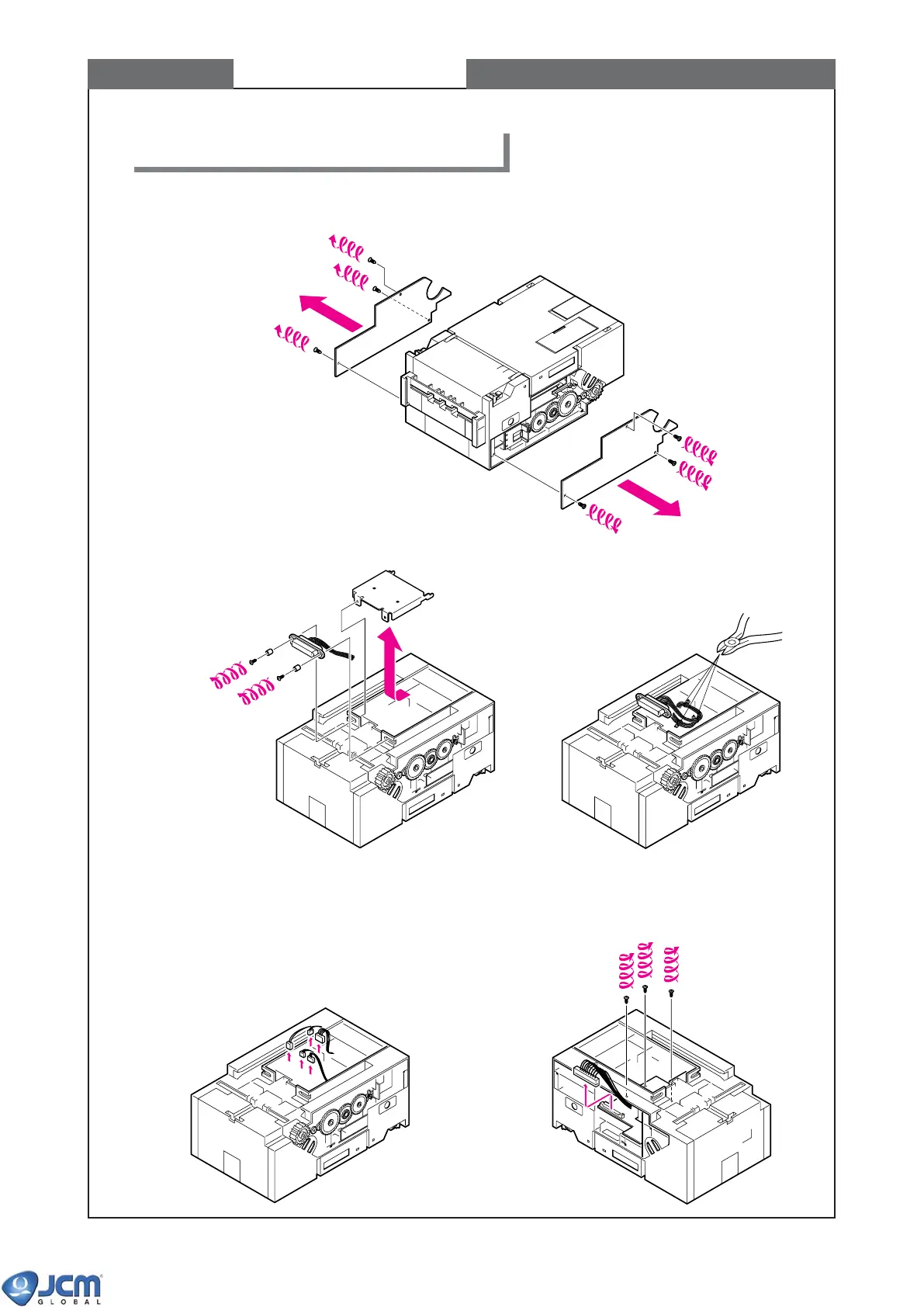
3-1 Remove the left-side cover from the acceptor head unit, and then remove the right-side cover.
3-2 Remove the connector under the acceptor
head unit.
3-5 Remove fixing screws from CPU board of
Acceptor's head unit.
3-4 Remove connectors from CPU board of
Acceptor's head unit.
3-3 Cut the bands which bind up three
bundles of harness.



 To Next Page