7 - 26
4-1 Steps for writing your serial number to EEPROM (NV memory)
There are 3 ways to start the EBA download program.
A] When using the E10S-100.exe on MS-DOS
1) Start MS-DOS. See your PC and MS-DOS manuals to find out how to start MS-DOS.
2) Insert a floppy disk containing E10S-100.exe and Dosvga.bgi to your PC's floppy drive.
3) Change the current drive to the drive in which you have inserted the floppy disk (if it is A drive,
enter A.)
4) To start writing the serial number, input "E10S-100.exe" and press [Enter].
B] When using E10S-100.exe on Windows98/2000/ME/XP
1) Copy the E10S-100.exe and Dosvga.bgi to your PC.
2) Start the program E10S-100.exe by double-clicking the file.
Start writing the serial number
(1) Input "1" and press [Enter].
Fig-50
(2) Connect EBA with PC and VM-30 (See Fig-49).
(At the time of connection, VM-30 power switch is to be OFF and DIP switches #1 & #2 are to be
ON.)
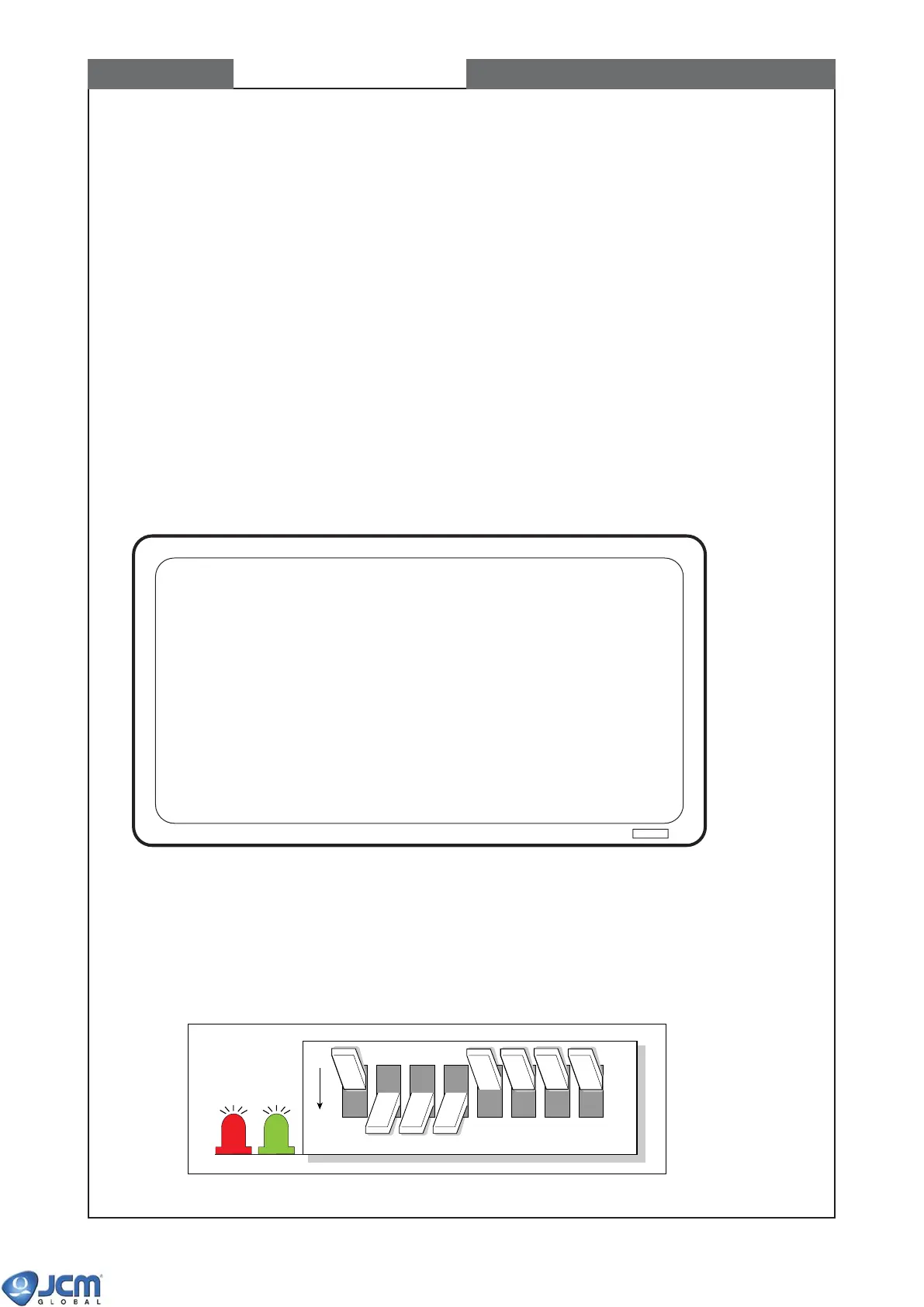
(3) Set DIP switches #1-7 to ON and #8 to OFF.
(4) Turn on the power switch of VM-30.
(5) Confirm the red and green LEDs on the CPU board light. Turn off DIP switch #1. Both LEDs turn
off.
{
*****
Serial number writing tool for EBA-12 Ver.1.00 2003/03/05
*****
}
1...Write or Read serial number
2...Exit
Enter function number and the Enter key.
OFF
greenred
12345678
CHAPTER 7 Writing Serial Number



 To Next Page