7 - 31
CHAPTER 7 Diagnostics
1234
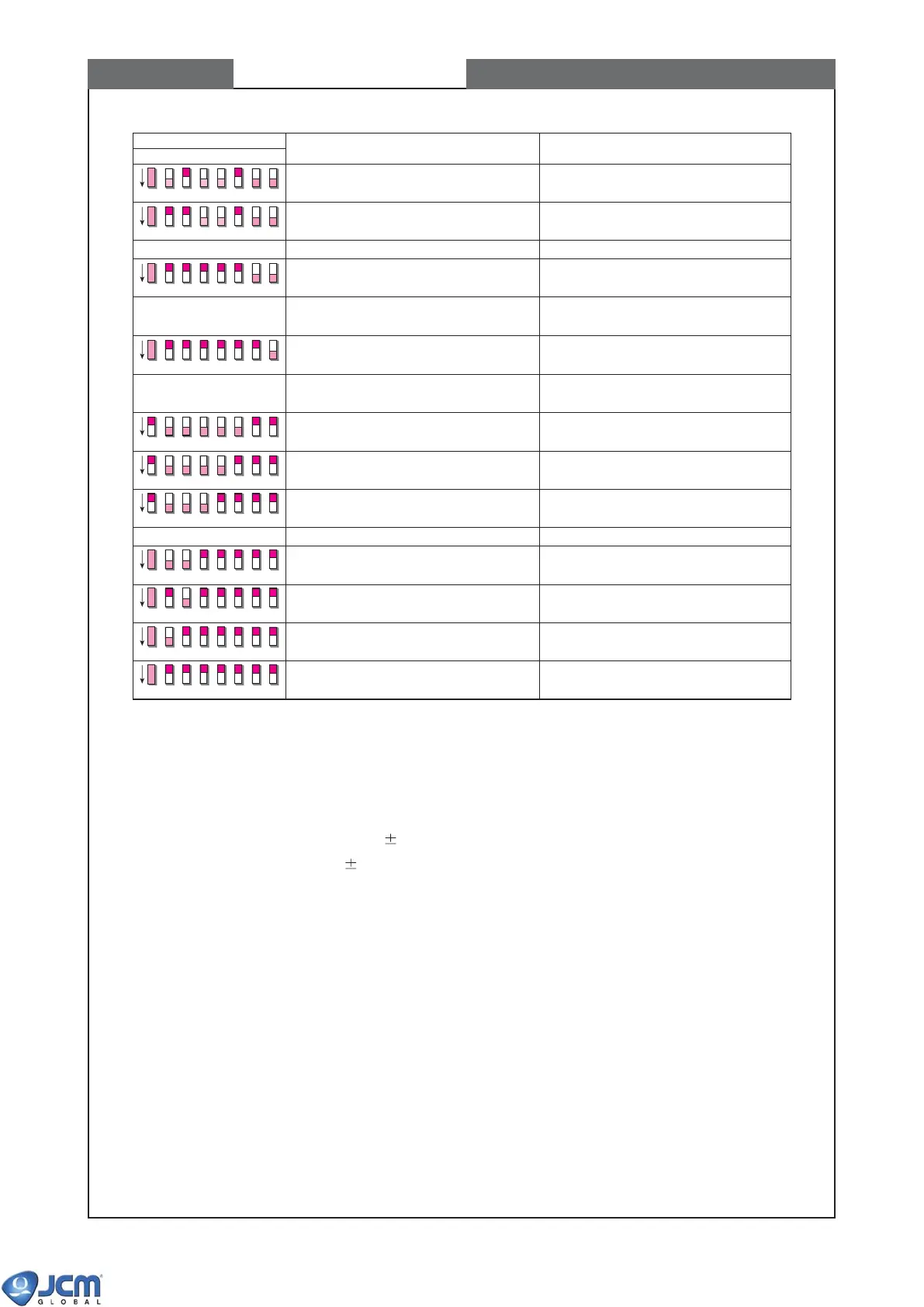
DIP SWITCH No.
ITEM DESCRIPTION
5678
OFF
OFF
OFF
OFF
OFF
OFF
OFF
OFF
Encryption code initialization Initializing the encryption code
(used in ID-0E3) to the default value
OFF
Forced download master mode 19200bps
OFF
Forced download master mode 38400bps
Serial number writing Writing serial number to the acceptor’s
EEPROM
Forced download slave mode 9600bps
Forced download slave mode 19200bps
Forced download slave mode 38400bps
DIP switch test #1 Dip Switch 1, switches #2-#4 ON/OFF check
DIP switch test #2 Dip Switch 1, switches #5-#8 ON/OFF check
DIP switch test #3 Dip Switch 2, switches #1-#4 ON/OFF check
OFF
DIP switch test #4 Dip Switch 2, switches #5-#8 ON/OFF check
5-2 Test of normal rotation & reverse rotation of transport motor in Acceptor
The test result is shown on acceptor's LEDs (red & green) and the VM-30 mode display LED1 to LED5.
For testing with Acceptor's head unit only, set DIP switch #8 ON after the test mode is started.
(Acceptor's LED indication)
Red LED "ON": out of range 20% of reference value
Green LED "ON": within range 20% of reference value



 To Next Page