45
Bluetooth (BT) mode
Press and release the ‘Mode’
button on the front of your radio
until ‘Bluetooth’ is displayed�
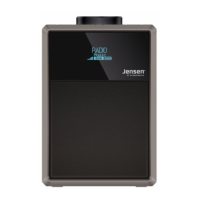
NFC touch point
Your radio has an NFC touch
point to enable quick and easy
Bluetooth pairing with other NFC
enabled devices�
1. In Bluetooth mode, just touch
your other NFC enabled device
to the NFC touch point logo on
the side, top left of your radio to
pair�
Note: The Bluetooth name of
your radio is ‘Jensen DAB’�
2. To disconnect an NFC
bluetooth connection, just touch
your other NFC enable device to
the NFC touch point logo again�
Connecting or ‘Pairing’ with
your radio if you do not have
an NFC enabled device�
In Bluetooth (BT) Mode:
1. Press and release the ‘Mode’
button until you are in Bluetooth
mode�
2. The product will be in pairing
mode and the bluetooth indicator
and symbol on the display will
ashforupto3minutes.
3. On the device that you would
like to connect to your radio
via Bluetooth (e�g� iPhone/iPad/
Android/other phone/Computer),
turn on Bluetooth connectivity
and ensure that it is ‘discoverable’�
Note: If necessary, refer to the
instructions for your device to
add or set up Bluetooth�
4. Select to ‘Add new device’, if
necessary�
Note: Some products will
automatically search for a new
device and so the ‘Add new
device’ option is not available�
5. When found, the bluetooth
connection to your radio will be
displayed as ‘Jensen DAB’� Select
the device name to begin pairing�
Note: If you are prompted for a
password, enter ‘0000’�
6. When pairing is complete, the
bluetooth symbol (next to
theclock)willstopashingand
remain on continuously�
7. Now that you have paired
your device with the radio, it will
connect to it when it is within
range, which is about 10 metres
or less (33 feet or less), line of
sight�
Bluetooth mode



 To Next Page