VX3020
BUILT-IN
SWC
INTERFACE
The built-in
SWC
Interface
is
compatible
with
most vehicles equipped
with
"resis-
tive type"
OE
steering wheels.
Note:
Not
all
OE
steering wheel functions
may
be
supported
by
the
VX3020.
The following controls are available for most vehicles:
1.
Volume
4.
Seek Up
7.
Preset(+) 10. Answer
Up(+)
(Next)
2.Volume
S.Seek
8.
Preset
(-)
11.BT Send
Down(-)
Down
(Prev)
3.
Mute
6.
Source 9.Band 12.BT End
To
access
the
SWC
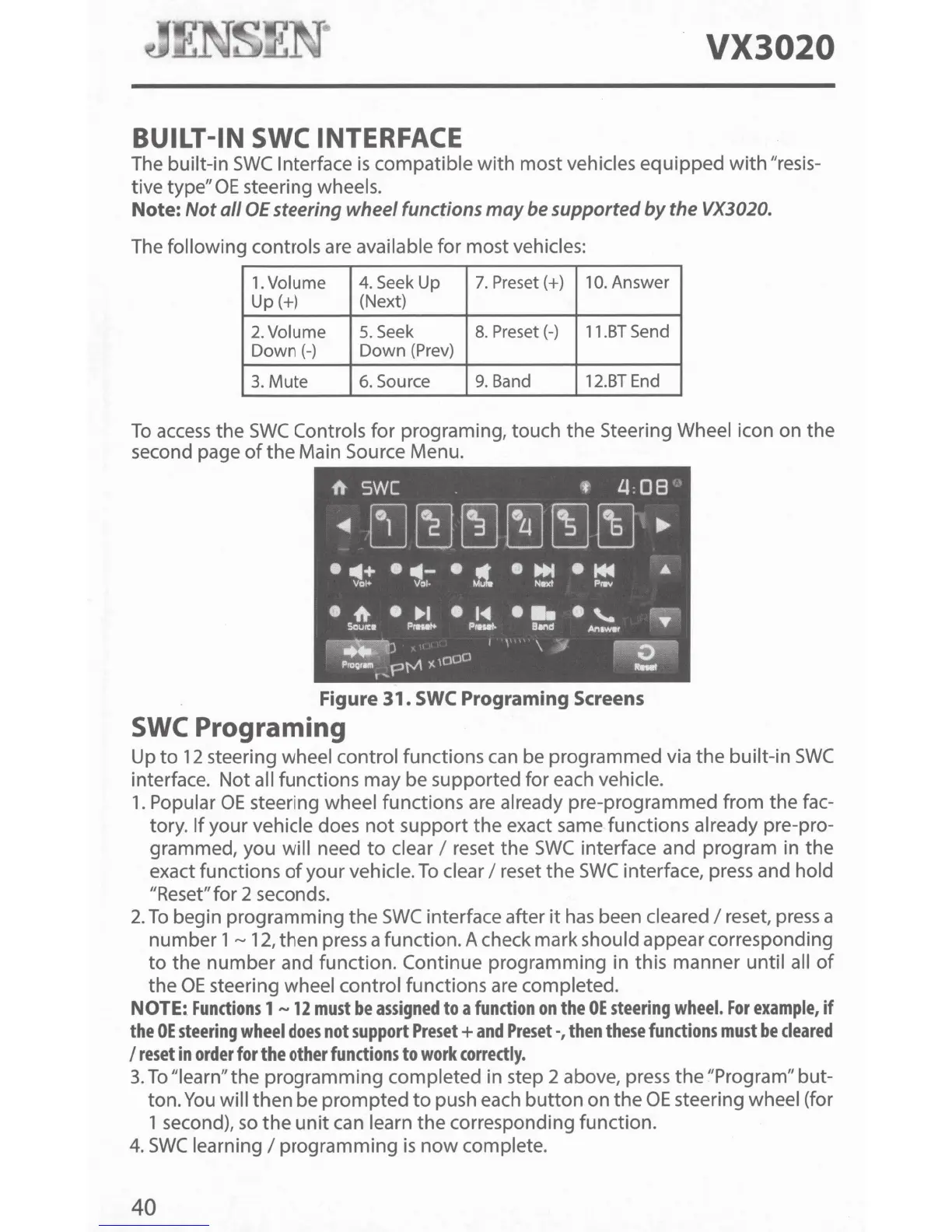
Controls for programing, touch the Steering Wheel icon on the
second page
of
the
Main Source Menu.
Figure
31.
SWC
Programing
Screens
SWC
Programing
Up
to
12
steering wheel control functions
can
be programmed via
the
built-in
SWC
interface. Not all functions may be supported for each vehicle.
1.
Popular
OE
steering wheel functions are already pre-programmed from the fac-
tory.
If
your vehicle does
not
support the exact same functions already pre-pro-
grammed, you will need
to
clear I reset the
SWC
interface and program in the
exact functions
of
your vehicle.
To
clear I reset the
SWC
interface, press and hold
"Reset" for 2 seconds.
2.
To
begin programming
the
SWC
interface after
it
has
been cleared I reset,
press
a
number 1
~
12,
then press a function. A check mark should appear corresponding
to
the
number
and function. Continue programming in this manner until all
of
the
OE
steering wheel control functions are completed.
NOTE~
Functions
1
-12
must
be
assigned
to
a
function
on
the
OE
steering
wheel.
For
example,
if
the
OE
steering
wheel
does
not
support
Preset+
and
Preset-,
then
these
functions
must
be
cleared
I
reset
in
order
for
the
other
functions
to
work
correctly.
3.
To
"learn" the programming completed in step 2 above, press
the
"Program" but-
ton.
You
will
then
be
prompted
to
push each
button
on the
OE
steering wheel (for
1 second),
so
the
unit
can learn the corresponding function.
4.
SWC
learning I programming
is
now
complete.
40



 To Next Page