Operation Manual
60
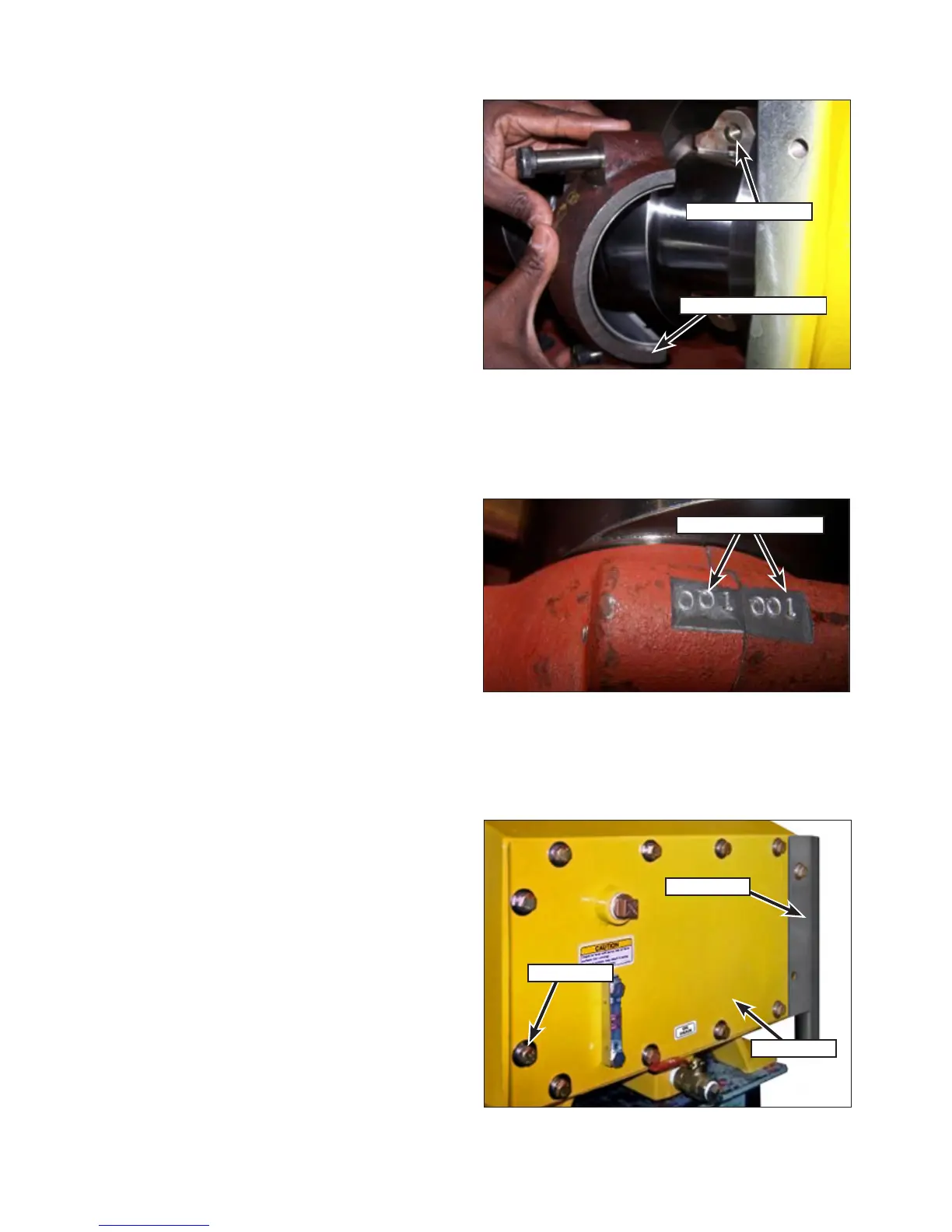
6. Pull the connecting rod (Figure 118) onto the
crankshaft and place the rod cap into position
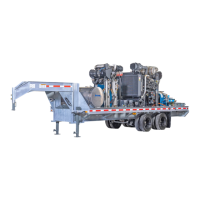
aligned with the connecting rod. Ensure the
stampings (Figure 119) on the cap and rod
match.
7. Screw in the capscrews by hand and then
tighten to the proper torque:
• 3000 Series Pumps: 45 ft.lb (61 N·m)
• 3600/4200 Series Pumps: 80 ft.lb (108 N·m)
8. With the rst rod connected, rotate the pump
by pulling the belts. Allow the crankshaft to
turn a few revolutions to ensure the rod was
properly installed.
If the crankshaft spins freely, the bearings were
properly installed.
If the crankshaft does not spin freely, remove the
journal bearings and replace with another set.
9. Repeat the previous steps for installation of
the remaining journal bearings.
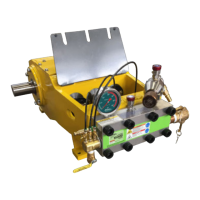
10. Place the back plate (Figure 120), belt guard
and gasket into position on the frame.
11. Install the capscrews, lock washers and at
washers. Tighten the capscrews to the proper
torque.
• 3000 Series Pumps: 20 ft.lb (27 N·m)
• 3600/4200 Series Pumps: 35 ft.lb (47 N·m)
12. Fill the power end with oil as outlined in
“Changing the Power End Oil” on page 53.
Figure 118: Rod Cap Installation.
Rod Cap & Bearing
Connecting Rod
Figure 119: Matched Parts Stampings.
Rod Cap & Bearing
Belt Guard
Back Plate
Capscrew
Figure 120: Cover Plate Installation.


 To Next Page