Operation Manual
66
10. Remove the side plate and shims while support-
ing the crankshaft. Keep the shims together.
11. Using a wood block and a hammer, hit either
end of the crankshaft to unseat it from its
bearing bores.
12. Install two threaded rods (1 in.-8NC x 8 in.) into
the ends of the crankshaft to aid in removal.
13. Using two people, lift the crankshaft from the
power frame. The weight of the crankshaft is
approximately:
• 3000 Series: 125 lb. (57 kg)
• 3600/4200 Series: 325 lb. (147 kg)
14. Remove the bearings from the crankshaft. Con-
tact Jetstream for assistance with this task.
Installation
1. Heat the crankshaft bearings in a 250°F
(121°C) oven for 20 minutes. Check the
bearing color as they are heated. If the bear-
ings turn blue or black they are overheated.
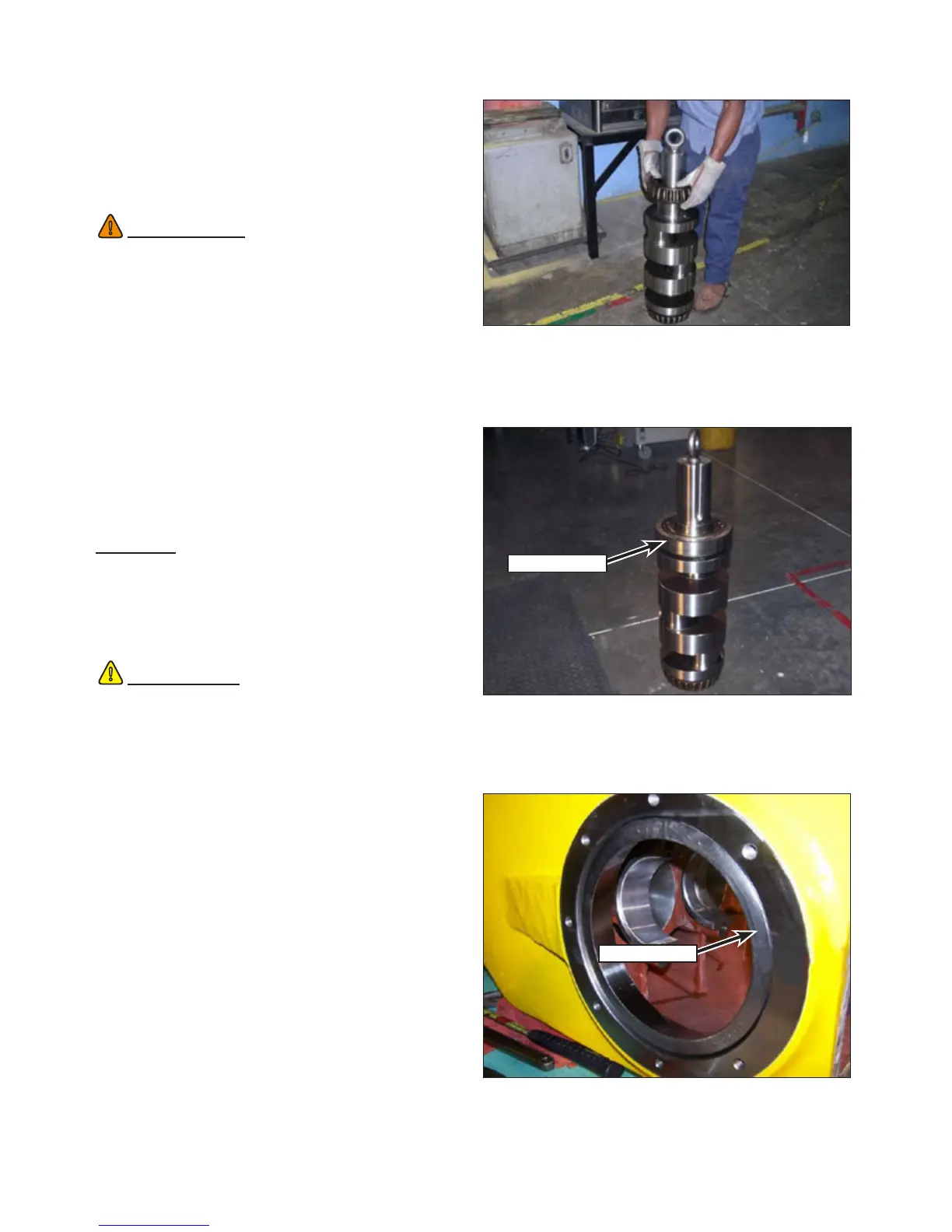
2. When ready, slide the bearings onto each end
of the crankshaft until they are fully seated
(Figure 134).
3. Verify that the bearing turns on the shaft.
4. Allow the crankshaft assembly to cool.
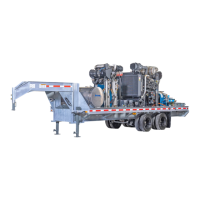
5. Install the outer bearing race (Figure 135) onto
the inboard bearing.
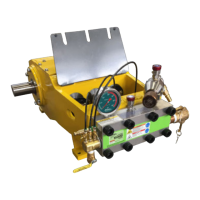
6. Install the outer bearing race (Figure 136) into
the power frame using a rubber mallet. Install
the race so it is ush with the face of the case.
WARNING
!
Use caution when unseating the crankshaft.
The crankshaft will fall approximately 1 in. (25
mm) as it slides out of the tapered race and
can cause bodily harm.
!
CAUTION
Temperatures in excess of 250°F (121°C) will
damage the bearing. If the bearings have been
heated over the limit, discard the bearings.
Figure 134: Bearing Installation.
Figure 135: Outer Race Installation.
Outer Race
Figure 136: Bearing Race Installation.
Bearing Race


 To Next Page