22
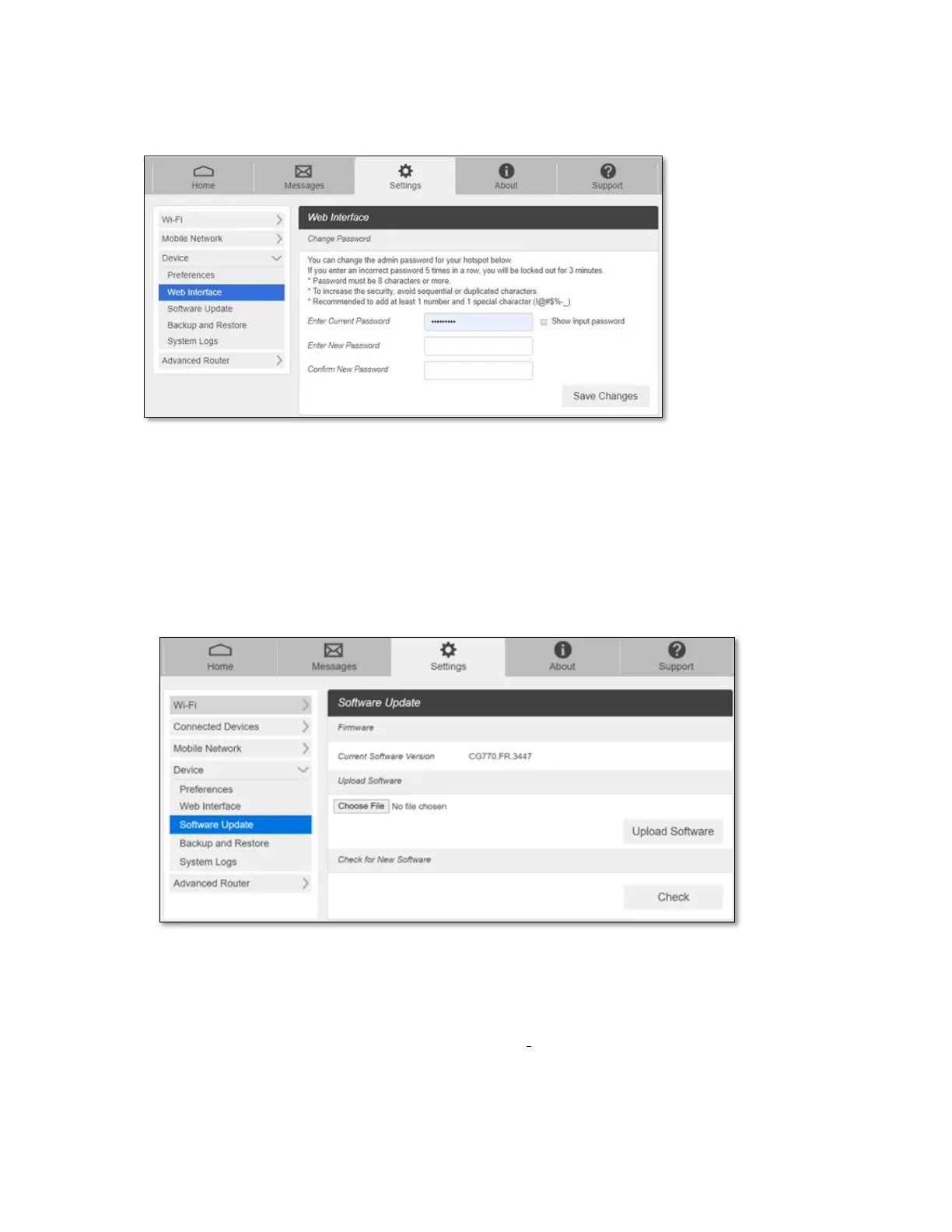
- Web Interface
You can change Web Admin Home page login password.
How to change the password.
1. Enter the current password. (Default password is “admin”)
2. Enter the new password.
3. Enter the new password again.
4. Press Save Changes.
- Software Update
You can check current software version and check if there is a new update is available.
- Upload Software: Manual Update. In case you have a new software file provided by
your service provider, save the file in your connected device, select the file by
pressing Choose File, then press Upload Software to update your device software.
- Check for New Software: Automatic Update. Click Check button. Message windows
will pop up and guide you through the update process.



 To Next Page