78
ENTER the main menu, to query the detailed parameters of the inverter, and to
set some parameters and functions.
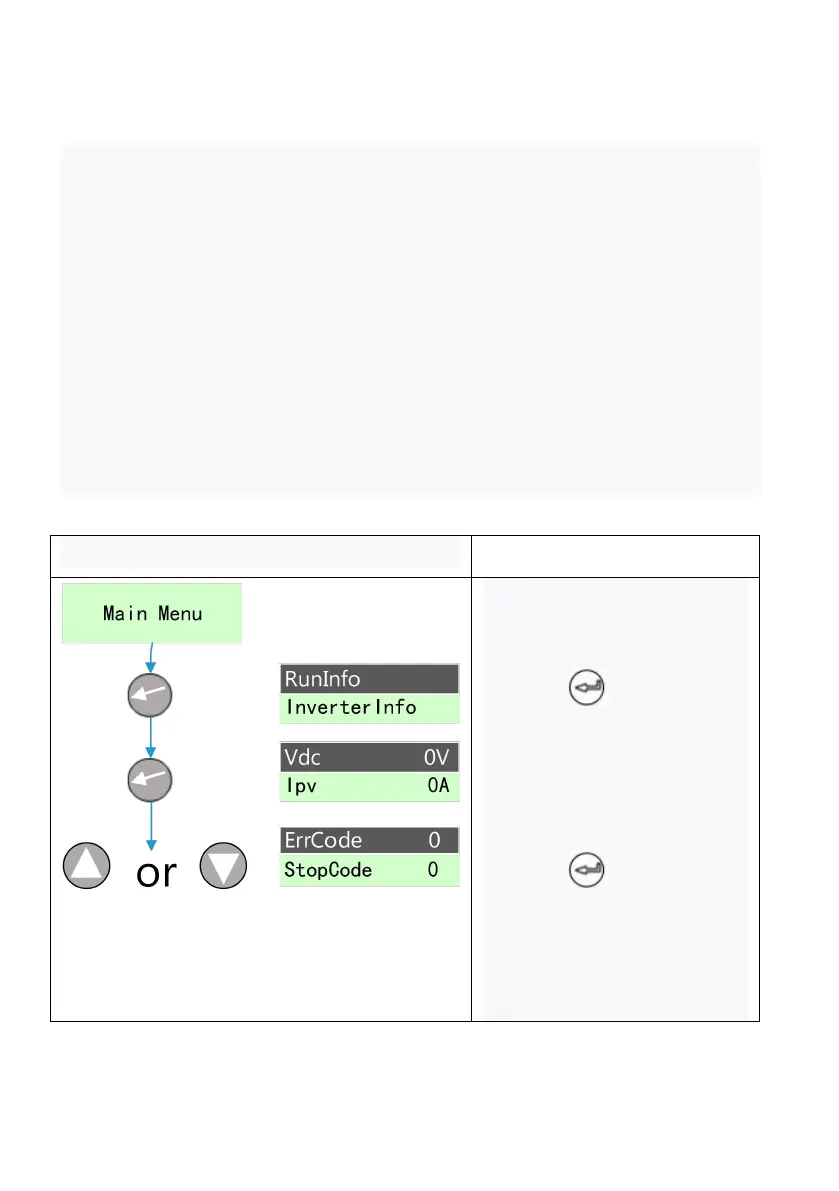
The inquiry operation is shown here using the inquiry fault code as an example.
1) Firstly, located the "fault code" : According to the "Figure 8-2 LCD menu
Block Diagram 1", the fault code is under the operation Information menu;
2) "Operation information" is the inquiry information item. The specific inquiry
operation is as follows
Keys operation and LCD display
1. LCD is the main interface
after startup;
2. Press to enter the
main menu, and the cursor
falls on the operation
information item;
3. Press to enter the
operation information item for
query;
4. Press the up or down key



 To Next Page