100
“BALANCE WITH RUNOUT”
6-36
6-34
6-35
1
2
3
4
OE
OE
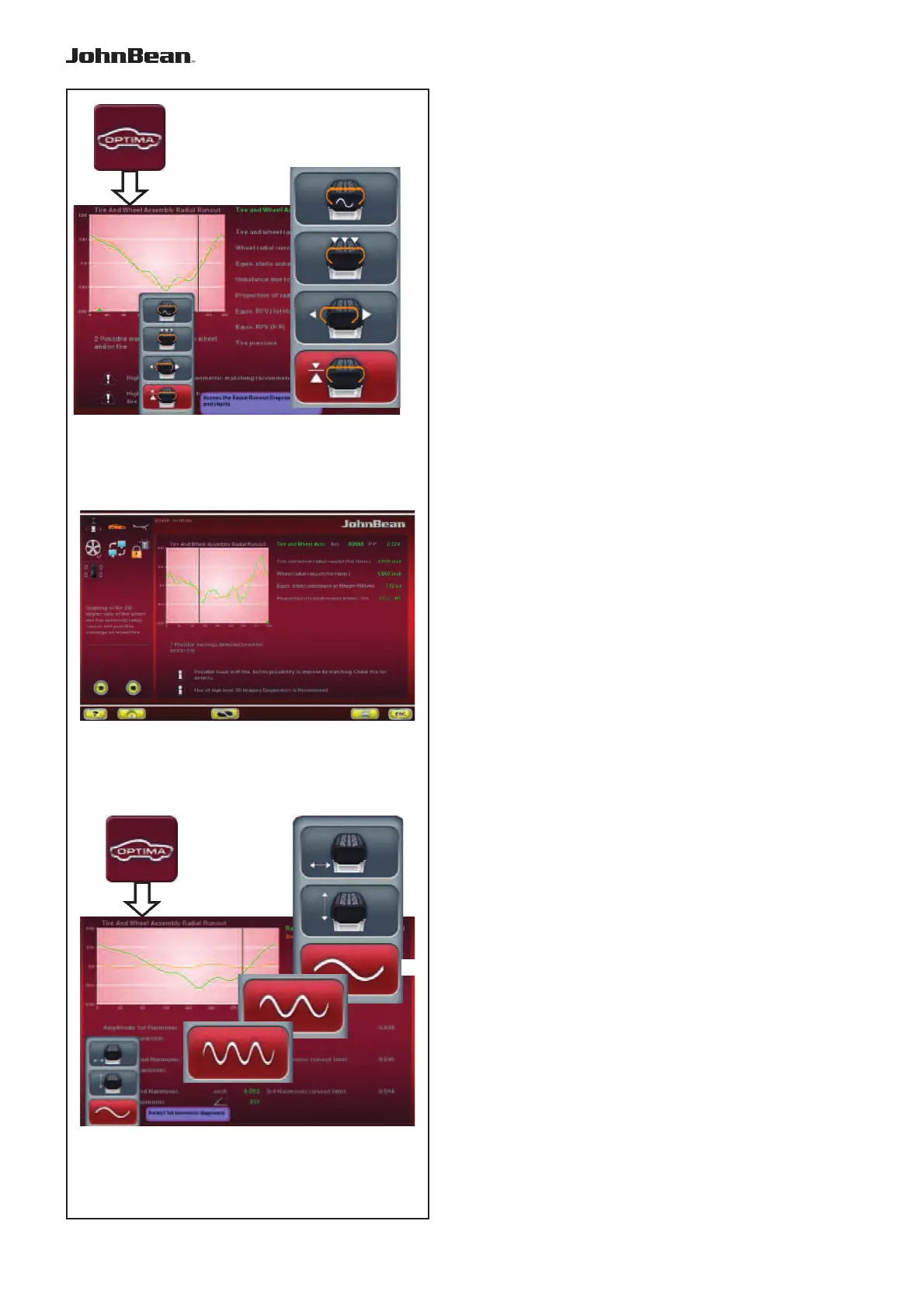
“ASSEMBLY RUNOUT INDICATION”
The OPTIMA ENTRY key (OE), after the measuring
run of a wheel and tyre, allows access to the Screen
in Fig. 6-34 which contains the following:
1 Access the wheel/rim radial Runout.
2 Access the rim radial/lateral Runout.
3 Access the (data) multi position/harmonic
Runout.
4 Access the harmonic 1st, 2nd, 3rd Runout.
WARNING INDICATION
The arrows key (Fig. 6-35) in the Assembly Indication
screen, is used to scroll the messages present, when
there are more than four messages:
• Press the lower arrow key to scroll down the list
of messages
• Press the arrow key upwards to scroll up the list
of messages.
“RIM RUNOUT INDICATION”
The OPTIMA ENTRY key (OE), in Optima mode, after
a bare rim measuring run, allows access to the Screen
in Fig. 6-36 which contains the following:
(Fig. 6-36)
1 Access the harmonic 1st, 2
nd
and 3rd Runout.
2 Go back to the Assembly Indication screen.
..
_
..........
2
1



 To Next Page