52
5-1
5-2
5-3
21
5.0 SWITCHING ON
Please read through the operation manual
and follow the instructions, especially when
operating the wheel balancer for the first time.
• Always make sure the wheel guard is fully raised.
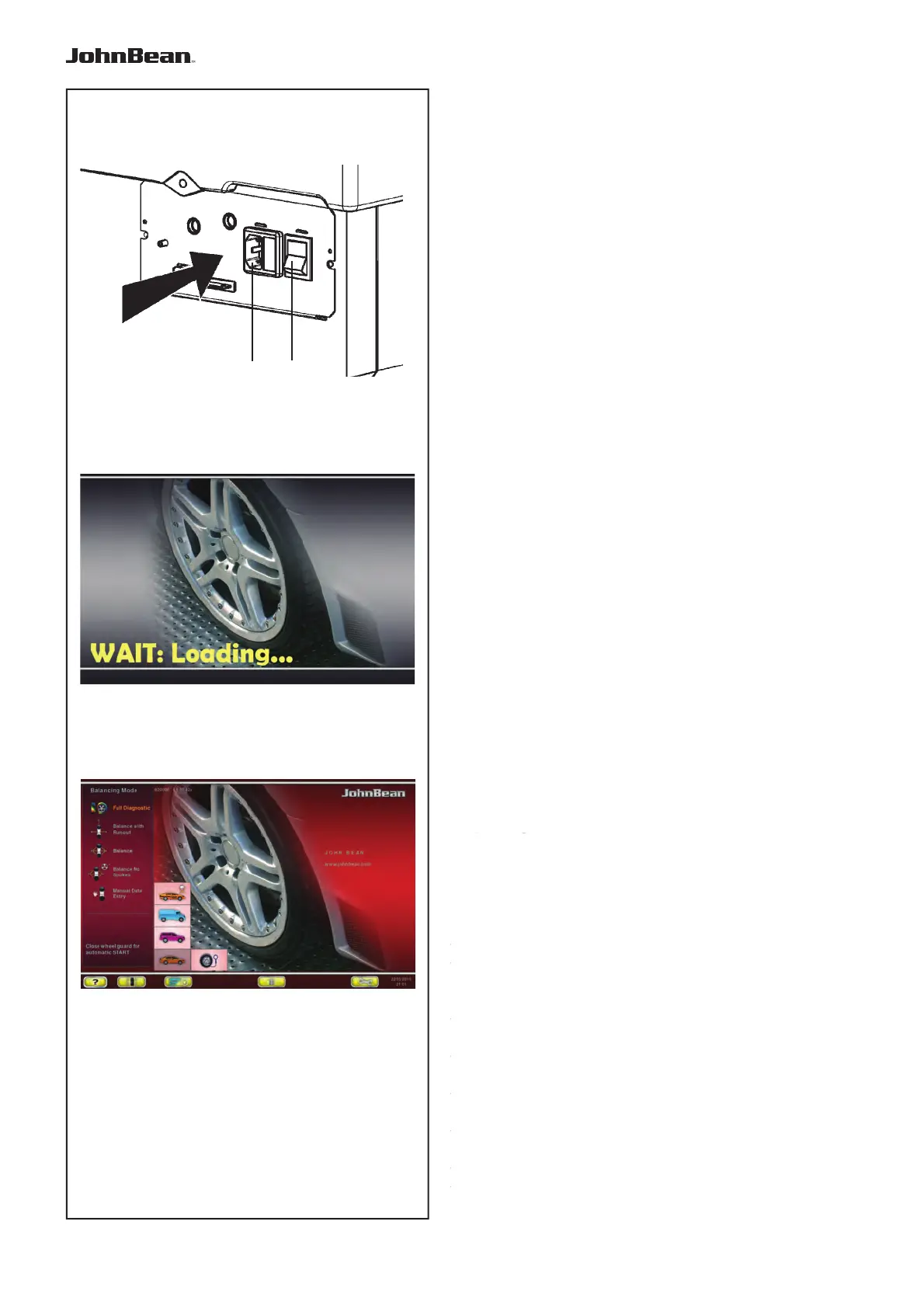
• Plug the mains cable plug into the power outlet (1,
Fig. 5-1).
• Switch on the machine by the mains switch (2, Fig.
5-1).
T
he electronic unit now performs a number of self-tests.
In this phase this message is displayed on the
screen “WAIT: LOADING...“(Fig. 5-2).
As long as the machine is carrying out the self-tests,
no inputs and no other operations whatsoever must
be made. During this starting phase the machine
must not be subjected to even the slightest vibrations.
Upon completion of the self-tests a melodious signal
is heard, the screen shows the main menu (Fig. 5-3)
and the machine is ready for operation.
Fig. 5-3 Main menu
The menu fields of the function keys F1 to F6 show:
F1 Access to BALANCING
Access to ENTERING RIM DATA
Access to OPTIMISATION
Access to SETTINGS
F2 Not assigned
F3 Not assigned
F4 Selection of: Static unbalance, Weights Fine
Reading
, Grams / Ounces, Weight Miser
F5 Not assigned
F6 Access to COMPENSATION RUN
5.1 Status at switching on
The electronic unit is factory-adjusted to the
following operating modes, available immediately
after switch on:
– PROFILING mode
– W
eight mode 1 (car wheel with nominal
dimensions in inches, width 6.5” and diameter
15.0”).
–
Acquisition of rim data, unit of measurement:
inches.
– Display of unbalance value with 5 gram
increments.
– Suppression of minor unbalance readings
(tolerance limit set at 3.5 g).
– Automatic wheel braking when guard is opened
during the measuring run.
– Compensation of adaptor unbalance switched off.
–
Starting the mesuring run by closing thewheel guard.
..
_
..........
5.1 Status at switching on
The electronic unit is factory-adjusted to the
following operating modes, available immediately
after switch on:
– BALANCE mode
– Weight mode 1 (car wheel with nominal dimensions
in inches, width 6.5” and diameter 15.0”).
– Acquisition of rim data, unit of measurement:
inches.
– Display of unbalance value with 0.25 oz increments.
– Suppression of minor unbalance readings (tolerance
limit set at 0.25 oz).
– Automatic wheel braking when guard is opened
during the measuring run.
– Compensation of adaptor unbalance switched off.
– Starting the mesuring run by closing thewheel
guard.



 To Next Page