104
“BALANCE WITH RUNOUT”
6-30
6-40
6-41
6-42
6-39
1
1
2
1
Wheel measuring run in
BALANCE WITH
RUNOUT
Mode
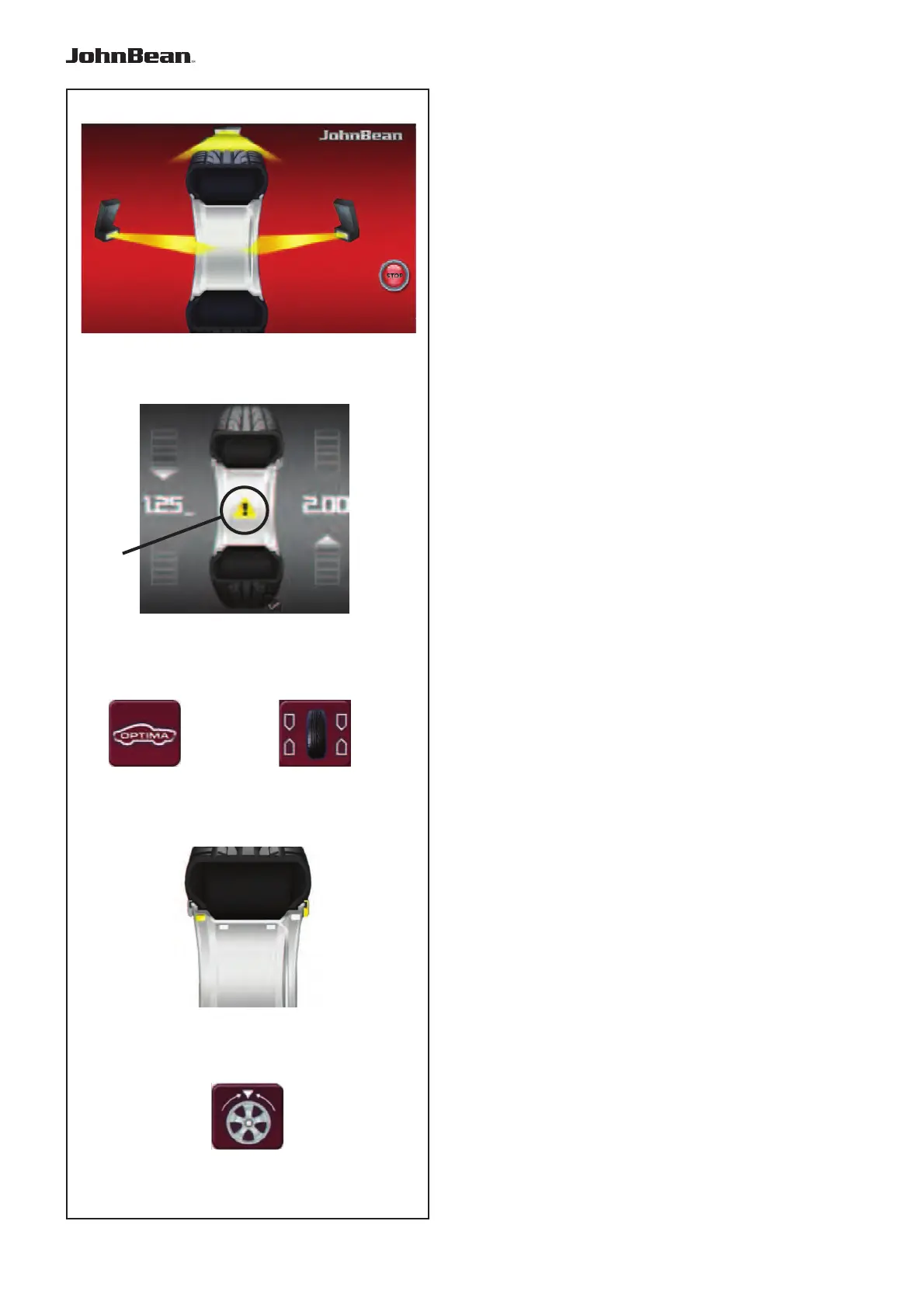
• Lower the covering guard or close the wheel
guard and, if necessary, press the START key:
the balancer carries out the wheel measuring run
piloted by the Cameras Figure 6-30. They detect
the rim profile; measure the wheel runout; the
internal rim lateral and radial and the external rim
lateral and radial.
At the end of the wheel measuring run the balancer
displays any unbalance on the wheel and signals
the points to fit the weights.If faults in the wheel are
detected, the machine displays a yellow icon in the
middle of the screen (1, Fig. 6-39).
The symbol warns of the presence of faults and
suggests that the operator must consult the Optima
diagnostic results.
To access the results of the OPTIMA diagnosis:
• Press the key(1, Fig. 6-40).
To return to the BALANCING screen:
• Press the key (2, Fig. 6-40).
The
values will be displayed again along with the
weight application positions.
• Enter the position of the balancing weights
displayed in grey to change the ALU mode (Figure
6-41): the balancer will automatically recalculate the
value and position of the corresponding weights.
The wheel measuring run may have detected the
number of spokes:
• Press (1, Fig. 6-42) to start the Weights behind
the Spokes positioning procedure.
Tread Depth Indication (TDI)
When run in BALANCE WITH RUNOUT mode, the
machine
always automatically detects the depth of
the tread groove at the centre of the tire and over its
whole circumference.
..
_
..........



 To Next Page