152
“FULL DIAGNOSTIC”
6-8
8
6-8
9
5
1 2 3
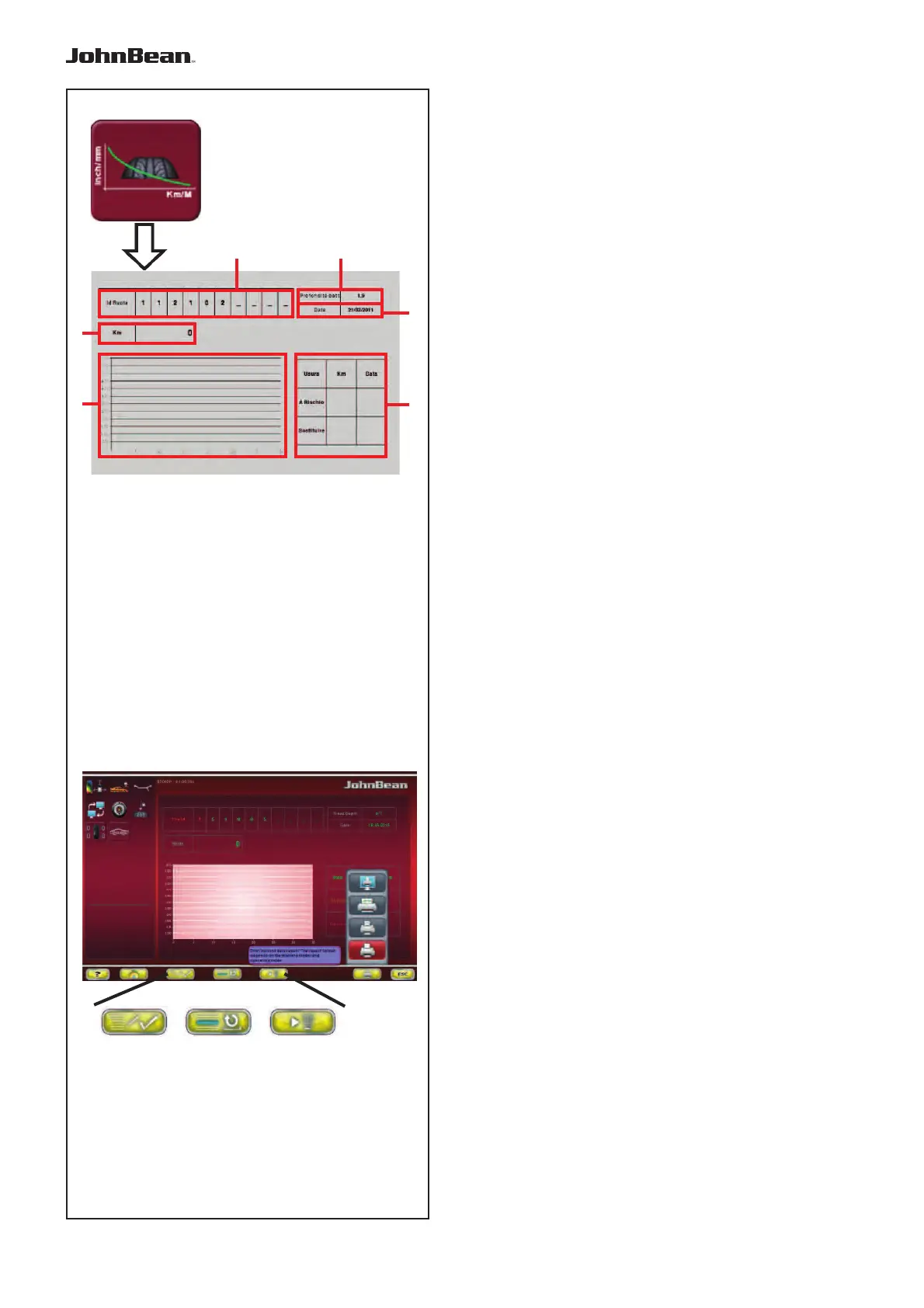
The screen contains the following fields:
Fig.
6-8
8
a Wheel Id. Identification Code.
b Km/ miles. Distance covered by the wheel.
c Tread Wear Curve graph.
d Table with the residual distance to cover and
Prediction of the date the threshold limits will be
reached.
e Current date.
f Measured tread depth.
To activate the function, in the “OPTIMA
DIAGNOSTIC “ screen:
• Select 5 (Fig.
6-8
8),
In the “Predictive” screen, the Menu keys perform
the following:
Fig.
6-8
9
1 Introduces the data set
2 Loads from the memory and displays the values
for the Wheel Id set.
3 Deletes the wheel data.
In the “Predictive” screen, after the run, perform the
following:
— Enter the Wheel Id Code (a). The machine
always shows the date.
Note:
If the wheel has been memorised previously,
enter the code to recall it.
— Go to the Distance covered by the wheel field “b”
and enter the distance indicated in the vehicle
odometer.
— Memorise or update the screen before memorising
definitively (1, Fig.
6-8
9).
Field “d” displays the residual distance to cover and
the estimated date for the maintenance to perform
the following:
- Tread wear warning level
- Replace the worn tyre.
..
_
..........
a
b
c
f
e
d



 To Next Page