158
“OPTI LINE”
3
2
1
6-93
6-94
6-95
4
5
6
3
2
1
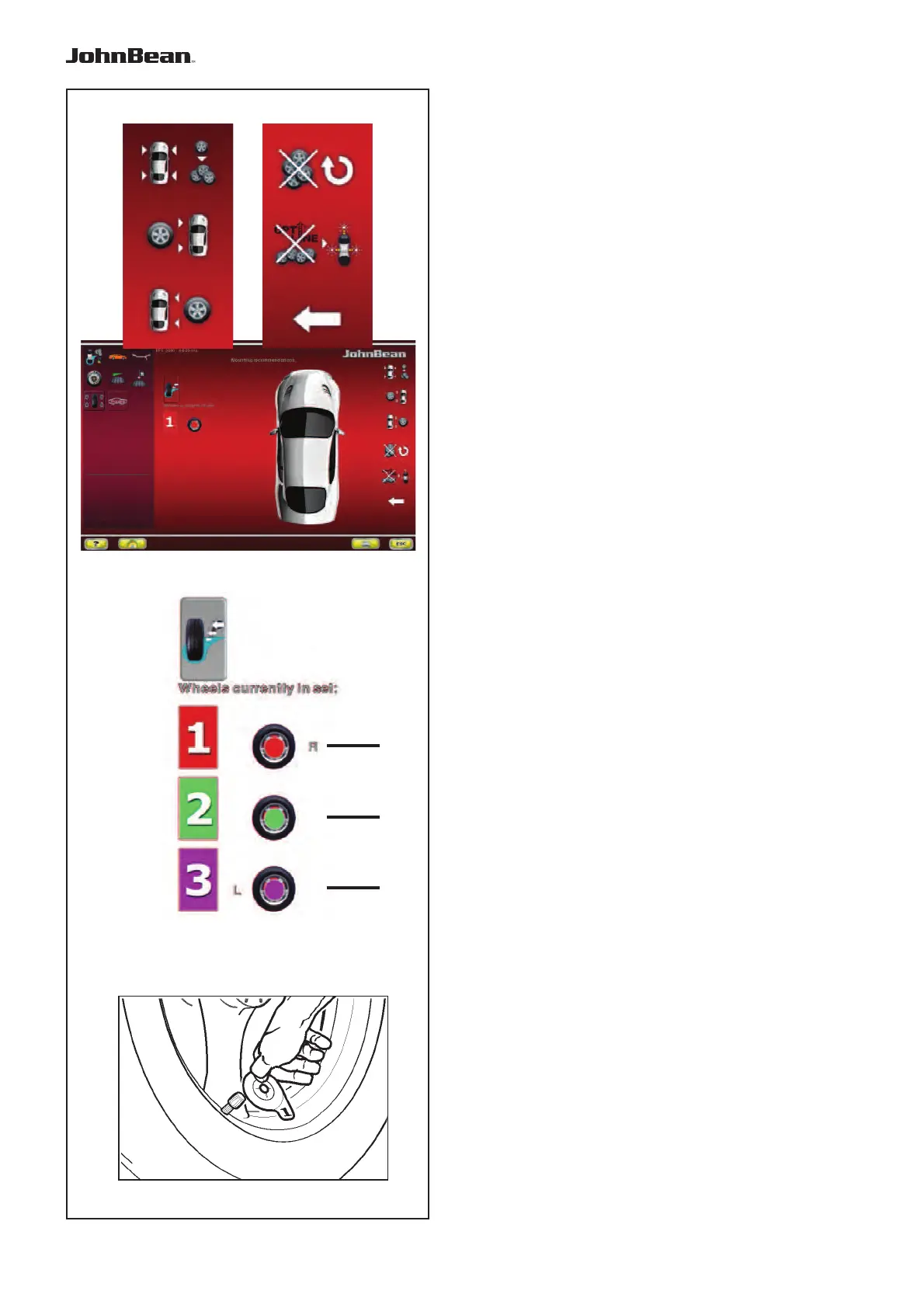
The “SET OF WHEELS 1” screen page appears
automatically (Fig. 6-93).
The screen page shows new items useful for moving
backwards in the Set of Wheels procedure (Fig. 6-93):
5 Select to exit the “Set of Wheels” Procedure and
the OPTI LINE Mode.
Nota: If the wheel has not yet been removed
from the balance, you can start a new
Set of Wheels and assign the data of
the last wheel, still in the memory, to the
wheel number 1 of the new Set, without
performing the measuring run.
4 Deletes the current Set and starts a new “Set of
Wheels”.
The last wheel examined will be kept and
automatically proposed again as wheel number 1 of
the new Set.
Note: Starting with wheel No. 2, the key will
be available for wheel removal, as an
alternative to entry keys 1, 2 or 3 (Fig.
6-93).
6 RETURN to the previous step, so that you can
assign the wheel a different use in the Set.
The wheels definitively acquired in the memory
are represented by icons grouped in the “Wheels
Currently in the Set” box (Fig. 6-94). These icons
also show any specific mandatory position assigned:
Fig. 6-94
1) Wheel assigned only to right side of vehicle.
2) Wheel available for both sides of vehicle.
3) Wheel assigned only to left side of vehicle.
To continue,
• Apply the appropriate identification tag to
the wheel valve, with the same number and
colour as the last wheel shown (Fig. 6-95).
..
_
..........



 To Next Page