188
7-33
7-34
7-36
7-37
7-35
463
1
2
Operation
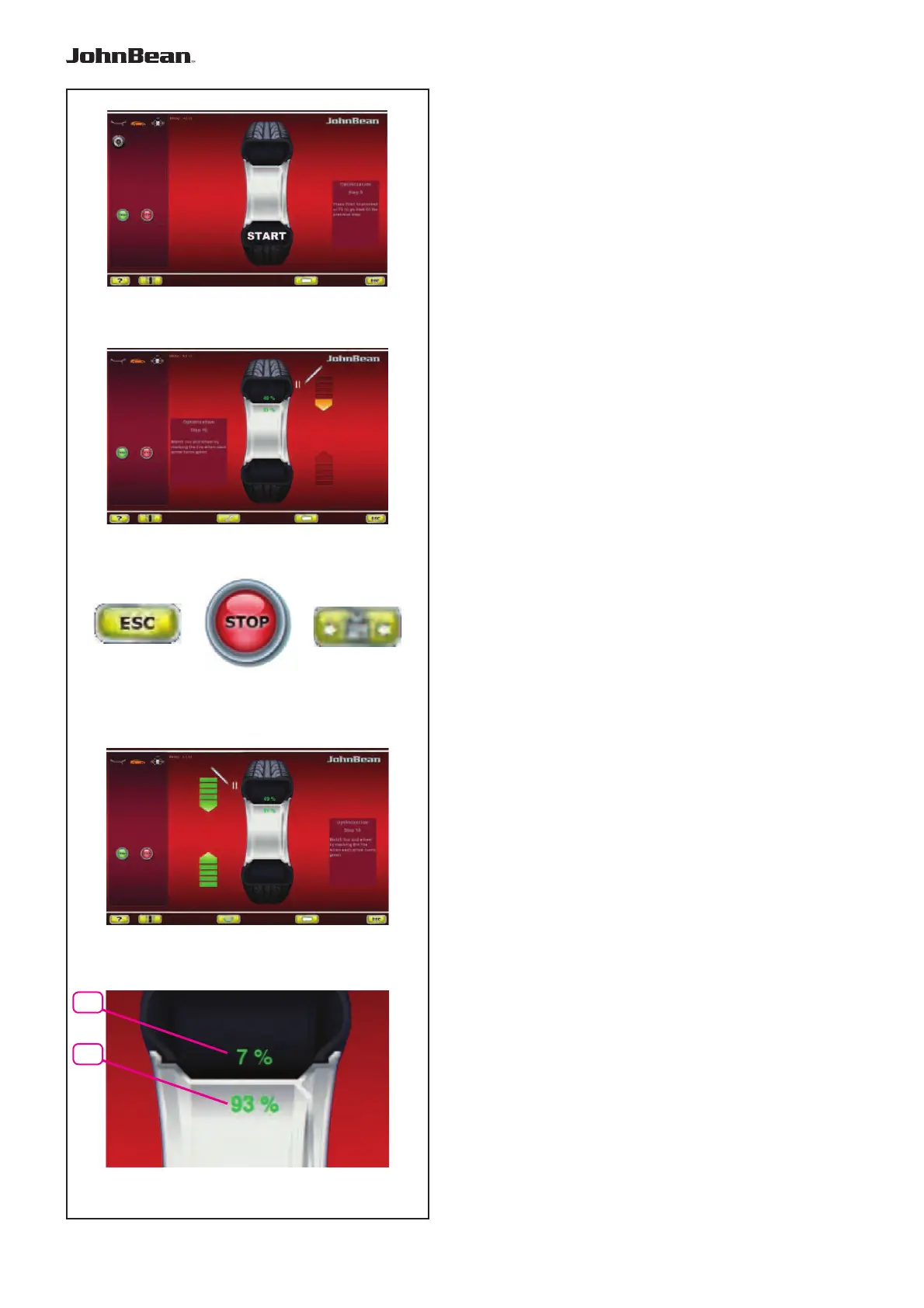
The OPTIMISATION “9” screen (Fig. 7-33) is displayed.
Fig. 7-33 OPTIMISATION “OP.9”
START is signalled on the screen.
— Spinn the wheel.
A measuring run is performed.
The screen OPTIMISATION “10”, outside (Fig. 7-34)
or the screen OPTIMISATION “10”, inside (Fig. 7-36)
is displayed.
Reading H 0
Optimum condition has been achieved and cannot be
improved.
— Continue as shown on screen BALANCING
(Fig. 7-14).
Reading H 2
a)
Wheel running conditions cannot be improved.
— Press ESC or STOP (3,6, Fig.7-35) to quit
Optimisation.
b)
However, it is possible to readjust the tyre relative to
the rim to obtain a quite considerable minimisation of
balance weights (i.e. smaller weights) without having
an adverse effect on wheel running conditions.
— Press MINIMISATION (4, Fig.7-35)
Splitting faults
At this stage of the program the faults index is available
(Fig.7-37).
Two values appears, indicating how the total wheel
unbalance is split as a percentage between the
rim and the tyre;
1 = % unbalance attributable to the Tyre
2 = % unbalance attributable to the Rim
— Continue as shown on screen OPTIMISATION
“10” (Fig. 7-38).
..
_
..........



 To Next Page