194
7-45
7-46
7-47
7-20
6
4
8
Operation
7.1.3.2 WEIGHT MINIMISATION
To directly perform compensation weights Minimisation,
proceed as follows:
— From the
BALANCING screen press key 6 (Fig.
7-20) Optimisation – Minimisation.
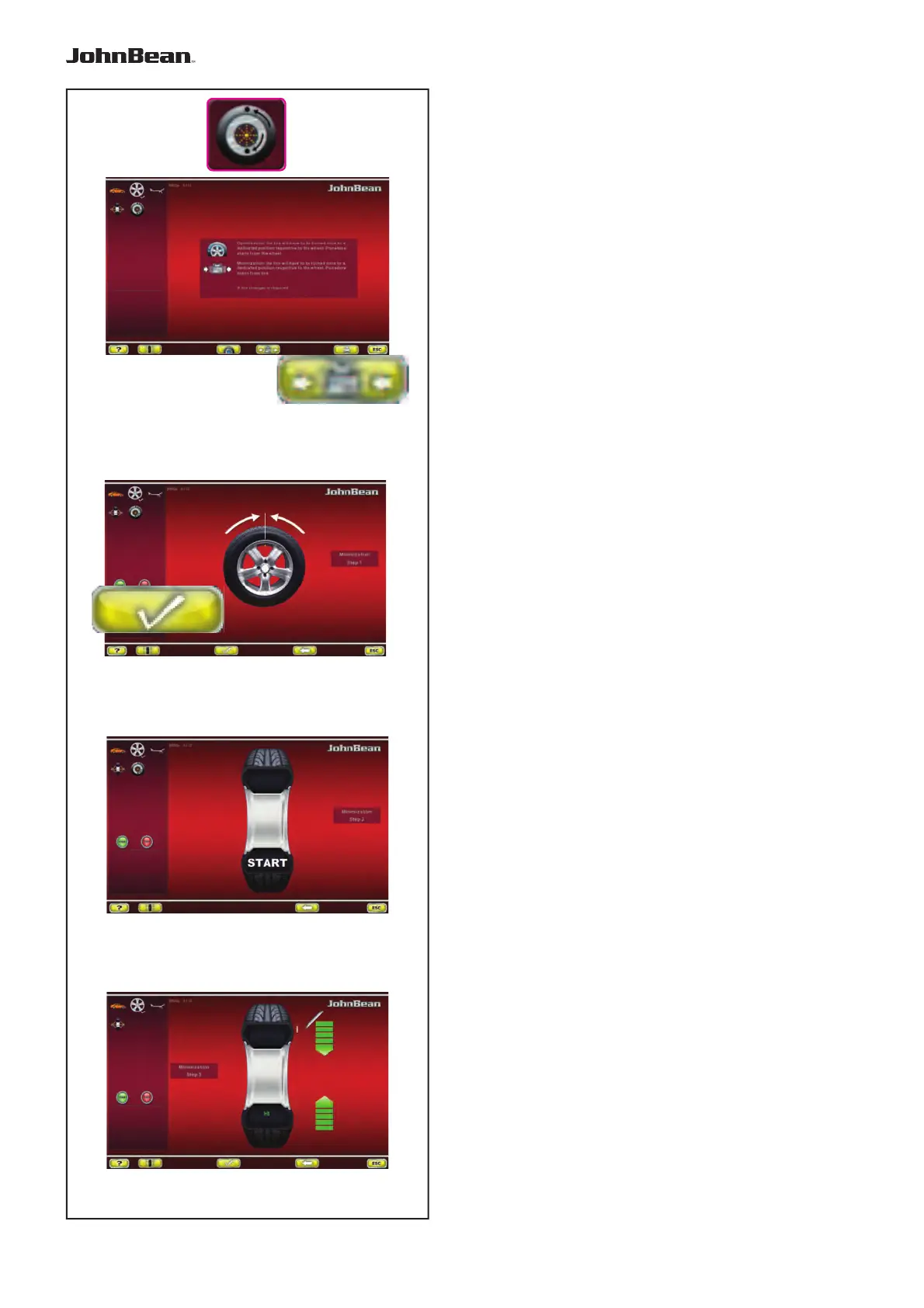
The OPTIMISATION - MINIMISATION screen is
displayed (Fig. 7-20).
— Press the key 4 (Fig. 7-20).
The MINIMISATION “1” screen is displayed (Fig. 7-45).
Fig. 7-45 MINIMISATION “1”
— Readjust the wheel such that the valve is
exactly perpendicular to and above the main
shaft.
— Enter the valve position by pressing key 8.
The MINIMISATION “2” screen (Fig. 7-46) is displayed.
Fig. 7-46 MINIMISATION “2”
START is signalled on the screen.
— Spinn the wheel.
The MINIMISATION “3” screen (Fig. 7-47) is displayed.
The H1 indication may appear
If H1 appears at this point, it means that the machine
recommends you do not continue with Minimisation.
Despite that, it is possible to continue, to obtain a
possible improvement in quiet running, even for values
below the threshold (critical vehicle).
..
_
..........



 To Next Page