196
7-47.b
7-49
7-48
7-50
7-51
8
8
8
Operation
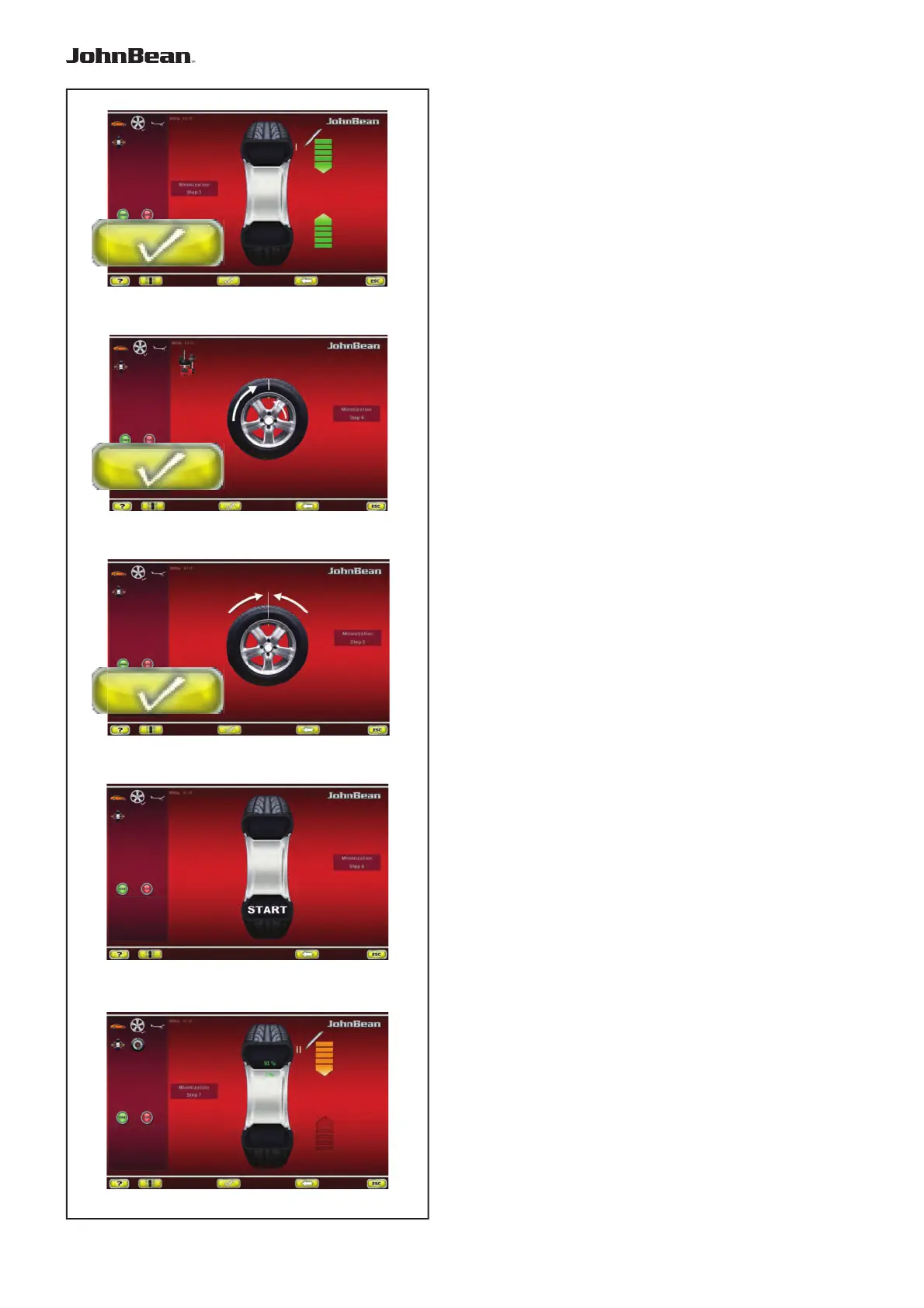
Fig. 7-47b MINIMISATION “3”
— Rotate the wheel into marking position following
the arrows.
—
In this position mark the tyre, on the outer side of
the wheel, precisely above the main shaft.
— Confi rm by pressing the key 8.
The MINIMISATION “4” screen (Fig. 7-4
8
) is displayed.
Fig. 7-4
8
MINIMISATION “4”
— On the tyre changer, turn the tyre relative to the
rim until the valve is aligned with the mark made
on the tyre.
— Confi rm by pressing the key 8.
The MINIMISATION “5” screen (Fig. 7-49) is displayed.
Fig. 7-49 MINIMISATION “5”
— Clamp the wheel on the balancer.
— Rotate the wheel such that the valve is exactly
perpendicular to and above the main shaft.
—
Enter the valve position by pressing
the
key
8
.
The MINIMISATION “6” screen (
Fig.
7-5
0
) is
displayed.
Fig. 7-50 MINIMISATION “6”
START is signalled on the screen.
— Spinn the wheel.
A measuring run is performed.
The screen MINIMISATION “7”, outside (Fig. 7-51)
or the screen MINIMISATION “7”, inside (Fig. 7-53)
is displayed.
Reading H 0
Optimum condition has been achieved and cannot be
improved.
— Continue as shown on screen BALANCING
(Fig. 7-43).
..
_
..........



 To Next Page