200
7-55
7-56
7-43
7-57
8
Operation
Reading of error code E9
If E9 is read out, at least one error was made with
respect to the sequence of operations when performing
optimisation (System messages F 7.1).
— Abort the optimisation program by pressing the
STOP key and, if desired, start optimisation once
again.
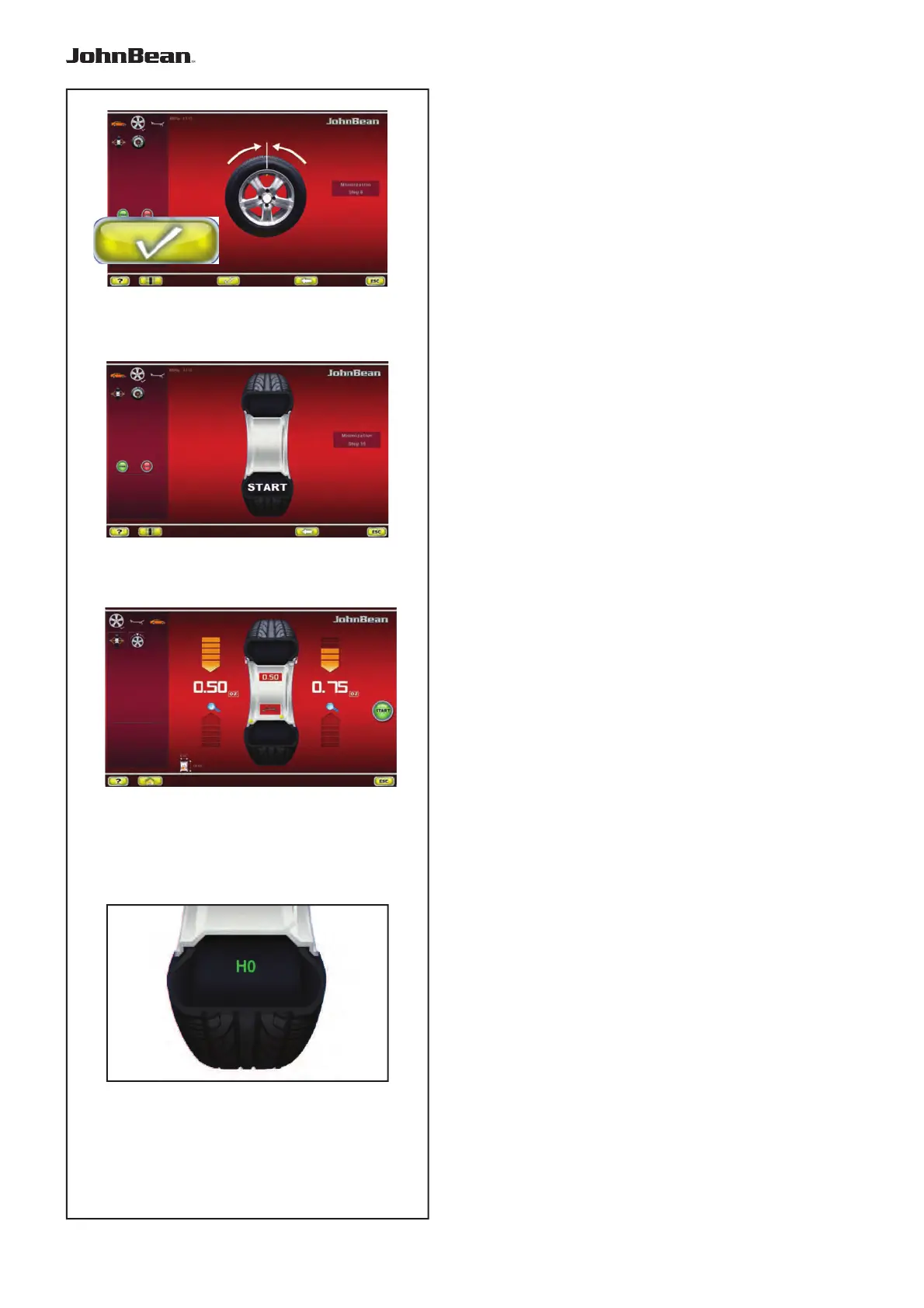
Fig. 7-55 MINIMISATION “9”
— Clamp the wheel on the balancer.
— Rotate the wheel such that the valve is exactly
perpendicular to and above the main shaft.
— Confi rm the valve position by pressing key 8.
The MINIMISATION “10” screen (Fig. 7-56) is
displayed.
Figura 7-56 MINIMISATION “10”
START is displayed on the screen.
— Spinn the wheel.
A measuring run is performed.
The BALANCING screen (Fig. 7-43) is displayed.
Finish weight Minimisation
Fig. 7-43 BALANCING
— Balance the wheel according to the readings.
If the
wheel quiet running conditions cannot be
improved on, the following message is displayed:
Fig. 7-57
H0 Wheel running conditions cannot be improved by
optimisation.
..
_
..........



 To Next Page