206
8-7
C
B
A
1
2
3
Maintenance
8.3 Monitor Calibrating
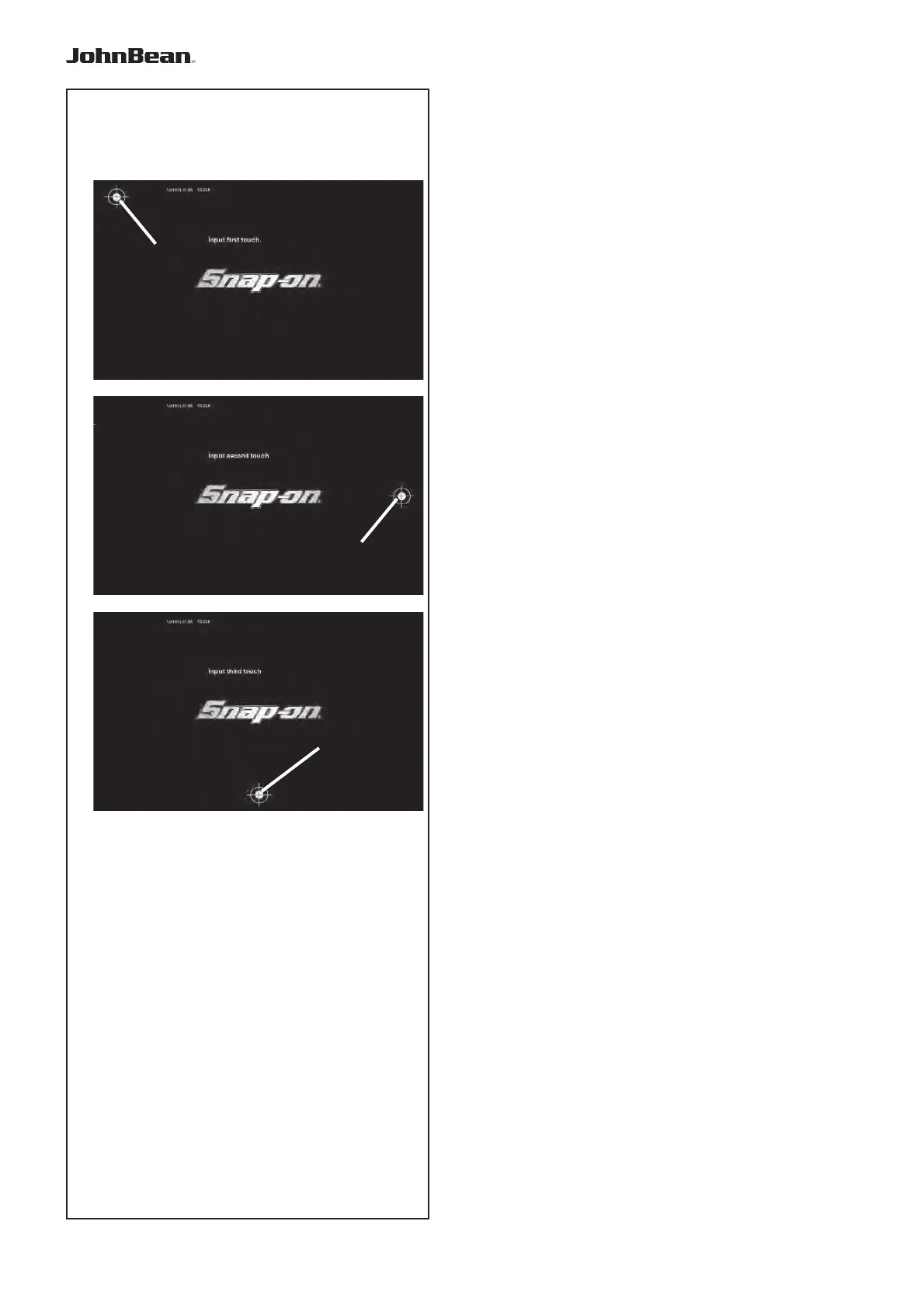
Follow the fi gures 8.7 (1, 2, 3).
Keeping the STOP key pressed for more than 3
seconds in the Introduction screen the calibration
process starts. The process is performed in 3 stages.
The operator must touch in three different times the
white dot with the cross indicator shown on the screen.
First stage;
• Touch the top left dot (A).
Second stage;
• Touch the middle right dot (B).
Third stage;
• Touch the centre bottom dot (C).
At the end of the calibration process, the machine
restarts automatically.
The Touch Screen is now operational.
..
_
..........



 To Next Page