36
4-12
5
1 2
3 4
4-11
61 2
3 4
7 8 9
5
Layout
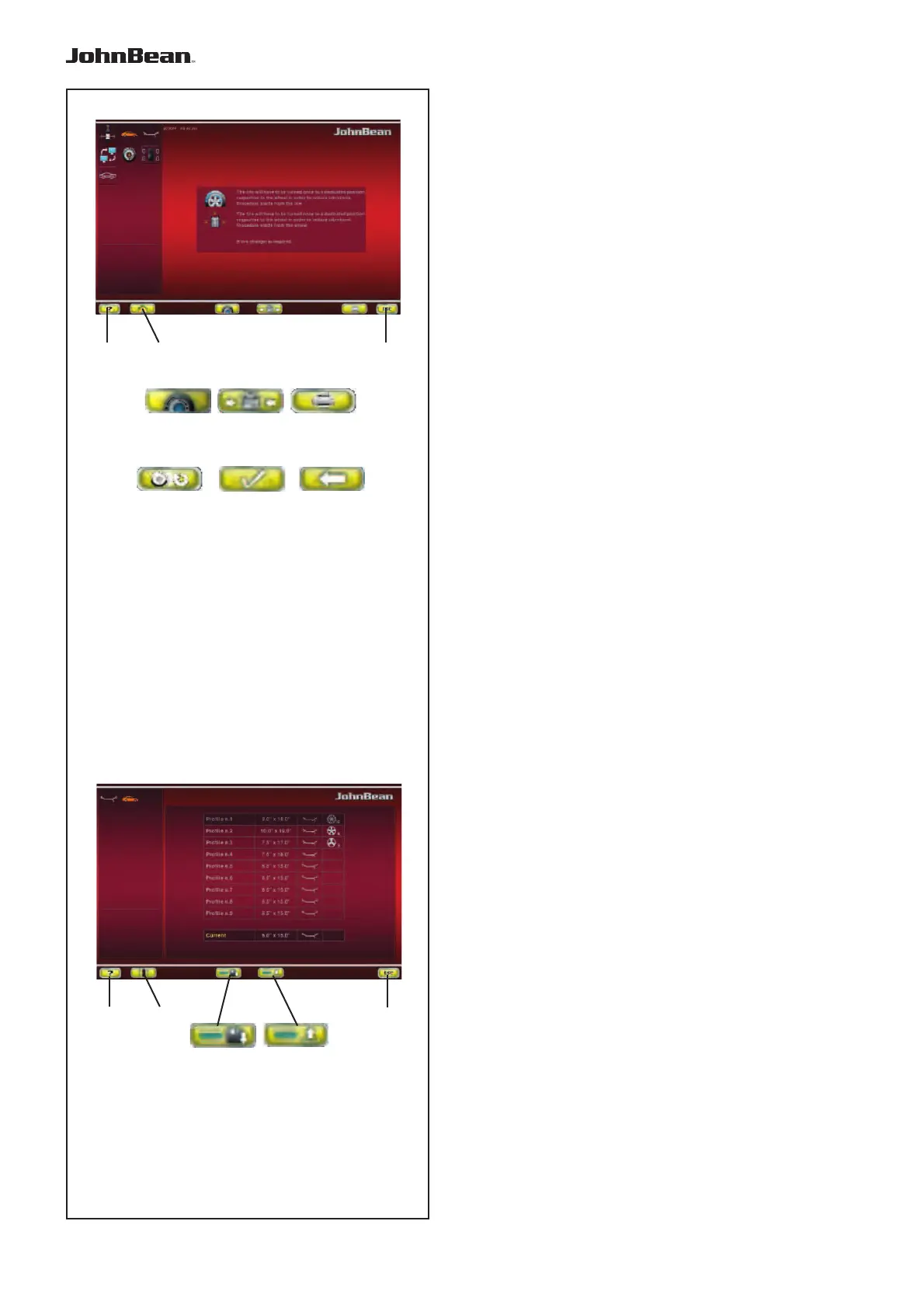
Fig. 4-11 OPTIMISATION/ MINIMISATION
Optimisation / weight Minimisation programs Screen.
Opened using the OPT/MIN key (6, Fig. 4-7) when on the
Screen after a measuring run.
An operational sequence,
and control screens, guide the user through the entire
operation (F 7.1).
Commands available during the entire cycle:
1 - HELP key - Selects HELP texts relating to the current
function.
2 - BALANCING key - Opens the BALANCING Screen
Page.
3 - OPTIMISATION key - Starts the Optimisation cycle
4 - MINIMISATION key - Starts the Minimisation cycle.
5 - PRINT key - For printing
6 - ESC key -
- Returns you to BALANCING/MAIN MENU.
7 - CONTINUE PREVIOUS OPT/MIN key - Continues the
previously interrupted Optimisation/Minimisation cycle.
8 - CONFIRM key - Confi rm / enter completed wheel
positioning, as required by the program.
9 - BACK key - Takes you back one step during execution
of the OPT/MIN program
Fig. 4-12 WHEEL PROFILE
Wheel Profi le Screen Page.
Opened using the SPECIAL key (3, Fig. 4-6), before
the measuring run.
Commands:
1 - HELP key - Selects HELP texts relating to the
current function.
2 - BALANCING key - Opens the BALANCING Screen
Page.
3 - SAVE key - Saves to the memory the wheel data
present in the “Current” line below the list.
4 - RETRIEVE WHEEL DATA key - Retrieves and
sets wheel data from one of the “Profi le” items listed.
5 - ESC key -
- Returns you to the MAIN MENU.
- Exits C codes.
- Clears HELP texts and ERROR messages
..
_
..........



 To Next Page