68
“MANUAL MODE”
1
2
3
4
6-3
6-2
5
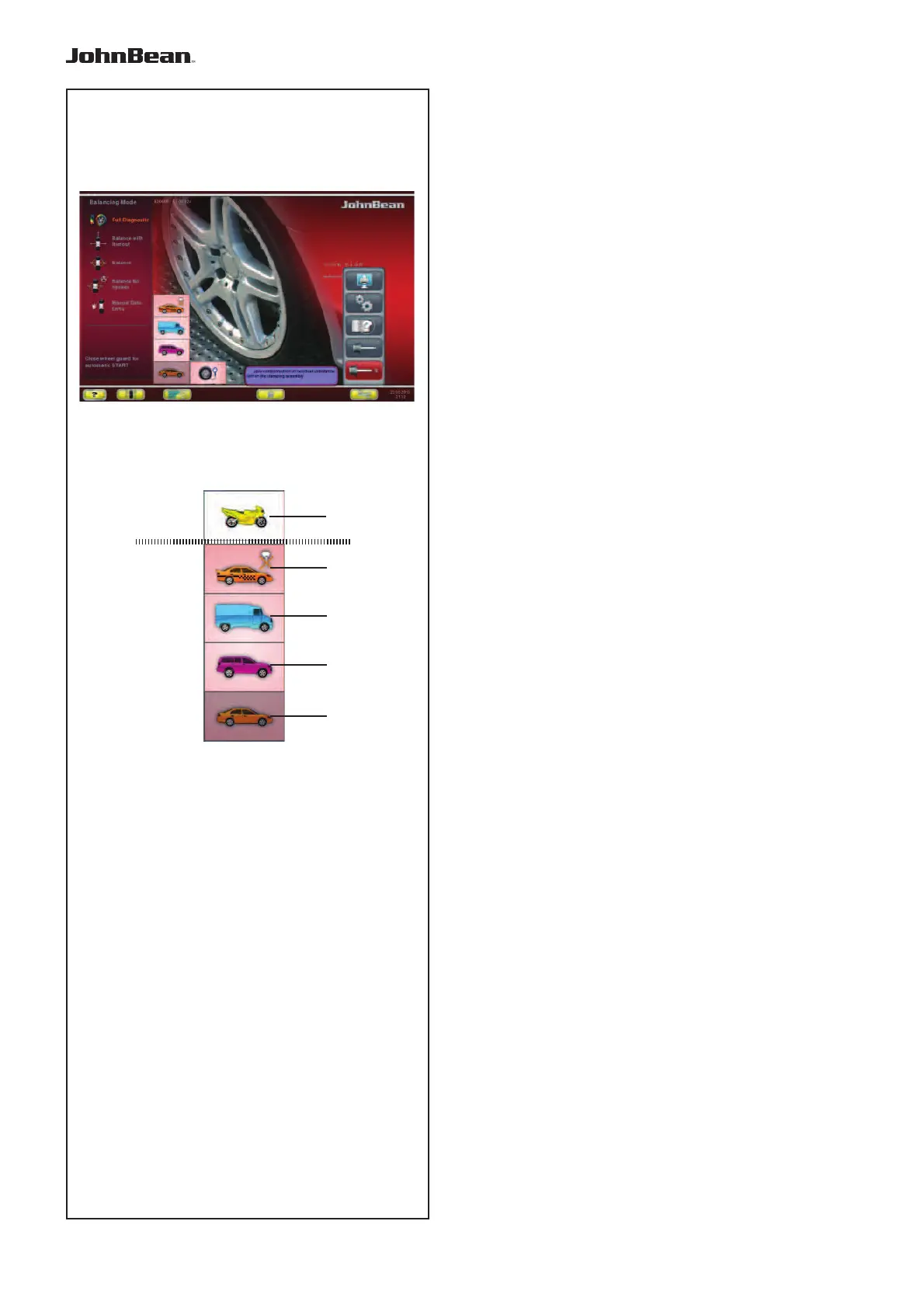
6.1.1 Selecting the Type of Vehicle
When the unit is started it shows the “Vehicle”
selection 1.
In MANUAL
mode the vehicle must always be
selected by the operator.
— On the INTRO SCREEN (Fig. 6-2).
— Select the TYPE OF VEHICLE item according to
the rim on the machine.
Note: The Motorcycle (5,Fig.6-3) option is only
available in Manual Mode.
Fig. 6-3 Types of Vehicle
Assigned Menu items:
1 Standard vehicle wheel (car)- nominal
dimensions in inches.The unit of measure
(inches) is displayed.
Normal and Alu 1 to Alu 5 weight positioning can
be selected. To select a standard wheel with
nominal dimensions in mm - TD or TRX wheel,
you should select the mm/inch option in the RIM
DATA ENTRY screen.
2 SUV vehicle wheel - nominal dimensions in
inches.
3 Light industry vehicle wheel (Van) - nominal
dimensions in inches. Executable steps are
expressed in the “Product Requisite” table at the
end of the manual.
The threshold value for suppression of minor
unbalances is automatically doubled when
this type is chosen and the resolution of the
amount reading set to 10 g and 5 g respectively.
Thresholds for WeightMiser correspond to 1.5
times this value (see specifi c Weight Miser™
user’s handbook).
4 Sporting Vehicle wheel - nominal dimensions in
inches, with imbalances resolved and suppressed
in the same way as car wheels. Consult
executable steps in the “Product Requisite” table.
5 Motorcycle wheel - nominal dimensions in inches,
with imbalances resolved and suppressed in the
same way as car wheels.
(Selection available only in Manual Mode).
After the selection has been made, a Type of Vehicle
in use identification icon will be displayed in the
Status Bar at top left.
..
_
..........



 To Next Page