76
“MANUAL MODE”
3 4
6-11
4-12
6-10
6-11
6.1.4
.1 Saving a Wheel Profi le
Up to 9 wheel profi les can be saved.
—
Clamp the wheel you wish to save the profi le of.
— Set and acquire all the wheel data including
the number of spokes if an Alu P is required.
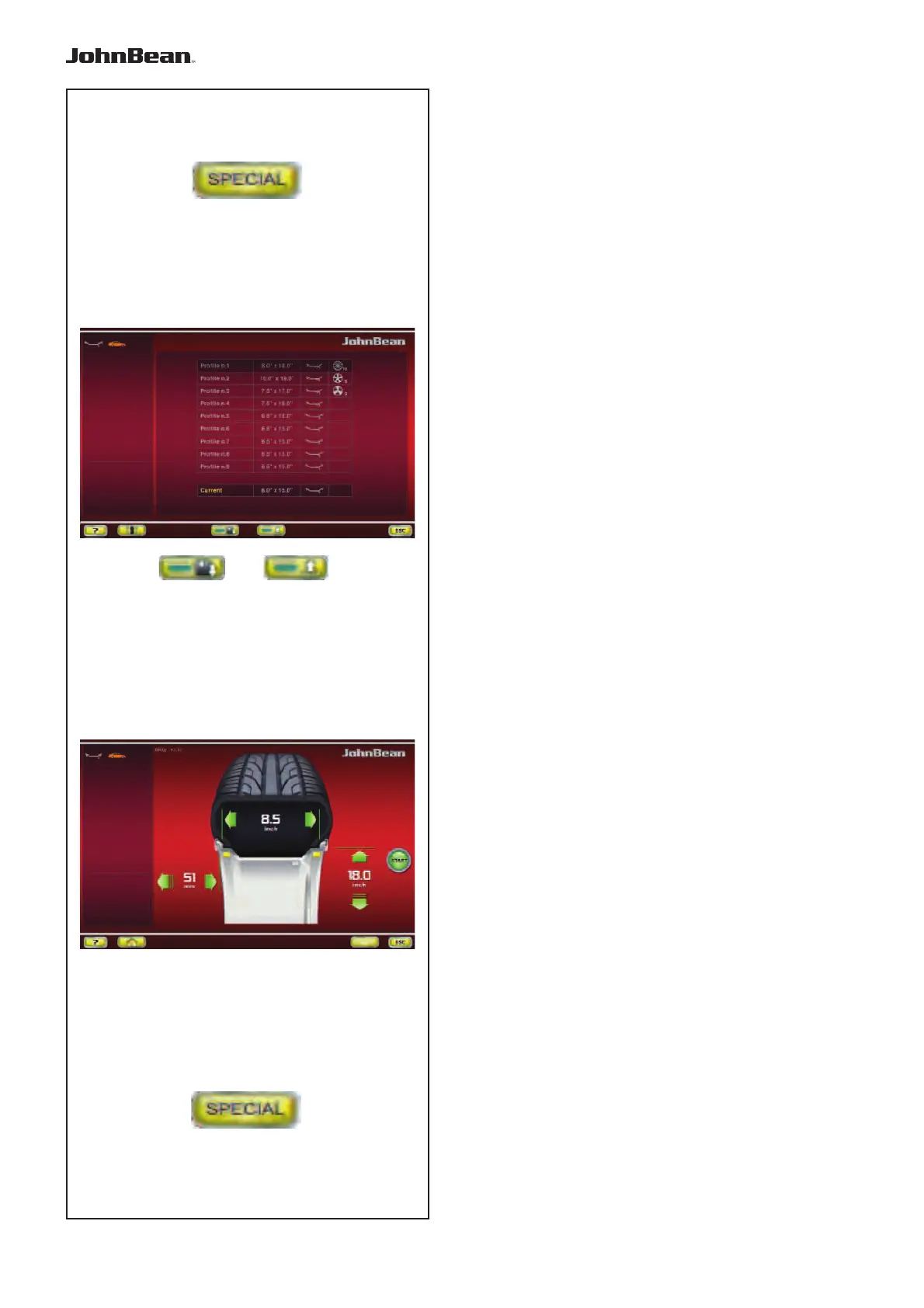
— In the RIM DATA ENTRY screen select the
“SPECIAL” key (Fig. 6-11).
The WHEEL PROFILES screen (Fig. 4-12) will open.
The current wheel profi le data is highlighted in a line
on its own at the bottom of the page.
— In the 9 position list, choose the current profi le
registration position.
— Press the (3, Fig. 4-12) key to save data.
The data is now saved permanently in the chosen
position and can be recalled when required.
Note:
If the profi le is
overwritten with other data it is no longer
shown in the list.
6.1.4
.2 Recalling a Wheel Profile from the
memory
— Clamp the wheel to the balancer.
— In the RIM
DATA ENTRY screen select the
“SPECIAL” key (Fig. 6-11).
The WHEEL PROFILES screen (Fig. 4-12) will open.
— Type on one of the nine lines to select the
profi le indicated for the wheel on the machine.
— Press the (4, Fig. 4-12) key to apply the
selection.
The ENTERING RIM DATA screen (Fig. 6-10) will open
and show the data recalled.
— Check that the settings in the Indications Field
and Status Bar panel are correct.
The machine is now ready to proceed with the
measuring run.
..
_
..........



 To Next Page