Page 12
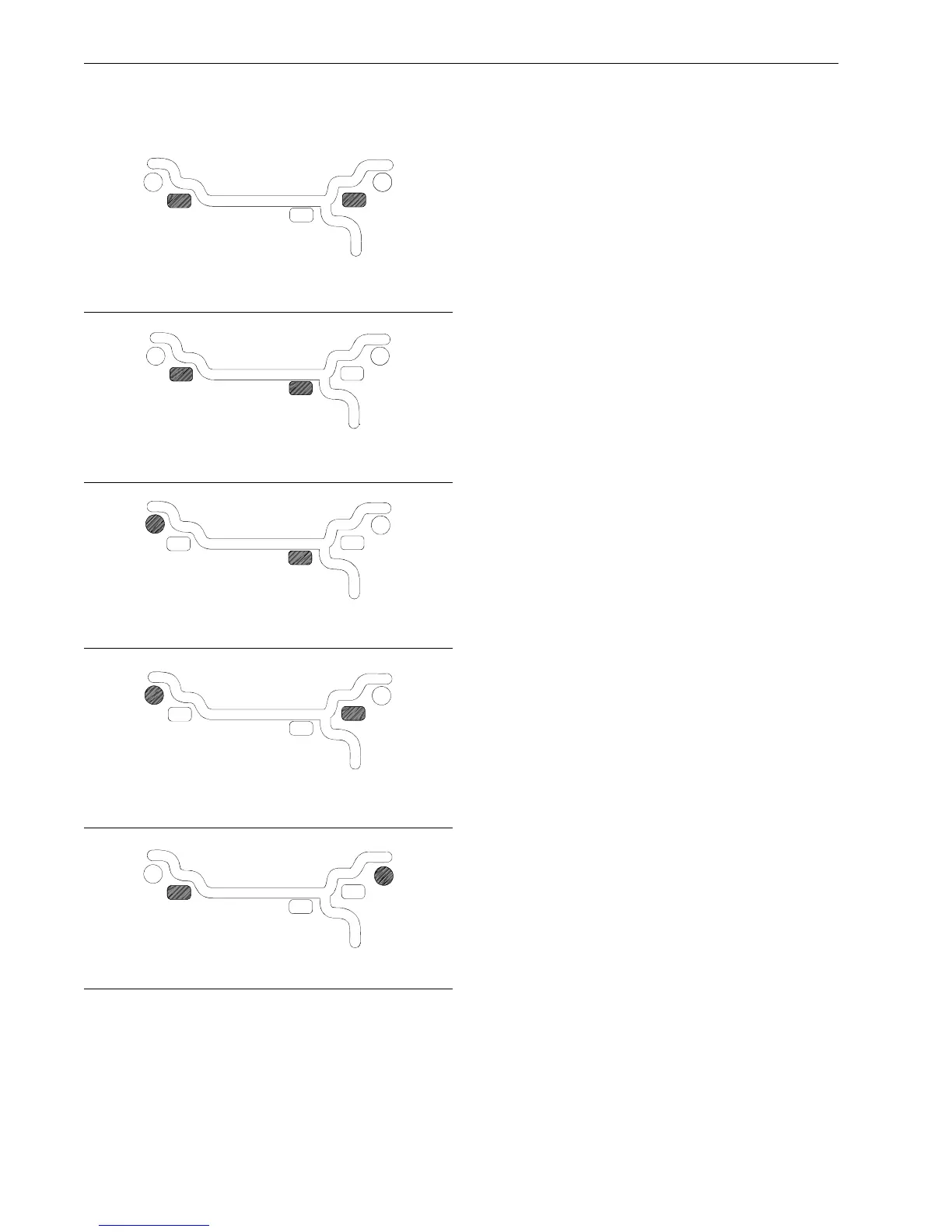
C. ALUMINUM MODES. Balancing using a combina-
tion of hammer-on and adhesive weights as shown in
Figures 17 thru 21.
Figure 17 ALU 1
Figure 18 ALU 2
Figure 19 ALU 3
Figure 20 ALU 4
Figure 21 ALU 5
TO RETURN TO THE
DYNAMIC
PROGRAM FROM
ANY OF THE
ALU
PROGRAMS, JUST PRESS Can-
cel/Stop.
4.4 SELECTING OPERATOR PREFERENCES
4.4.1 FINE BALANCING MODE
This balancer measures with the maximum precision
available all the time, 1g / 0.05 oz, however values be-
low 5g / 0.25 oz are shown as zero while in the normal
operating mode. Values exceeding 5g / 0.25 oz are
rounded to the amount of the nearest commercial wheel
weight.
Press the
F
button followed by the
UP
or
Down
arrow
button to toggle the display resolution between 5g /
0.25 oz and 1g / 0.05 oz.
4.4.2 OUNCE/GRAMS CONVERSION
When the machine is first turned on it is preset to dis-
play the imbalance in ounces.
If the display in grams is desired, press the
F
button
followed by the
UP
or
Down
arrow button until “P 3” is
displayed”.
Repeat the procedure for converting back to ounces.
4.4.3 RIM DIAMETER IN MILLIMETERS
The rim diameter is normally displayed in inches, how-
ever if the value in millimeters is desired, press the
F
button followed by the
UP
or
Down
arrow button until
“P 7” is displayed”.
Repeat the above operation to convert back to inches.
Example: “dIA ICH” = inches
“dIA ---” = millimeters
4.4.4 OPERATOR SELECTION
Select the desired operator designated A,B,C,or D. The
EEWB304A Balancer can store wheel parameters of
four operators. The Operator button toggles between
the four operators with each depression.



 To Next Page