Page 21
John Bean VPI System I Operators Manual
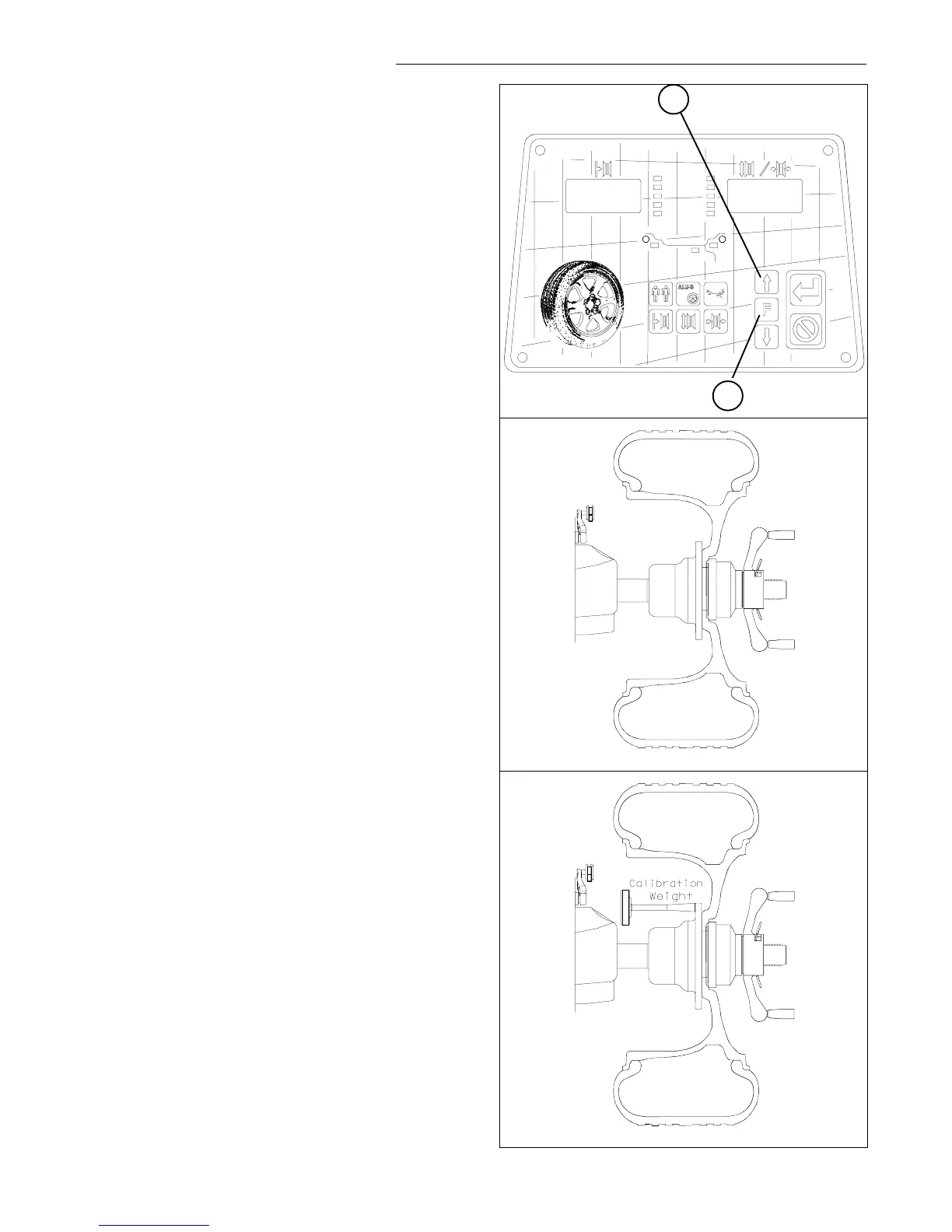
Figure 38
Figure 39
Figure 40
1
2
10.0 USER CALIBRATION
The VPI System I Balancer features a user calibration
program which requires only a few minutes to complete.
Perform this procedure when the balancer has been
moved, disturbed, or whenever accuracy is questioned.
Occasional field calibration will ensure years of reliable
service.
Follow these 3 simple steps:
1. Activate Calibration.
Press the
F
Button (#1 Figure 38) then press the UP/
Down buttons (#2 Figure 38) until the display reads "F"
“14”.
• Once F14 activates, the display will read
"CAL" " GAN" for one second.
• The display will then read "SPN" " 1 ".
• Mount a balanced wheel/tire to the shaft.
See Figure 39.
2. Spin shaft with balanced wheel only.
Lower the wheel guard or press enter to spin the shaft
with wheel/tire assembly. See Figure 39
• Displays "CAL" " 1 " as the machine is collecting
data and performing calculations. After taking data,
the shaft is automatically braked to a stopped.
• The display will read "SPN" " 2".
3. Spin shaft with calibration slug on the left side.
Mount calibration slug to inside edge of shaft mounting
plate as shown in Figure 40.
• Lower the wheel guard or press enter to spin the
shaft with slug and wheel/tire assembly.
• Displays "CAL" " 2" as the balancer is doing its
calculations. When complete, the shaft is automati-
cally braked to a stop.
• The display will read "CAL" "FIN " when the second
step of calibration is FINished.
• If for some reason the calibration detected an error,
the display will read: "---" "---" after the shaft brakes.
NOTE: The balancer will not function until a valid cali-
bration has been performed. Error messages will be
displayed in the event problems occur during the cali-
bration process.



 To Next Page