Page 22
11.0 Distance Gauge Calibration F80
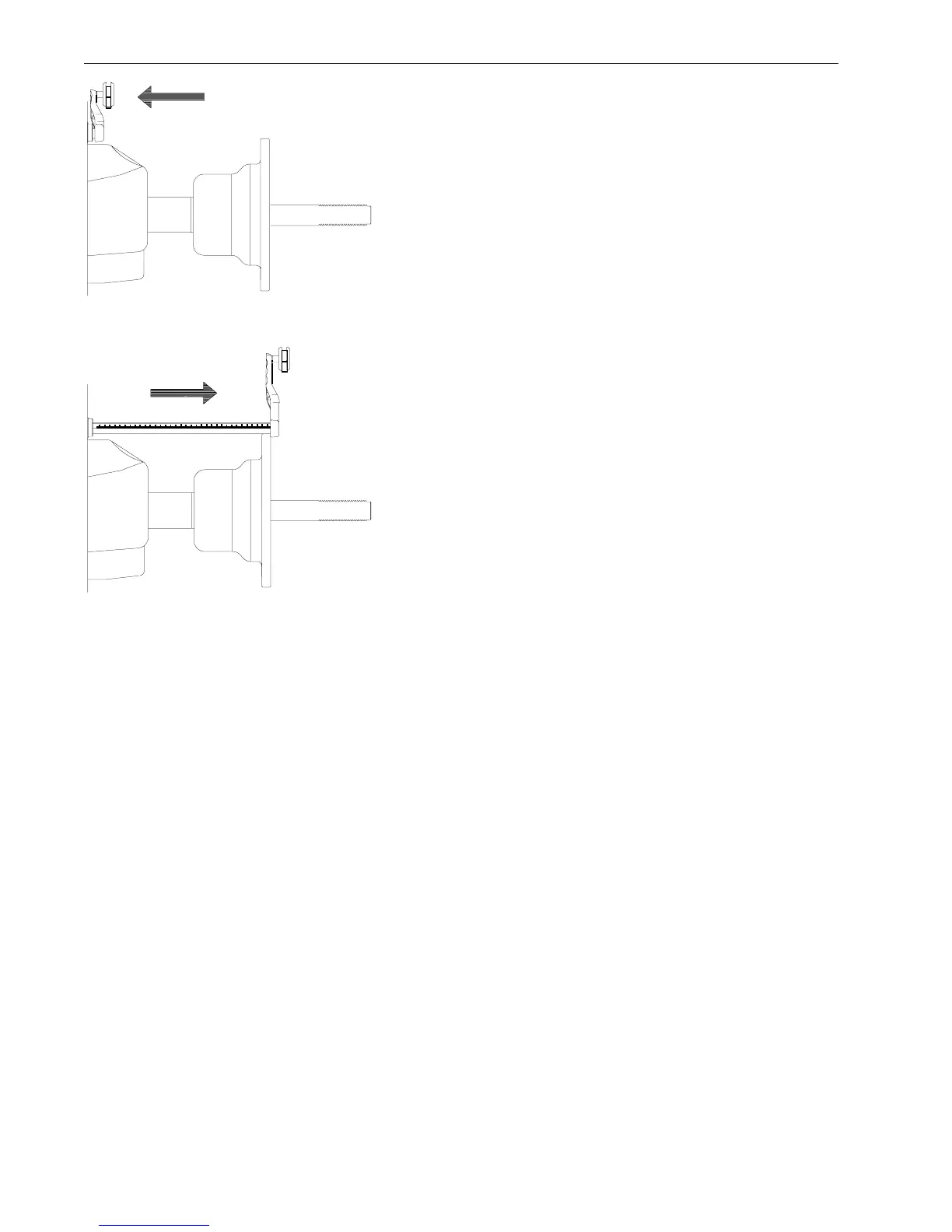
1. Make sure the SAPE arm is in the home
position as shown in (Figure 40). NOTE:
Weight tray must be installed.
2. Press the “F”
button followed by press-
ing the
“Up”
or
“Down”
button until the
display reads “F” “80”, press “EN-
TER” to continue.
3. The display will read “CAL ” “SAP” for
one second. This means CALibration of
SAPE. The display will then read “SAP”
“OUT”.
4. Gently pull the SAPE arm OUT until it is
fully extended, (Figure 41) hold it steady
for about 1 second or until beep.
5. Display will read “H” “POS” followed by
a beep. Return the arm to the home posi-
tion (Figure 40). The display will read
“CAL End”.
Figure 40
Figure 41



 To Next Page