Hardware Installation—Installing the IFC-1010/2020
65
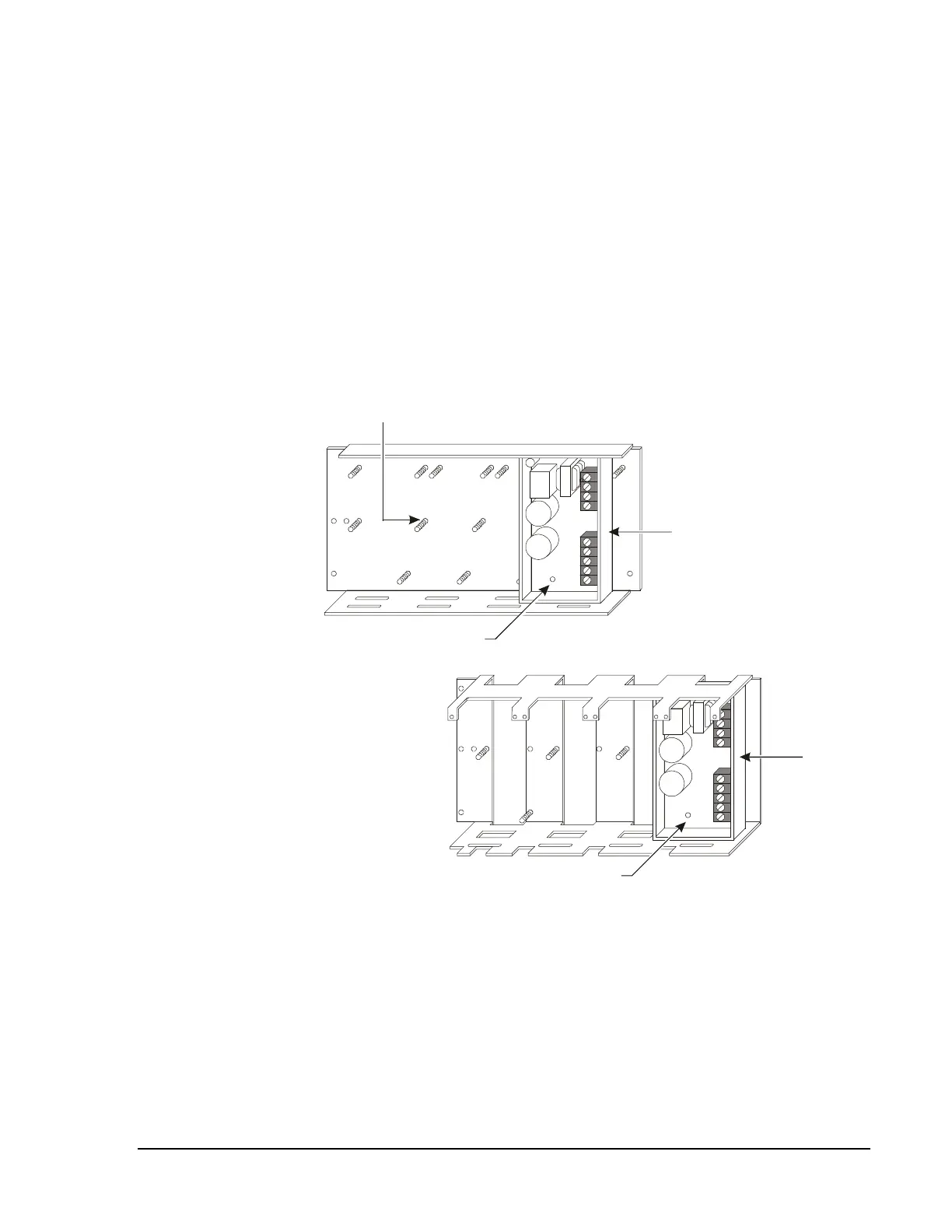
An APS-6R can mount to a CHS-4 or a CHS-4L for use in a CAB-3 Series
cabinet (CAB-A3, CAB-B3, CAB-C3, or CAB-D3). To mount the
APS-6R, follow these instructions:
1.
Place the APS-6R onto the mounting studs of the CHS-4 or CHS-4L.
2.
Insert a standoff through each of the APS-6R mounting slots; then
thread each standoff to the mounting stud on the chassis.
3.
Tighten the standoffs until the APS-6R is securely fastened to the
chassis.
4.
Mount the CHS-4 or CHS-4L to the cabinet backbox.
5.
Install the APS-6R plastic cover and press-fit terminal block cover
over TB1 AC connections.
chsmnt_aps6r
CHS-4 Chassis
CHS-4L Chassis
Mounting Stud
APS-6R
Standoffs
Standoffs
APS-6R
Figure 42: Mounting the APS-6R to a Chassis
Mounting an
APS-6R in a
CAB-3 Series
Cabinet




 To Next Page