D-308403 29011054R001 PG9200AX 11
Mounting on a wall
1. Loosen the back-box lock screw.
2. Remove the chassis from the back-box.
3.
Use the supplied M4×20 wall mounting screws to fix the chassis to the wall.
4.
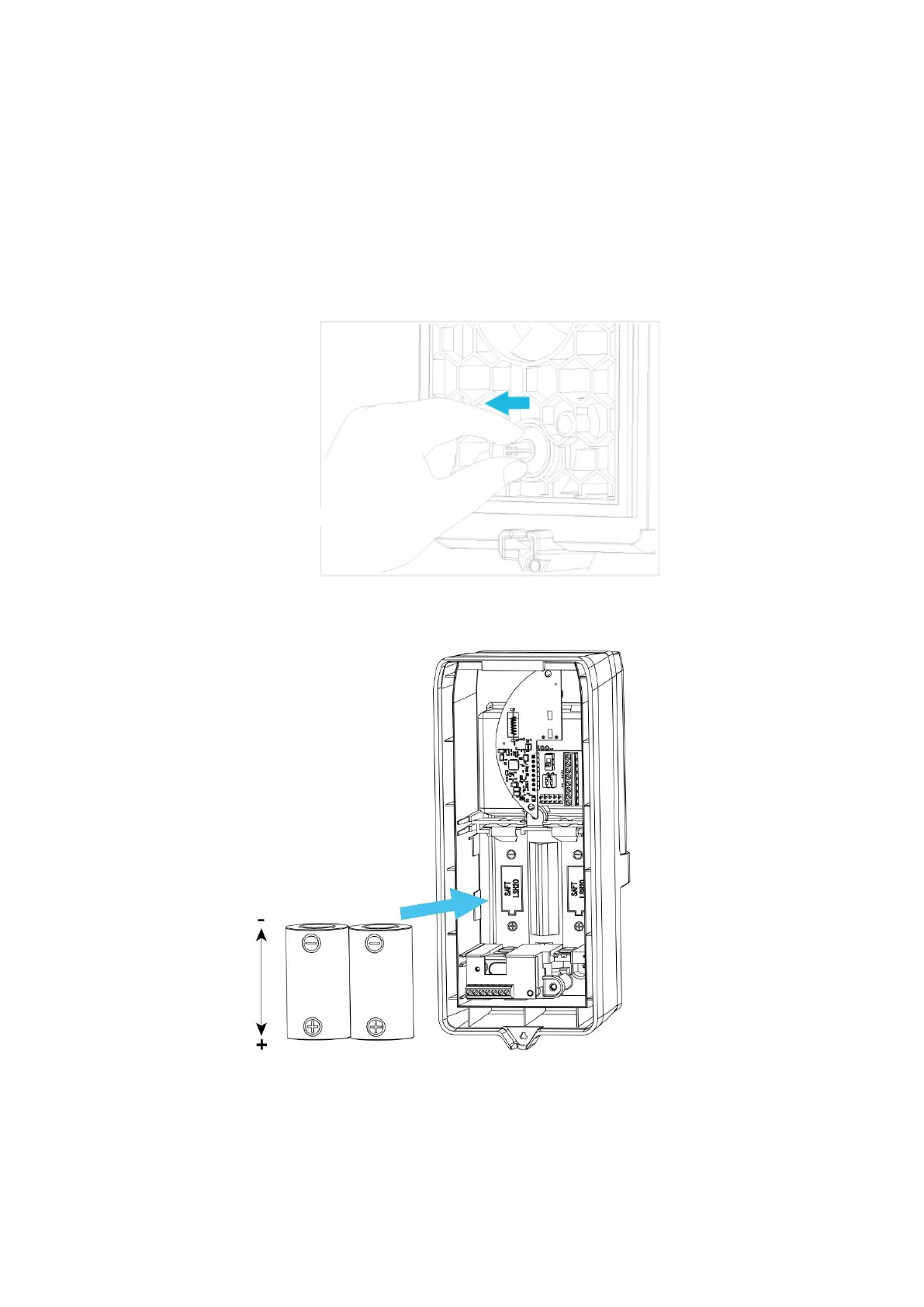
After mounting the chassis, pick up the tamper bushing with your thumb and index finger.
5.
Position the tamper bushing so that it is upright and moves smoothly.
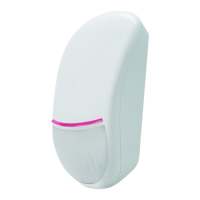
6. Insert two batteries in the battery enclosure within the back-box and set the PowerG module switch to the ON
position.
7. Secure the back-box to the chassis on the wall.
8. Tighten the back-box lock screw.


 To Next Page