EasyManua.ls Logo

Johnson Controls TEC3330-1 Series - User Manual

Johnson Controls TEC3330-1 Series
30 pages
Print Icon
To Next Page IconTo Next Page
Loading...
TEC3000 Series Networked and Wireless
Single- or Two-stage Economizer Thermostat
Controllers Quick Start Guide
North American emissions
compliance
United States
This equipment has been tested and found to comply with
the limits for a Class B digital device, pursuant to Part15
of the FCC Rules. These limits are designed to provide
reasonable protection against harmful interference ina
residential installation. This equipment generates, uses
and can radiate radio frequency energy and, if notinstalled
and used in accordance with the instructions, may cause
harmful interference to radio communications.However,
there is no guarantee that interference will not occur
in a particular installation. If this equipment doescause
harmful interference to radio or television reception,
which can be determined by turning the equipment
offand on, the user is encouraged to try to correct the
interference by one or more of the following measures:
Reorient or relocate the receiving antenna.
Increase the separation between the equipment and
receiver.
Connect the equipment into an outlet on a circuit
different from that to which the receiver is connected.
Consult the dealer or an experienced radio/TV
technician for help.
Canada
This Class (B) digital apparatus meets all the requirements
of the Canadian Interference-Causing Equipment
Regulations.
Cet appareil numérique de la Classe (B) respecte toutes
les exigences du Réglement sur le matériel brouilleurdu
Canada.
Installation
Parts included
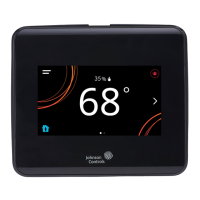
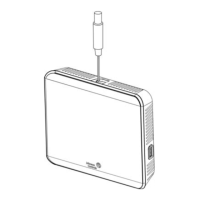
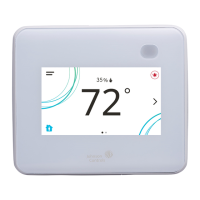
One TEC3000 Series Thermostat Controller with integral
mounting base
One installation instructions sheet
Location considerations
For networked models, locate the TEC3000 Series
Thermostat Controller:
On a partitioning wall, approximately 5 ft (1.5 m) above
the floor in a location of average temperature, to allow
for vertical air circulation to the TEC
Away from direct sunlight, radiant heat, outside walls,
outside doors, air discharge grills, stairwells, and from
behind doors
Away from steam or water pipes, warm air stacks,
unconditioned areas (not heated or cooled), or sources
of electrical interference
In a clear path between the integrated passive infrared
(PIR) occupancy sensor (if equipped) and the space it
monitors
For wireless models, also locate the thermostat controller:
Outside of a recessed area, metal enclosure, or shelving
unit
On the same building level as the other wireless devices
on the same personal area network (PAN)
At least 2 in. (51 mm) away from any metal obstruction
In the direct line of sight to other wireless devices on
the same PAN. Signal transmission is best if the path
between the TEC3000 and other wireless devices is
direct as possible. Line of sight is desirable but not
required. See Table 1 and Table 2 for the recommended
and maximum distances.
Away from metal and large solid obstructions, that
includes equipment rooms and elevator shafts and
concrete or brick walls, between the TEC3000 and
the ZFR182x or ZFR183x Router/Repeater or ZFR Pro
Coordinator Radio
Within range of two or more wireless devices on the
same PAN. Redundancy in the layout provides the best
reliability in wireless installations
At least 20 ft (6 m) from a microwave oven
For integrated PIR models, make sure that the thermostat
controller is located centrally, where occupant movement
is frequent. Ensure that the unit is not blocked by a plastic
tamper resistant enclosure (such as the GRD10A-608). The
plastic enclosure blocks the occupancy sensing capability.
The use of insulating foam pads is necessary for
installations where wiring passes through the wall to the
thermostat.
For wireless models, the effective transmission range and
distance for indoor applications vary because of wireless
signal absorption and reflection due to metal obstructions,
walls or floors, and furniture that is found in building
interiors.
Note: Allow for sufficient clearance to insert a USB
drive into the USB port
Important: Only connect memory devices to the USB
port. Do not use it for charging external devices.
*241135300036E*
Part No. 24-11353-00036 Rev. E
2020-12-15
(barcode for factory use only)
TEC3330-1x-xxx, TEC3331-1x-xxx, TEC3630-1x-xxx,
TEC3631-1x-xxx, TEC3030-1x-xxx, TEC3031-1x-xxx,
TEC313x-14-xxx

Other manuals for Johnson Controls TEC3330-1 Series

Questions and Answers

  • K
    Kimberly RobertsSep 3, 2025
    Why does the equipment cycle too fast or slow on Johnson Controls Thermostat?
    • K
      Kristin DanielSep 4, 2025
      If the staged equipment cycles too rapidly or too slowly when the PID is running on your Johnson Controls Thermostat, it means the control band around the setpoint is determined by the minimum on/off times and is set incorrectly for the equipment, zone, or user preference. Verify that equipment minimum on/off times are set correctly. If the default deadband around the setpoint does not provide the desired temperature control, set Temp Control Setup to Deadband Override and set the Deadband parameter to the desired value.
  • S
    Scott FrancisAug 27, 2025
    Why does my Johnson Controls TEC3330-1 Thermostat display Partial Restore Complete?
    • R
      Rebecca MclaughlinAug 27, 2025
      If your thermostat displays 'Partial Restore Complete' when restoring from a backup, it means not all items in the backup file were restored. This can happen if a value is outside the acceptable range or if there are inconsistencies in a setting's reliability. To resolve: 1. Create a Backup file on a USB drive for the TEC that is showing the issue. 2. Edit the backup file created in the previous step on a PC to reflect the desired settings. 3. Verify that the modified values are within minimum and maximum range in the backup file. 4. Restore the settings from the newly edited backup file on the TEC.
  • C
    Cheryl CrossAug 26, 2025
    What causes Fan Lock on Johnson Controls TEC3330-1 Thermostat and how to resolve it?
    • E
      Erin WilliamsAug 26, 2025
      If your Johnson Controls Thermostat displays 'Fan Lock', the switch connected to the BI configured for Fan Lock didn't sense airflow within 10 seconds of starting the fan, and control has been shut down. To resolve this: 1. Inspect equipment to ensure fan functions. 2. Check sensor functionality with an ohmmeter, and verify wiring to the TEC. 3. Reset fault by entering the menu, selecting Fault Status, and selecting the Fan Lock. 4. Order replacement units and return the affected devices to Johnson Controls under the RMA program.
  • J
    Jordan ReidSep 5, 2025
    What to do if dehumidification is unavailable on my Johnson Controls TEC3330-1 Thermostat?
    • A
      Amber DavilaSep 5, 2025
      If your Johnson Controls Thermostat shows 'Dehum Unavailable', and the zone humidity source was a BAS, check the BAS to ensure it's online and providing the humidity reading to the TEC. If you intentionally removed the BAS mapping, reset the sensors through the menu. If the problem persists, order replacement units and return the affected devices to Johnson Controls under the RMA program.
  • M
    Morgan HendersonSep 4, 2025
    How to fix rapid cycling with PID on my Johnson Controls Thermostat?
    • M
      Michael TurnerSep 5, 2025
      If the staged equipment cycles too rapidly or slowly on your Johnson Controls Thermostat when the PID is running, it may be due to the control band around the setpoint being set incorrectly. Verify that the equipment's minimum on/off times are set correctly. If the default deadband doesn't provide the required temperature control, set 'Temp Control Setup' to 'Deadband Override' and adjust the 'Deadband' parameter to your preferred value.
  • W
    wwigginsAug 28, 2025
    What to do if Johnson Controls Thermostat displays Controller Fault?
    • E
      Elizabeth KochAug 28, 2025
      If your controller displays 'Controller Fault', it means an internal fault was detected and the controller was unable to recover. Order replacement units and return the affected devices to Johnson Controls under the RMA program.
  • J
    Jonathan TurnerAug 29, 2025
    What to do if the Johnson Controls Thermostat shows 'Remote Zone Temp Fail'?
    • K
      Kim GilbertAug 29, 2025
      If your Johnson Controls Thermostat displays 'Remote Zone Temp Fail', it indicates that the External Zone Temperature sensor is either disconnected or has failed. Here's what you should do: 1. Check the sensor's wiring to ensure it's properly connected. 2. If the sensor was intentionally disconnected, reset the sensors through the menu. 3. If the problem continues, you may need to order replacement units and return the faulty devices to Johnson Controls under the RMA program.
  • L
    lisa82Aug 31, 2025
    Why is Cooling Ineffective on Johnson Controls Thermostat?
    • C
      Christopher FuentesAug 31, 2025
      If cooling is ineffective on your Johnson Controls Thermostat, it means the Supply Air Temperature has not decreased below the configured Supply Air Temperature Alarm Offset while cooling has been active for at least the Supply Air Temperature Alarm Delay. Verify that the cooling elements on the rooftop are functioning correctly.
  • M
    michaelhurleySep 3, 2025
    What to do if Johnson Controls Thermostat displays Fan Lock?
    • D
      David LeeSep 3, 2025
      If your Johnson Controls Thermostat displays 'Fan Lock,' it means the switch connected to the BI configured for Fan Lock did not sense airflow within 10 seconds of starting the fan, and control has been shut down. First, inspect the equipment to ensure the fan functions. Then, check sensor functionality with an ohmmeter and verify the wiring to the TEC. Next, reset the fault by entering the menu, selecting Fault Status, and selecting the Fan Lock. If problems continue, order replacement units and return the affected devices to Johnson Controls under the RMA program.
  • B
    Brian ElliottSep 23, 2025
    Why does my Johnson Controls Controller display Idle with Cooling/Heating Unavailable due to Control Mode?
    • R
      Robert DiazSep 23, 2025
      If your Johnson Controls Controller displays 'Idle' with a Unit Status of 'Cooling Unavailable due to Control Mode' (despite being above the cooling setpoint) or 'Heating Unavailable due to Control Mode' (despite being below the setpoint), it indicates that the Control Mode is set incorrectly. If the Control Mode is set to Cooling Mode, but the controller is requesting heating, change the Control Mode to Auto or Heating. If the Control Mode is set to Heating Mode, but the controller is requesting cooling, change the Control Mode to Auto or Cooling.

Johnson Controls TEC3330-1 Series Specifications

General IconGeneral
BrandJohnson Controls
ModelTEC3330-1 Series
CategoryThermostat
LanguageEnglish

Related product manuals