MA3:9
V Range 502 l 652 l 802 Maintenance Manual
Johnston Sweepers Limited
Chapter - Electrical System
Step Four: Operating System (OS) Update
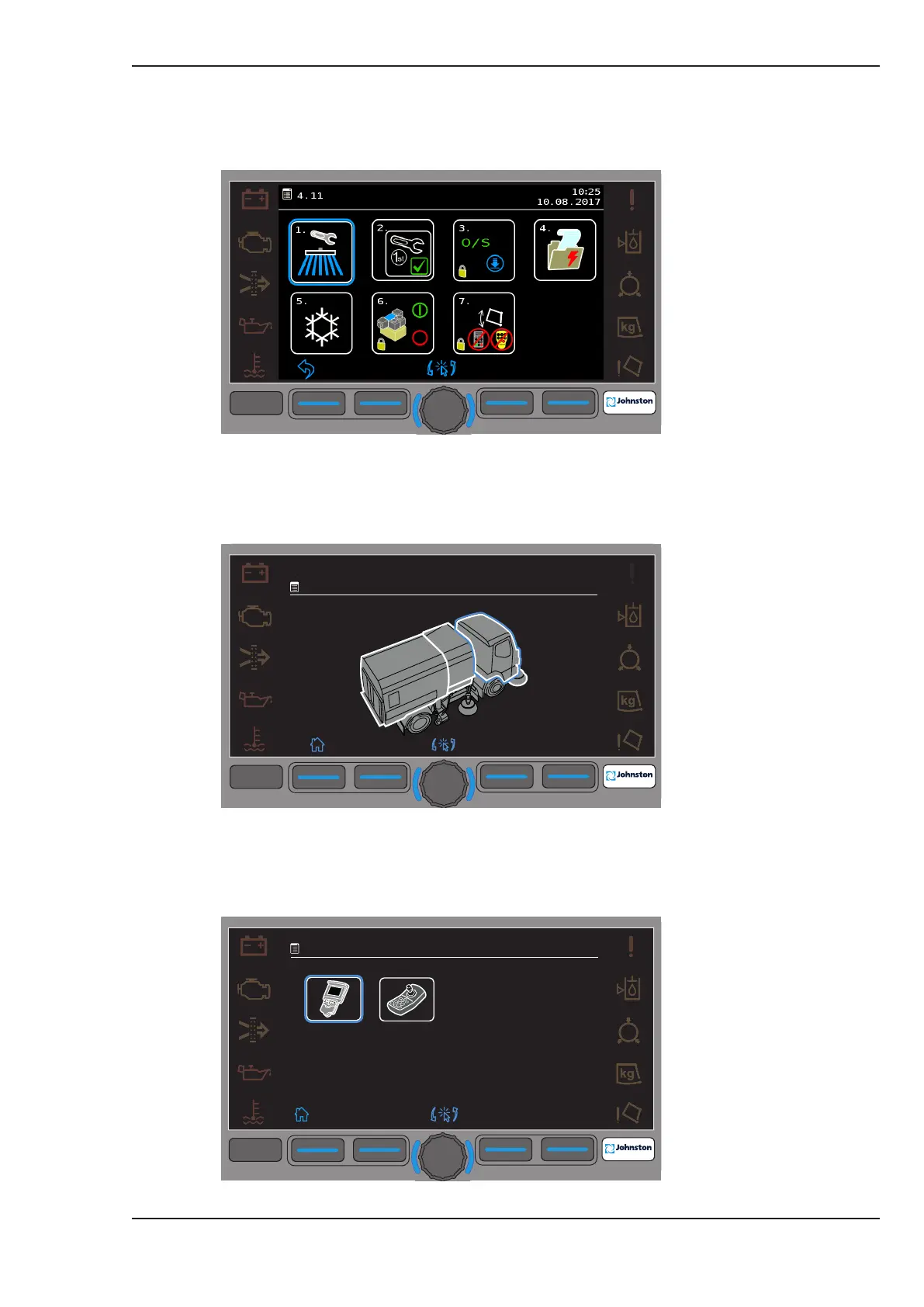
4.1. Go to Menu 4.11 - Service, and select option 2, OS Downloads.
Menu 4.11 Service
4.2. Move the blue halo and select (for example) the machine cab area.
Menu 4.11.2 Cab Area Selection
4.2. Move the blue halo and select the Centre Console cab Node.
Menu 4.11.2.1 Select Centre Console Node.
F1 F2 F3
F4
F4
09:45
20:01:2016
4.11
2.
3.
4.
1.
O/S
1st
F1
F2
F3
F4
F4
09:45
20.01.2016
4.11.2
F1 F2 F3
F4
F4
09:45
20.01.2016
4.11.2.1



 To Next Page