V Range 502 l 652 l 802 Maintenance Manual
MA3:10
Chapter - Electrical System
Clear Emergency Codes
If during operation any emergency codes (EMCY) codes are raised these can be checked using
the 4.2 menu or by pressing the soft key F2 and selecting the area and node where the error
occurred.
The codes are cleared by automatically by turning off the ignition and allowing the JVM to shut
down.
Step Four: Operating System (OS) Update (continued)
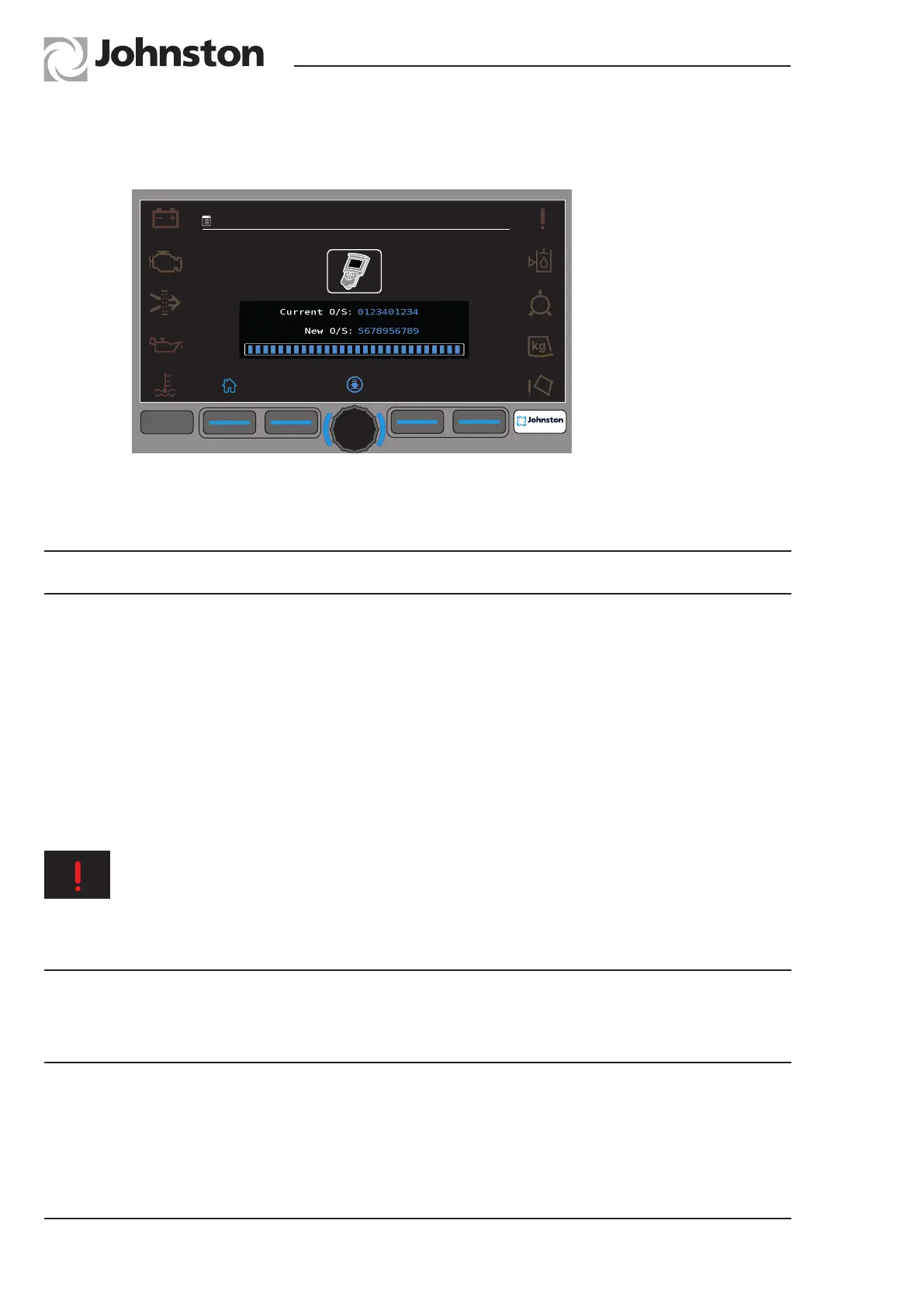
4.3. Compare the “Current OS” version with the “New OS” version numbers. If the OS version
numbers are different, then the Node OS must be updated.
Menu 4.11.2.1.2 Centre Console OS Download
4.4. To download the “New OS”, press the centre button on the JVM to start the OS update. The
blue bar will indicate the progress of the download.
F1 F2 F3
F4
F4
09:45
20:01:2016
4.11.2.1.2
NOTICE: When a fault is repeated 4 consecutive times during one ignition cycle the
affected Node will automatically shut down the output. The output will automatically be
re-activated after the ignition has been turned off and back on.
NOTICE: Do not switch off the ignition, or isolate the vehicle during the download process
4.5. Once the green tick appears, the OS download is complete.
4.7. Repeat the process for the Door Controller IO Node, System Locker IO Node, Powapak IO
Node, Hopper IO Node and the High Current Nodes.
4.8. Once all OS Updates are complete, exit from the Menus and switch off the ignition.
4.9. Wait one minute and then switch on the ignition.
4.10. Remove USB stick from the JVM display.



 To Next Page