Setup Wizard
Connect an RF cable from the Tv’s input called “RF-In” and to your TV Aerial socket.
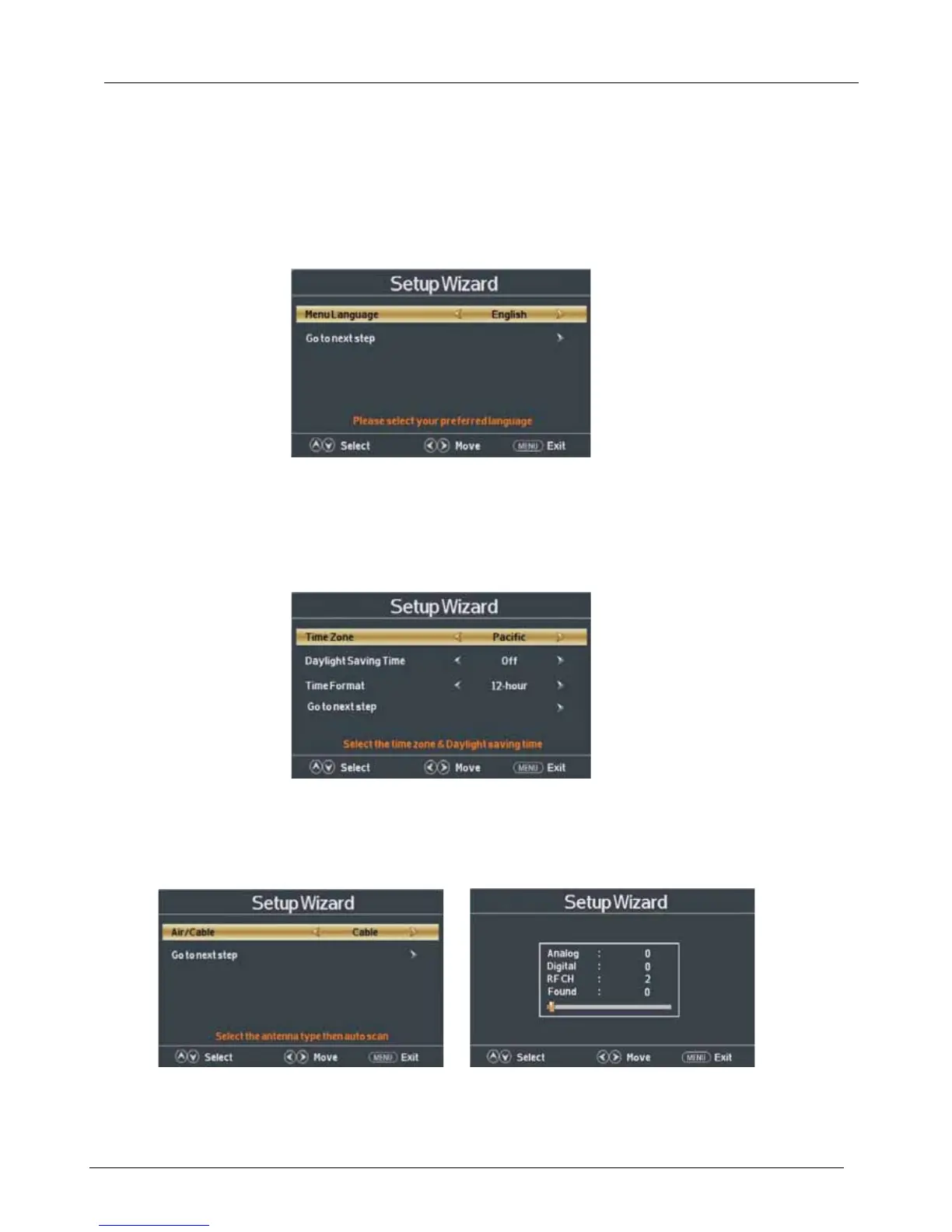
Select Language
Press ◄ / ► button on the remote control to select the language to be used for menus and message.
Press ▼ / ▲ button on the remote control to select go to next step and press ENTER/► button to go.
Select Time
Press ▼ / ▲ button on the remote control to select the time zone, daylight saving time and time
format you want to.
Press ◄ / ► button on the remote control to adjust.
Press ▼ / ▲ button on the remote control to select go to next step and press ENTER/► button to go.
Auto Scan
Press ◄ / ► button on the remote control to select the antenna type.
Press ▼ / ▲ button on the remote control to select go to next step and press ENTER/► button to
start auto scan.
2.5



 To Next Page