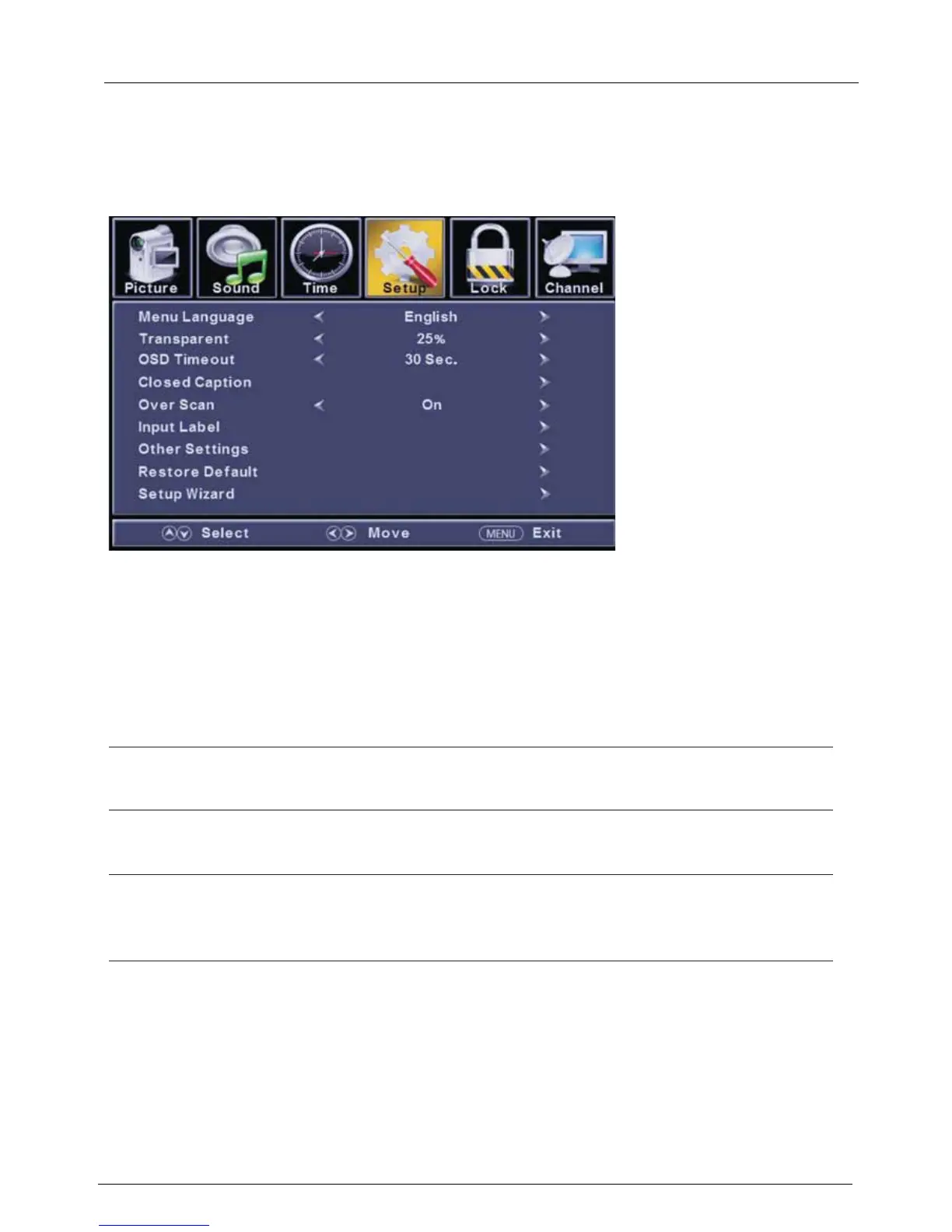
Setup Menu
2.7.4
ENU to enter the main menu, Press button to select.
Press to enter.
ENU again to exit or back to parent menu.
button to select among Menu Language / Transparent / OSD Timeout / Closed Caption /Over Scan/ Input Label /
Other settings / Restore Default / Setup Wizard.
Press to enter.
Press button to adjust.
ENU again or back to parent menu.
Press
Press
Press
Press
M ◄ / ►
ENTER / ▼
M
▼ / ▲
ENTER / ▼
◄ / ►
M
【Menu language】
Press button to select language(English / Français / Español).
【Transparent】
Adjust
the transparency of the OSD (on screen display) menu.
Press button to select.(0%,25%,50%,75%,100%)
【OSD Time out】
Adjust the duration of the OSD (on screen display) menu.
Press button to select.(5 Sec.,15Sec.,30Sec.,45Sec.,60Sec.
【Closed Caption】
Adjust Closed Captioning settings. Only available under TV and AV source.
Press ENTER / button to enter.
For detail please refer to page 12.
Select an OSD menu language can be displayed.Default English is selected as menu language.
◄ / ►
◄ / ►
◄ / ►
►



 To Next Page