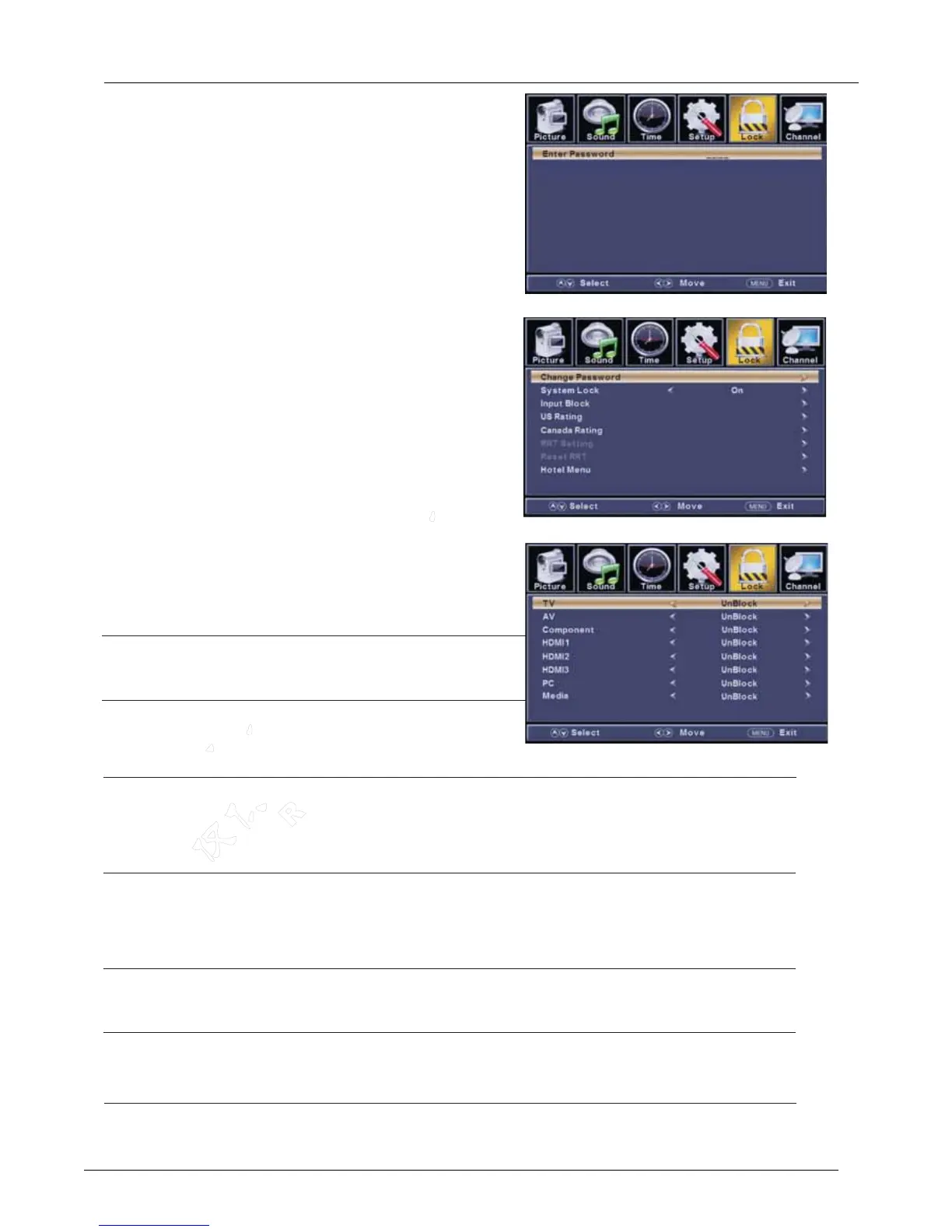
Lock Menu
ENU to enter the main menu, Press button
to select.
Press to enter.
ENU again to exit or back to parent menu.
button to select among Change Passwor
Press to enter.
Press button to adjust.
ENU again or back to parent menu.
Enter your 4-digital password. Default password is 0000,
Press
Press
Press
Press
M ◄ / ►
ENTER / ▼
M
▼ / ▲
ENTER / ▼
◄ / ►
M
and if forget what you set, please call the service center.
【Change Password】
Enter a new 4-digital password then re-enter it to confirm.
Press button to enter.
【System Lock】
Lock or unlock the buttons on the TV.
Press button to select(Off / On).
【Input Block】
Block or unblock the input sources.
Press button to enter.
Press button to select(Unblock / Block).
►
◄ / ►
►
◄ / ►
System Lock/Input Block/US/Canade/RRT Setting/
Reset RRT.
d
【
Restrict movie and TV programs by US Ratings.
Only available when "System Lock" is "on".
Press button to enter.
For detail please refer to page 16~17.
【
Restrict movie and TV programs by Canadian Ratings..
Only available when "System Lock" is "on".
Press button to enter.
For detail please refer to page 17.
【RRT Setting】
Display an advance V-Chip rating table for digital channels.
The item is available only When current stream has downloadable rating data.
【Reset RRT】
Reset the RRT to default.
The item is available only When current stream has downloadable rating data.
►
►
US】
Canada】
LE D COLOR TV
2.7.5



 To Next Page