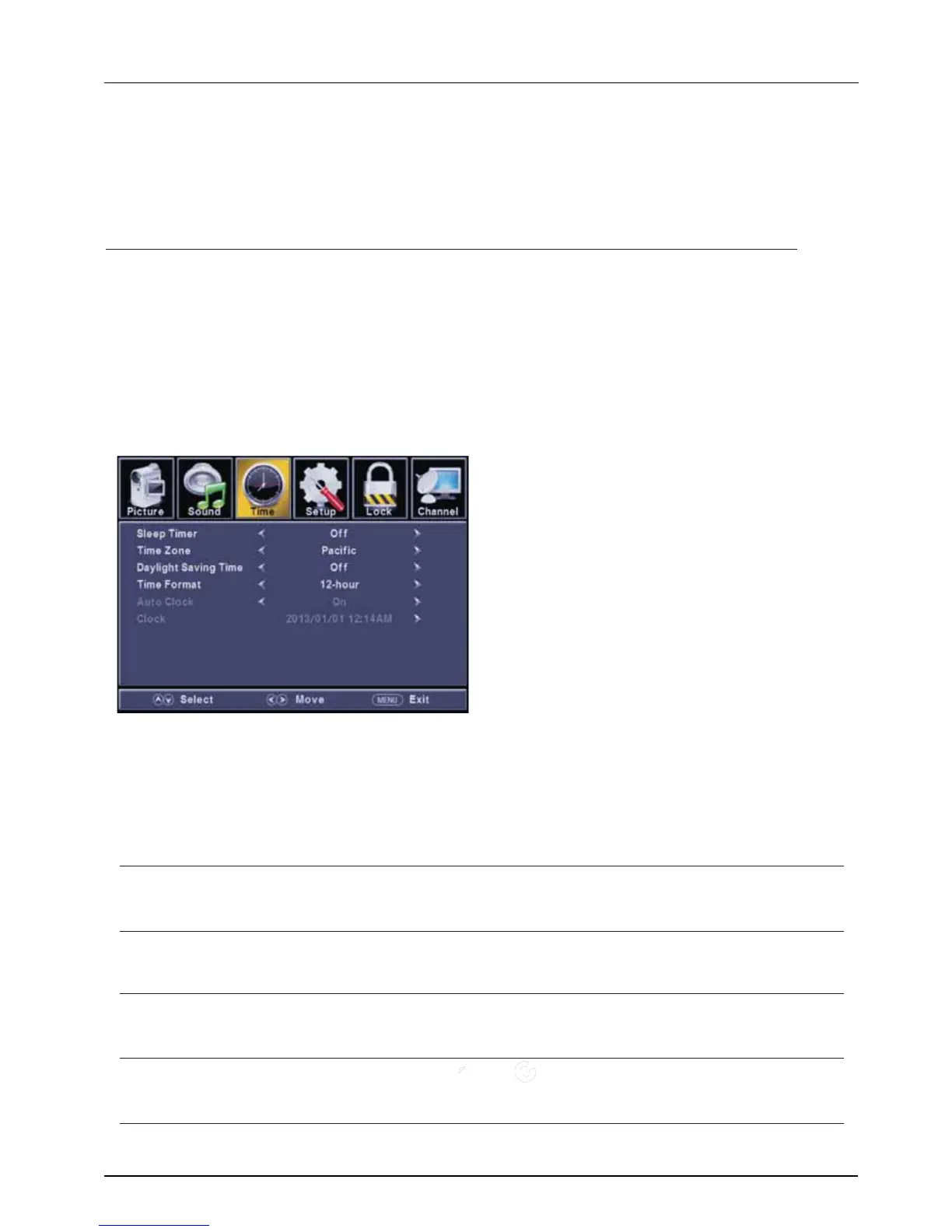
Time Menu
LE D COLOR TV
2.7.3
【Digital Audio Output】
Send digital audio to external audio system.
Press button to select.
【AVL】
select(On / Off).
◄ / ►
PCM Select to output audio in 2-channel stereo.
Raw Original image coded date.
Off Set digital audio output off.
Set the auto volume control.
Press ◄ / ► button to
NOTE:
Balance: This item can adjust the speaker’s output, it enables you to listen to best at your position.
AVL: This item uses for reducing the difference between channel and program’s
volume automatically.
it made the overall water to be even. This function will also reduce the fluctuation of the sound.
ENU to enter the main menu, Press button to select.
Press to enter.
ENU again to exit or back to parent menu.
button to select among Sleep Timer / Time Zone / Daylight Saving Time / Time Format / Auto Clock / Clock.
Press to enter.
Press button to adjust.
ENU again or back to parent menu.
Press
Press
Press
Press
M ◄ / ►
ENTER / ▼
M
▼ / ▲
ENTER /
▼
◄ / ►
M
【Sleep Timer】
Set a timer for the TV to turn off automatically.
Press button to select(Off / 5min/10min /15min/ 30min / 60min / 90min / 120min/180min/240min).
【 】
Select your time zone.
Press button to select(Eastern / Central / Mountain / Pacific / Alaska / Hawaii /Samoa/ Newfoundland / Atlantic).
【 】
Set the daylight saving time for your area.
Press button to select(On / Off).
【 】
Select your time format.
Press button to select(12-hour / 24-hour).
【 】
It is only available in DTV.
Press button to select(On / Off).
◄ / ►
◄ / ►
◄ / ►
◄ / ►
◄ / ►
Time Zone
Daylight Saving Time
Time Format
Auto Clock
Use to synchronize the display automatically.



 To Next Page