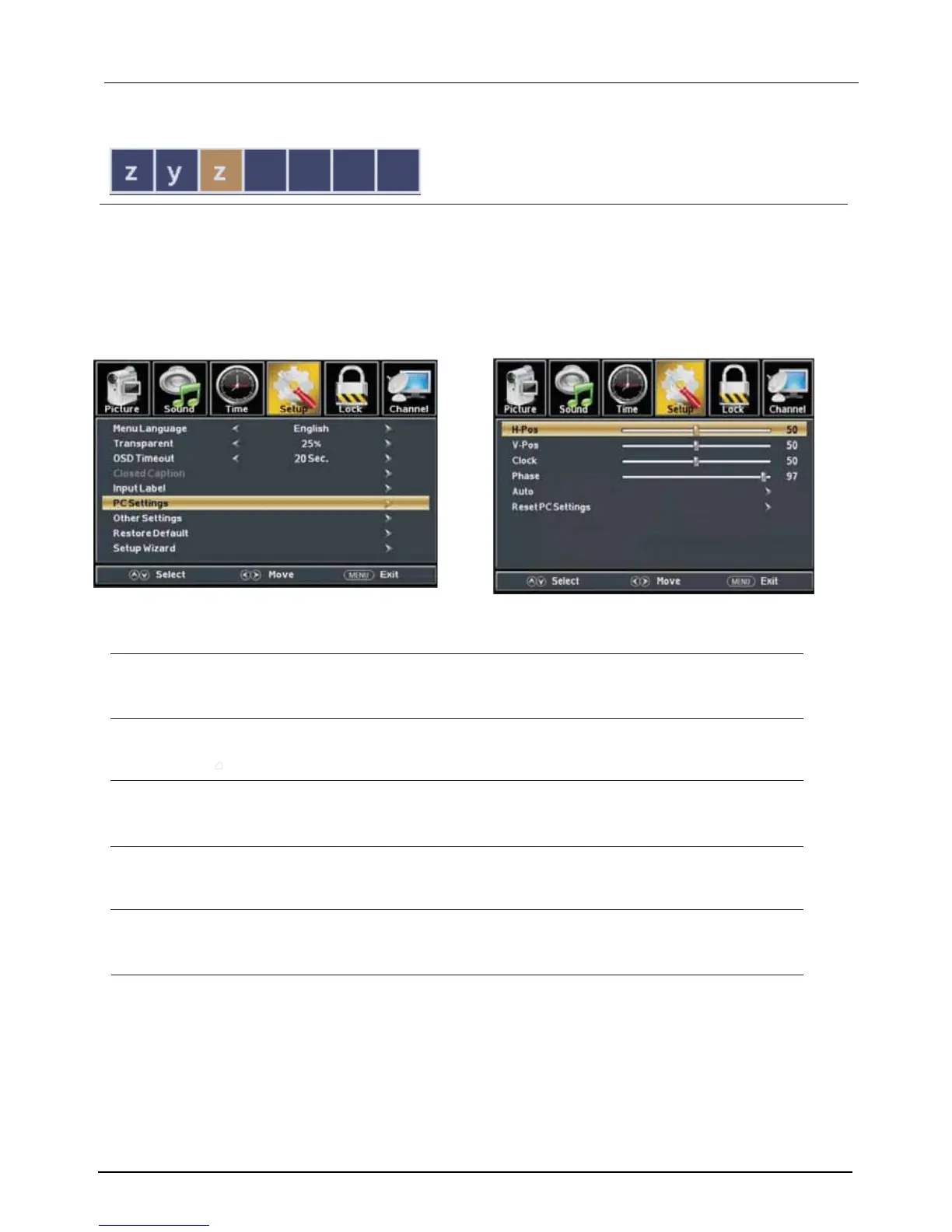
PC Menu
to select PC source.
ENU to
enter
the main
menu,
Press button to
select Setup menu
.
Press to select PC Settings
.
button to select
Press to enter.
Press button to adjust.
ENU again
or
back
to
parent
menu.
Press
Press
Press
Press
INPUT
M
◄ / ►
▼
▼ / ▲
ENTER / ▼
◄ / ►
M
H-Pos/V-Pos/Clock/Phase/Auto/Reset
among
PC Settings.
【H-Pos】
Adjust the horizontal position of the picture.
Press button to adjust.
【V-Pos】
Adjust the vertical position of the picture.
Press button to adjust.
【Clock】
Minimize vertical stripes in the screen image.
Press button to adjust.
【Phase】
Minimize horizontal distortion.
Press button
to adjust.
【Auto】
Press button to enter.
【Reset PC Settings】
Reset Computer Settings to factory mode.
Press button to enter
◄ / ►
◄ / ►
◄ / ►
◄ / ►
►
►
Adjust to the PC signal timing automatically.
*Notes:
1. PICTURE menu and description are the same as that for mode.
2. Audio Language in SOUND menu is invalid.
3. TIME menu and description are the same as that for mode.
4.Close Caption in SETUP menu is invalid.
5.US, Canada, RRT Setting and Reset RRT in LOCK menu is invalid.
6. mode has no CHANNEL menu.
TV
TV
PC
LE D COLOR TV
2.7.7
Channel Label】
.
Press button to adjust.
◄ / ►
Create labels for channels ,up to 7 characters



 To Next Page