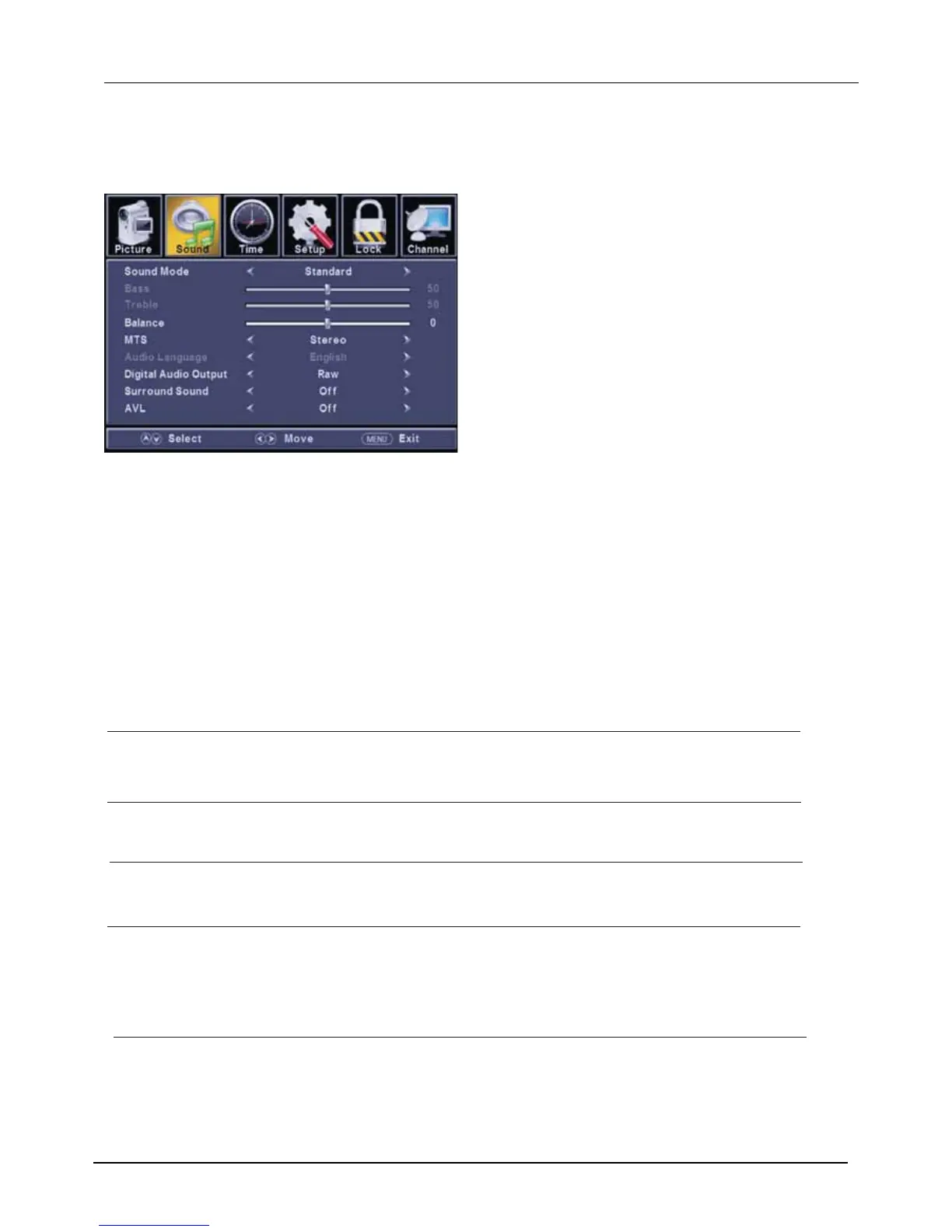
Sound Menu
2.7.2
ENU to enter the main menu, Press button to select.
Press to enter.
ENU again to exit or back to parent menu.
button to select among Equalizer / Bass / Treble / Balance /MTS/ Audio Language /Digital Audio Output/
AVL .
Press to enter.
Press button to adjust.
ENU again or back to parent menu.
Press
Press
Press
Press
M ◄ / ►
ENTER / ▼
M
▼ / ▲
ENTER / ▼
◄ / ►
M
【Sound Mode】
Select a sound mode to achieve ideal sound.
Press button to select(Standard / Music / Movie / Sports / User).
【Bass】
【Treble】
【Balance】
【MTS】
It is only available in ATV.
Press button to select(Mono/Stereo/SAP).
◄ / ►
Adjust the bass effect.Increases or decreases lower-pitched sounds.
◄ / ►
Adjust the treble effect.Increases or decreases high-pitched sounds.
◄ / ►
Adjust the balance between left and right speakers to adapt to your listening position.
◄ / ►
◄ / ►
Note:The bass and treble are only available in User mode,you can adjust as you like.
Standard Produces a balanced sound in all environments.
Music Preserves the original sound. Good for musical programs.
Movie Enhances treble and bass for a rich sound experience.
Sports Enhances vocals for TV audio.
User Select to customize audio settings.
Mono Sets the sound to mono.
Stereo Sets the sound to stereo when stereo is not available, the sound is automatically switched to mono.
SAP Sets the sound to the second audio program.
Press button to adjust.
Press button to
adjust.
Press button to adjust.
Configures the multi-track sound.
【Audio Language】
. It is only available in DTV.
Press button to select(English / / ).
◄ / ►
Select the language supported by the chosen digital channel
French Spanish



 To Next Page