LE D COLOR TV
【Color】
【Tint】
Adjust the hue(Red,Green,Blue) of the picture.
Press button to adjust.
【Sharpness】
Press button to adjust.
【Color Temperature】
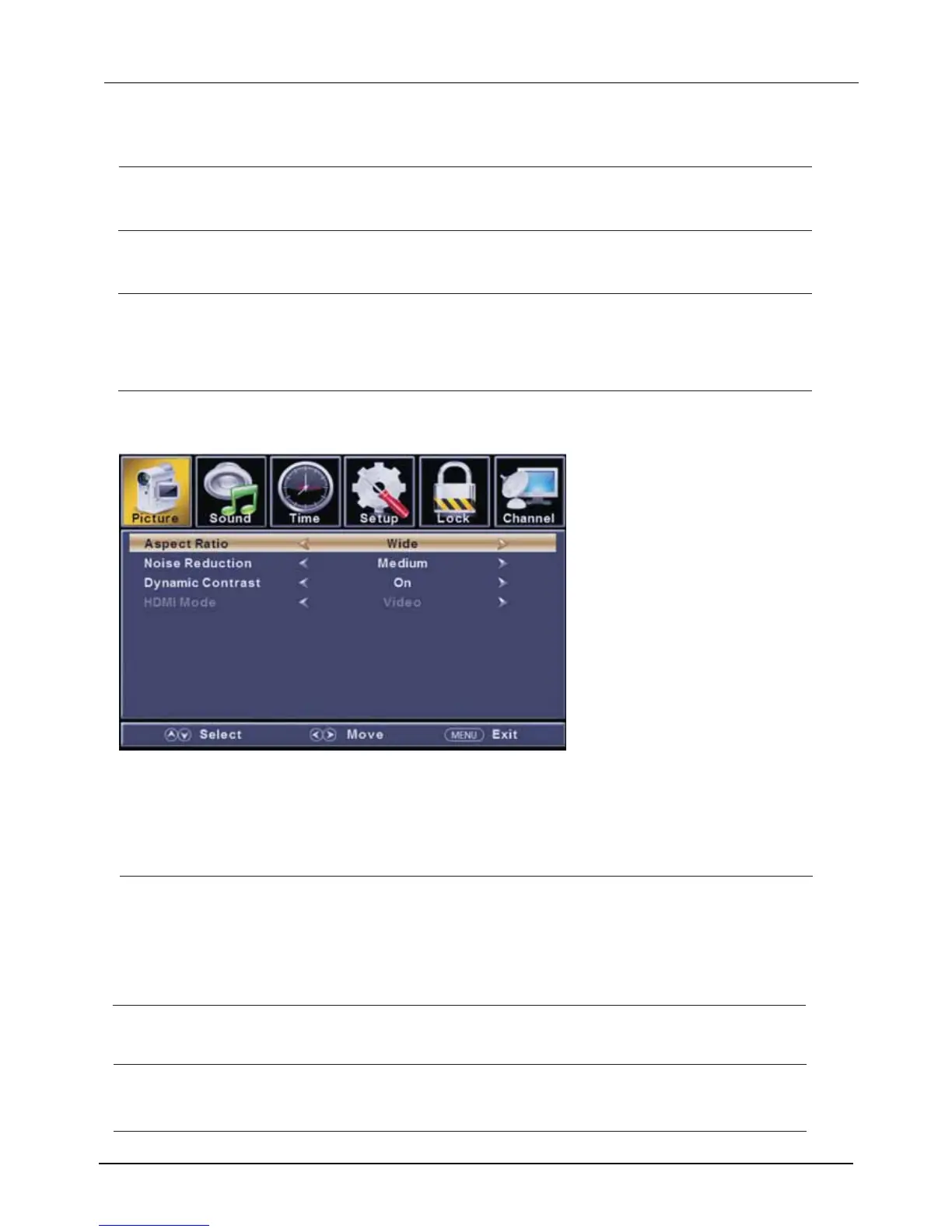
【Advanced Settings】
Adjust advanced video features to fine tune the picture.
Press button to enter .
【Aspect Ratio】
Adjust how the picture fills the screen.
【Noise Reduction】
Set options to reduce video noise.
Adjust the saturation of the color based on your own like.
◄ / ►
◄ / ►
Adjust the peaking in the detail of the picture.
◄ / ►
Increase or reduce warm color of the picture personally(red),and the cool color personally(blue) according to your like.
► sub-menu.
Press button to adjust.
Normal
Normal Automatically adjust Aspect Ratio based on TV size and TV program.
Wide Use to watch wide screen(16:9) content.
Zoom Expands image to fill screen. Top and button maybe cut off.
Cinema Stretches image at edges but keeps a clear image in the center.
Off Select to turn off video noise detection.
Low Detect and reduce low video noise.
Medium Detect and reduce moderate video noise.
High Detect and reduce enhanced video noise.
Auto Detect and reduce video noise automatically
.
Increase the sex-linked colors for the white.
Warm Increase the red color for the white.
Cool Increase the blue tone for the white.
【】
Only available in HDMI input.
【Dynamic Contrast】
Automatically adjust picture detail and brightness.
Press button to select (Off/On).
Press button to select (Video/Graphic).
◄ / ►
◄ / ►
HDMI Mode



 To Next Page