- 30 -
Operation
10. Others
10.1. Key setup
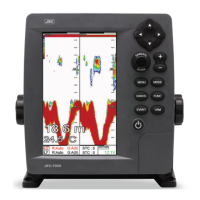
It is available to set up [FUNC] key and [EVENT] key on the JFC-7050.
10.1.1. [FUNC] key:
Set the function frequently used for your convenience.
( The default setting is Page.)
10.1.2. [EVENT] key:
Change the key of the Waypoint input, Setup Nav or capture.
( The default setting is Active.)
- Active: Select the activated section.
- WPT: Input the mark on the current position.
- GOTO: Start navigating toward the mark.
- Capture: Store the current screen.
10.2. WPT
Setting up the WPT List, Edit, and Alarm.
10.2.1. List
Shown the WPT list and it is available to set up or edit the WPT on the list.
10.2.2. Alarm
10.2.2.1. Arrival Alarm
When you approach into the waypoint range, it gives you a notice with alarm.
( The default setting is Off.)


 To Next Page