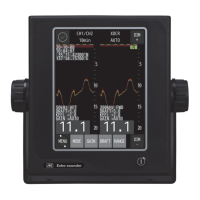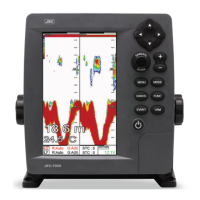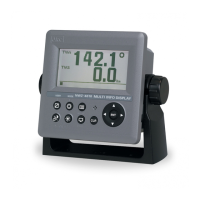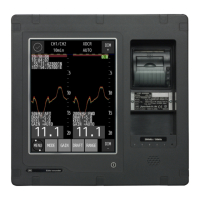
EasyManua.ls Logo

JRC JFE-700 - User Manual

JRC JFE-700
100 pages
Print Icon
To Next Page IconTo Next Page
Loading...
INSTRUCTIONINSTRUCTION
MANUALMANUAL
ISO 9001, ISO 14001 Certified
JUN. 2021 Edition 4CODE No.7ZPNA2081
Not use the asbestos
For further information,contact:
URL Head office : http://www.jrc.co.jp/eng/
Marine Service Department
1-7-32 Tatsumi, Koto-ku, Tokyo 135-0053, Japan
           : tmsc@jrc.co.jp
           :
+81-50-3786-9201
e
-
mail
One
-
call
Echo SounderEcho Sounder
JFEJFE
-
700700

Table of Contents

Questions and Answers

  • A
    Anna CaseAug 3, 2025
    What to do if the screen doesn't appear even if the power switch is pressed on my JRC JFE-700 Marine Equipment?
    • M
      Melissa ClarkAug 3, 2025
      If the screen of your JRC Marine Equipment does not turn on, first ensure that the breaker of AC100-230V of the ship is in the "ON" position. Then, check if the main switch in the processing unit is on. Also, check the brightness of the screen. Verify the power supply AC inboard cable for disconnections or loose screws in the connecting terminal. Replace the fuse if it's blown. If the issue persists, it may indicate a faulty display processing unit.
  • D
    David SandersAug 6, 2025
    Why is there a lot of noise recorded on my JRC JFE-700 Marine Equipment?
    • S
      Scott HernandezAug 7, 2025
      If you're experiencing excessive noise records on your JRC Marine Equipment, it could be due to several factors. First, check the dynamo for any issues. Second, ensure the main unit earth is properly connected. If these steps don't resolve the problem, the noise may be due to external interference, such as underwater sonic prospecting equipment from another ship, which is not a fault of your equipment.
  • A
    Ashley MayoAug 11, 2025
    What to do if the depth value is not displayed on my JRC JFE-700 Marine Equipment?
    • M
      Megan SchroederAug 11, 2025
      If the depth value isn't showing and only the oscillation line appears in standard mode on your JRC Marine Equipment, it could be because the actual sea bottom is deeper than the set range. Set the range to AUTO, or manually adjust it. Another possible cause is a disconnected transducer cable, which will need to be repaired.
  • K
    Kelsey BeasleyAug 15, 2025
    What to do if the depth value is not correct on my JRC JFE-700?
    • D
      Debbie WigginsAug 16, 2025
      If the depth value displayed on your JRC Marine Equipment is incorrect, ensure that the draft adjustment value is set correctly.
  • K
    Kimberly AyalaAug 20, 2025
    What to do if the depth value is not displayed, but the sea bottom echo is slightly recorded on my JRC JFE-700 Marine Equipment?
    • N
      nelsontheresaAug 20, 2025
      If you're seeing a faint sea bottom echo but no depth value on your JRC Marine Equipment, it could be due to a weak sensitivity setting. Try setting the sensitivity to AUTO or manually increase it. Additionally, if the sea bottom is muddy, this can weaken the echo. Also, check the transducer for any adhesion, and remove them at dry-dock. Finally, examine the transducer cable for disconnections or loose screws in the connecting terminal, and tighten if necessary.
  • T
    Tara MyersAug 25, 2025
    What to do if the depth value is not correct and a mistaken record appears in a middle layer as sea bottom on my JRC JFE-700?
    • D
      David GlassAug 25, 2025
      If your JRC Marine Equipment is displaying an incorrect depth value with a false sea bottom appearing in a middle layer, it's likely that the sensitivity setting is too high. Reduce the sensitivity or set it to AUTO, as the device may be mistaking garbage, dirt, or plankton layers in the water for the sea bottom.
  • R
    Rebecca SandersAug 28, 2025
    Why is the echo displayed on the screen all cyan on my JRC Marine Equipment?
    • G
      George TorresAug 28, 2025
      If the echo displayed on the screen of your JRC Marine Equipment is entirely cyan, it indicates that transmission has stopped. To resolve this, turn off the power to the display processing unit and then restart it.

Summary

Safety Cautions

High Voltage and Electric Shock Precautions

Essential safety advice regarding high voltage components and electrical shock hazards.

Precautions for Rescue of Victim of Electric Shock

Guidelines for providing immediate aid to someone suffering from electric shock.

First Aid Method

Cardiopulmonary Resuscitation (CPR) Guide

Visual guide detailing the steps for performing CPR.

General Information

Product Overview and Features

Introduction to the JFE-700 Echo-Sounder, its functions, features, and IMO compliance.

Before You Begin

Safety Symbols and Labels Explanation

Explanation of pictograms and warning labels used in the manual and on the equipment.

Usage Hints

Safety and Handling Precautions

Critical warnings and cautions for safe operation and to prevent damage or injury.

External View

Echo Sounder Component Layout

Visual identification and layout of the echo sounder unit and its parts.

Explanation of Terms

Glossary of Technical Terms

Definitions of key technical terms used in the echo sounder manual.

Introduction

Functionality, Features, and IMO Standards

Detailed description of the echo sounder's functions, capabilities, and IMO compliance.

Components

Standard and Optional Equipment Lists

Listing of included standard components and available optional accessories.

Construction

External Dimensions and Outline Drawings

Technical drawings showing the physical size and mounting details of the main unit.

System Configuration

Interconnection Diagram and Wiring

Illustration of how the echo sounder components connect to each other and external systems.

Control Panel

Main Screen and Control Button Functions

Identification of the main screen elements and the function of each control button.

Display Modes

Standard Mode Operation Guide

How to use the real-time echo sounding display in standard mode.

History Mode Operation Guide

Guide to viewing past depth data and sounding history.

Docking Mode Operation Guide

Instructions for using the docking mode for larger depth data display.

Operation

Basic Operations: Power, Brightness, Range Control

Step-by-step guide for powering on/off, adjusting brightness, and controlling range.

Gain and Sensitivity Adjustments

How to adjust the echo sounder's gain for optimal signal reception.

Display Settings and Customization

Options for changing display colors, scrolling speed, and cursor settings.

Alert Control and Management

Overview of alerts, their priority, display, and control functions.

Maintenance & Check

Daily Maintenance and Troubleshooting

Recommended daily checks and solutions for common operational problems.

Consider Installation

Installation Environment and Guidelines

Recommendations for optimal placement and conditions for installing the echo sounder.

After-sales Service

Warranty and Servicing Information

Details on warranty coverage, repair procedures, and contacting support.

Disposal

Equipment Disposal and RoHS Compliance

Guidelines for environmentally sound disposal and hazardous substance information.

Specifications

Technical Specifications Summary

Comprehensive list of technical data, ranges, capabilities, and interfaces.

Appendix

Echo Samples and Data Format

Visual examples of echo patterns and details on data communication protocols.

JRC JFE-700 Specifications

General IconGeneral
BrandJRC
ModelJFE-700
CategoryMarine Equipment
LanguageEnglish

Related product manuals