EasyManua.ls Logo

JRC JFE-400 - User Manual

JRC JFE-400
104 pages
Print Icon
To Next Page IconTo Next Page
Loading...
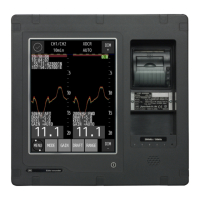
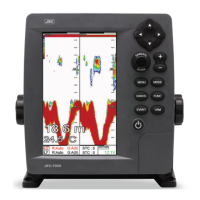
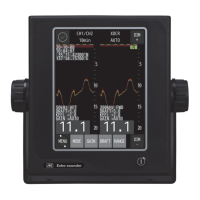
Echo Sounder
INSTRUCTION
MANUAL

Table of Contents

Questions and Answers

  • M
    Michelle VaughnAug 3, 2025
    How to fix a JRC JFE-400 Marine Equipment screen that doesn't turn on?
    • K
      Kathleen WilkinsAug 3, 2025
      If the screen of your JRC Marine Equipment doesn't turn on even when you press the power switch, there could be several reasons. First, ensure that the breaker for AC100-230V on the ship is turned 'ON'. Next, check the main switch on the processing unit to make sure it is also on. Check the connection of CFQ-7540 cable (network cable between Display unit and processing unit). Also, verify the fuse of NQA-4327 and replace it if it's blown. Inspect the power supply AC inboard cable for disconnections and tighten any loose screws at the connecting terminal. Finally, check the brightness setting and increase it if it's too low. If none of these steps work, the display or processing unit might be faulty, consider contacting your distributor.
  • D
    Daniel HernandezAug 8, 2025
    What to do if the depth value isn't displayed on JRC JFE-400 Marine Equipment?
    • S
      Samantha DorseyAug 8, 2025
      If the depth value isn't showing on your JRC Marine Equipment, but the sea bottom echo is faintly visible, the sensitivity setting might be too weak. Try setting the sensitivity to AUTO, or manually increase it. Also, if the sea bottom is muddy, this can weaken the signal; again, try the AUTO setting or manually raise the sensitivity. Check the transducer cable for any disconnections and ensure the screws in the connecting terminal are tightened. Lastly, the transducer might have oysters or barnacles attached; remove these at the next dry-dock.
  • K
    Kristen AndersonAug 13, 2025
    Why is my JRC Marine Equipment showing only the oscillation line?
    • M
      Mark MuellerAug 13, 2025
      If your JRC Marine Equipment displays only the oscillation line without showing the depth value, the actual sea bottom might be deeper than the set range. To resolve this, set the range setting to AUTO. Alternatively, manually adjust the range setting. Also, check the transducer cable and repair it if it's disconnected.
  • T
    Teresa RodriguezAug 18, 2025
    Why is there so much noise on my JRC JFE-400 display?
    • M
      mackjoannaAug 18, 2025
      If you're seeing a lot of noise on your JRC Marine Equipment, it could be due to several factors. First, check the dynamo for any issues. Next, ensure the main unit earth connection is properly grounded. If the noise persists, it might be due to external interference from underwater sonic prospecting equipment of another ship. This is not a malfunction of your equipment but rather an external factor.
  • A
    Amanda KerrAug 23, 2025
    What causes incorrect depth readings on JRC Marine Equipment?
    • L
      leebrittneyAug 23, 2025
      If your JRC Marine Equipment is showing an incorrect depth value and mistakenly recording a middle layer as the sea bottom, the sensitivity setting is likely too strong. This causes the equipment to pick up garbage, dirt, and plankton layers in the water. Set the sensitivity to AUTO, or manually lower it.
  • K
    Kimberly CraigAug 28, 2025
    How to correct the depth value on JRC Marine Equipment?
    • B
      Beth PenaAug 28, 2025
      If the depth value displayed on your JRC Marine Equipment is incorrect, the draft adjustment value might not be set correctly. Ensure you set a correct value for the draft adjustment.

Summary

Safety Cautions and Emergency Measures

High Voltage Safety Precautions

Guidelines for safely handling high-voltage components and preventing electrical shock hazards.

First Aid for Electric Shock Victims

Detailed steps for administering immediate first aid, including CPR and artificial respiration.

General Information

Product Overview and Compliance

Introduction to the JFE-700 Echo-Sounder, its functions, features, and IMO standards conformance.

Before You Begin

Understanding Manual Symbols and Warnings

Explanation of pictograms, warning labels, and their meanings for safe operation.

Usage Hints and Cautions

Important operational guidelines, warnings, and precautions for equipment safety and longevity.

Introduction to JFE-400 Echo Sounder

Key Features and Functions

Overview of the echo sounder's capabilities, including display modes and data logging.

Components and System Configuration

Lists standard and optional components, and illustrates the overall system connection diagram.

Equipment Construction and Dimensions

Details on the external dimensions and construction of the JFE-400 equipment units.

Control Panel and Operation

Control Panel Layout

Identification and function of each key on the display unit's control panel.

Basic Operation Procedures

Step-by-step instructions for power, brightness, range, and gain adjustments.

Display Settings and Modes

Configuration options for display parameters like scrolling speed, noise rejection, and color modes.

System Initialization and Customization

Guide to initial settings, screen color changes, date/time, and panel calibration.

Alert Control and Management

Explanation of alert types, displays, status, and management functions.

Maintenance and Troubleshooting

Routine Maintenance and Checks

Recommended daily checks and cleaning procedures for maintaining equipment performance.

Troubleshooting Common Problems

Guidance on diagnosing and resolving issues like screen display problems or incorrect depth readings.

Replacing Fuses and Repair Parts

Information on fuse replacement and a list of available repair and replacement parts.

Specifications and Appendix

Technical Specifications

Detailed technical data, including display, frequency, accuracy, and power requirements.

Data Format and Echo Interpretation

Information on data output formats, sentence structures, and visual interpretation of echoes.

JRC JFE-400 Specifications

General IconGeneral
BrandJRC
ModelJFE-400
CategoryMarine Equipment
LanguageEnglish

Related product manuals