4. Operation
4-25
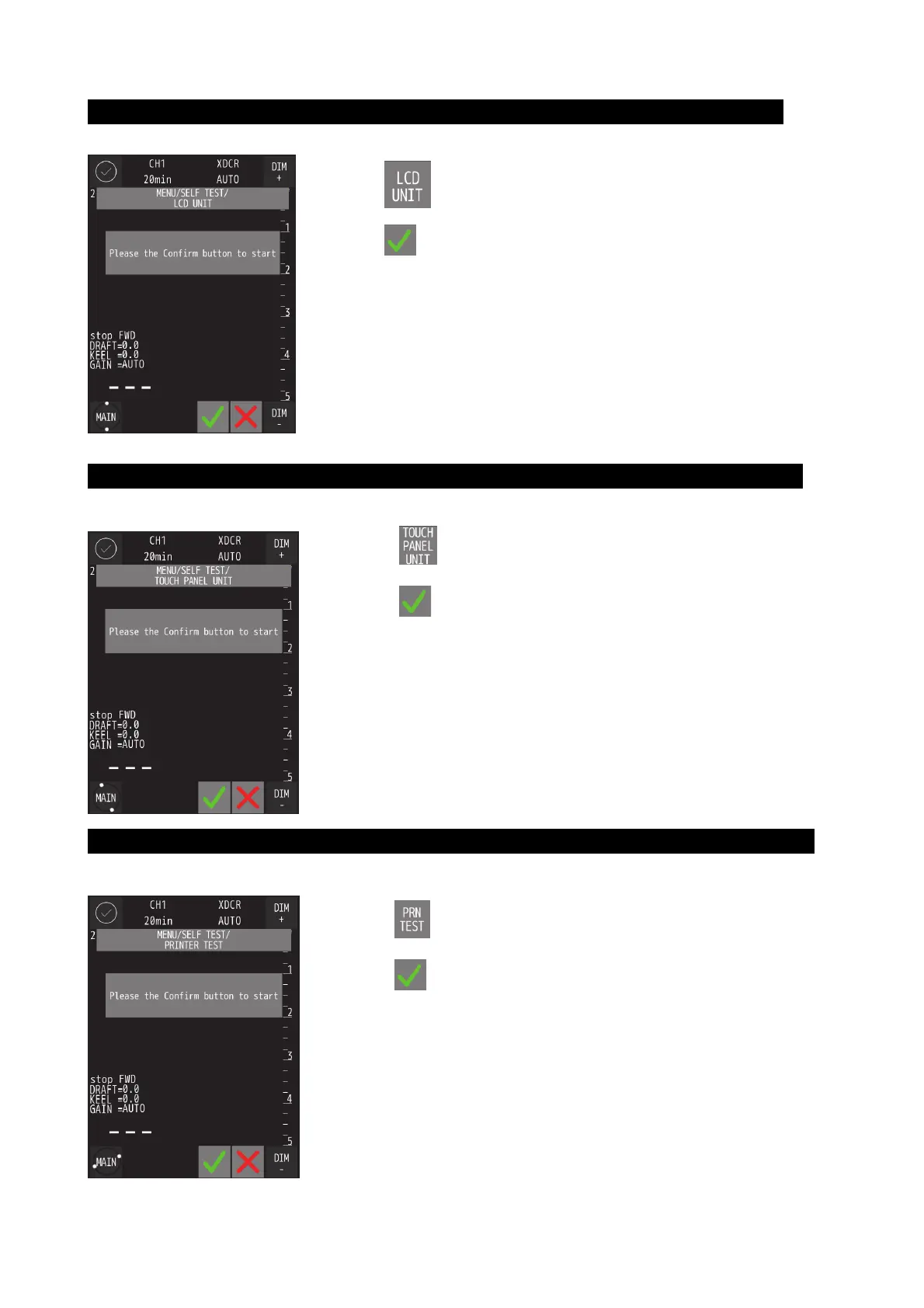
Self-test of LCD Unit
◎ Self-testing LCD Unit by displaying color pattern
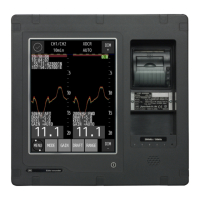
Self-test of Touch Panel
◎ Self-testing Touch panel by sensing touch.
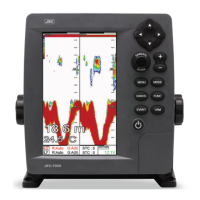
Self-test of Printer
◎ Self-testing Printer by printing test pattern.
・ Touch
and the confirmation screen will be displayed.
・ Touch
to start self-testing.
・ Color pattern(black->red->green->blue->white) is displayed with screenful.
*When color pattern display is not correct, contact us or your agency.
・ Touch
and the confirmation screen will be displayed.
・ Touch
to start self-testing.
・ Screen change to all white and when you touch the screen, touching point
change to green.
*When touching point is not correct, contact us or your agency.
・ Touch
and the confirmation screen will be displayed.
・ Touch
to start self-testing.
・ Test pattern is printed.
*When test pattern is not correct, contact us or your agency.


 To Next Page