4. Operation
4-34
Alert Display
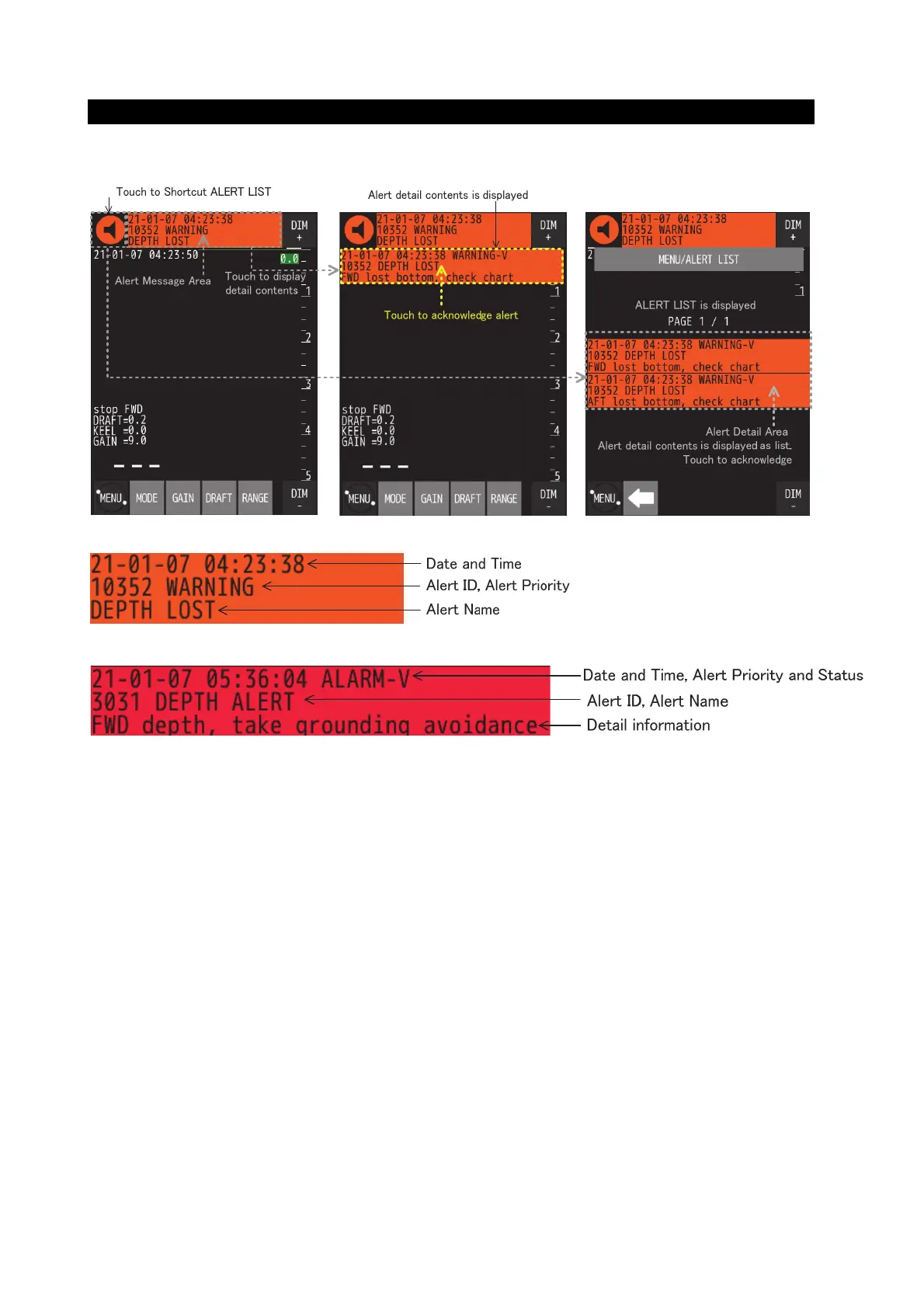
When an alert occurs, the alert message and icon are displayed at the top of the screen. After that, JFE-400/700
Echo Sounder can be operated by touching the screen as shown in the figure below.
● Alert Massage (ex; Depth Lost)
● Alert Detail (ex; Depth Alert)
● Alert Status
On the Alert Detail screen, an acronym is added after alert priority to indicate alert status. The meaning of the
acronym is as follows.
-A: Active Acknowledged
-V: Active Unacknowledged
-O: Responsibility Transferred
-S: Silence
-N: Normal
-U: Rectified Unacknowledged


 To Next Page