– 21 –
* This item has been factory-adjusted at the time of shipment. Carry out the machine head setting procedure
in the case the control box is replaced, or in any case where it is necessary.
2. Setting procedure of the machine head
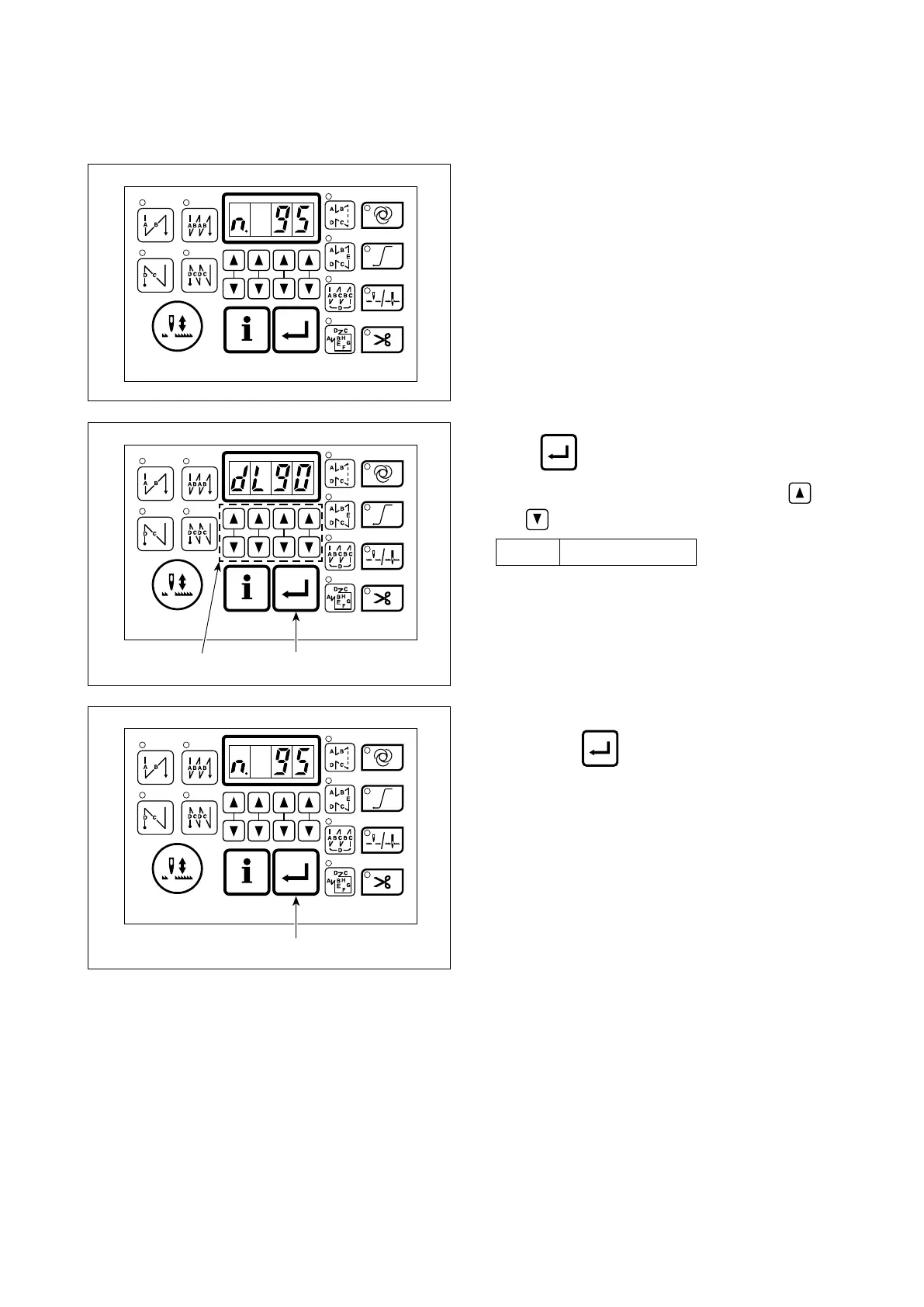
1) Refer to "III-6. Setting of functions" p.26 and
call the function setting No. 95.
2) Press switch .
3) Select the machine head type by pressing
and switches ❾
.
dL90
For DDL-900A
4) After the selection of the type of the machine
head, press switch to conrm the se-
lection. The settings are automatically initialized
according to the type of the machine head.
❾



 To Next Page
 Loading...







