HE
47
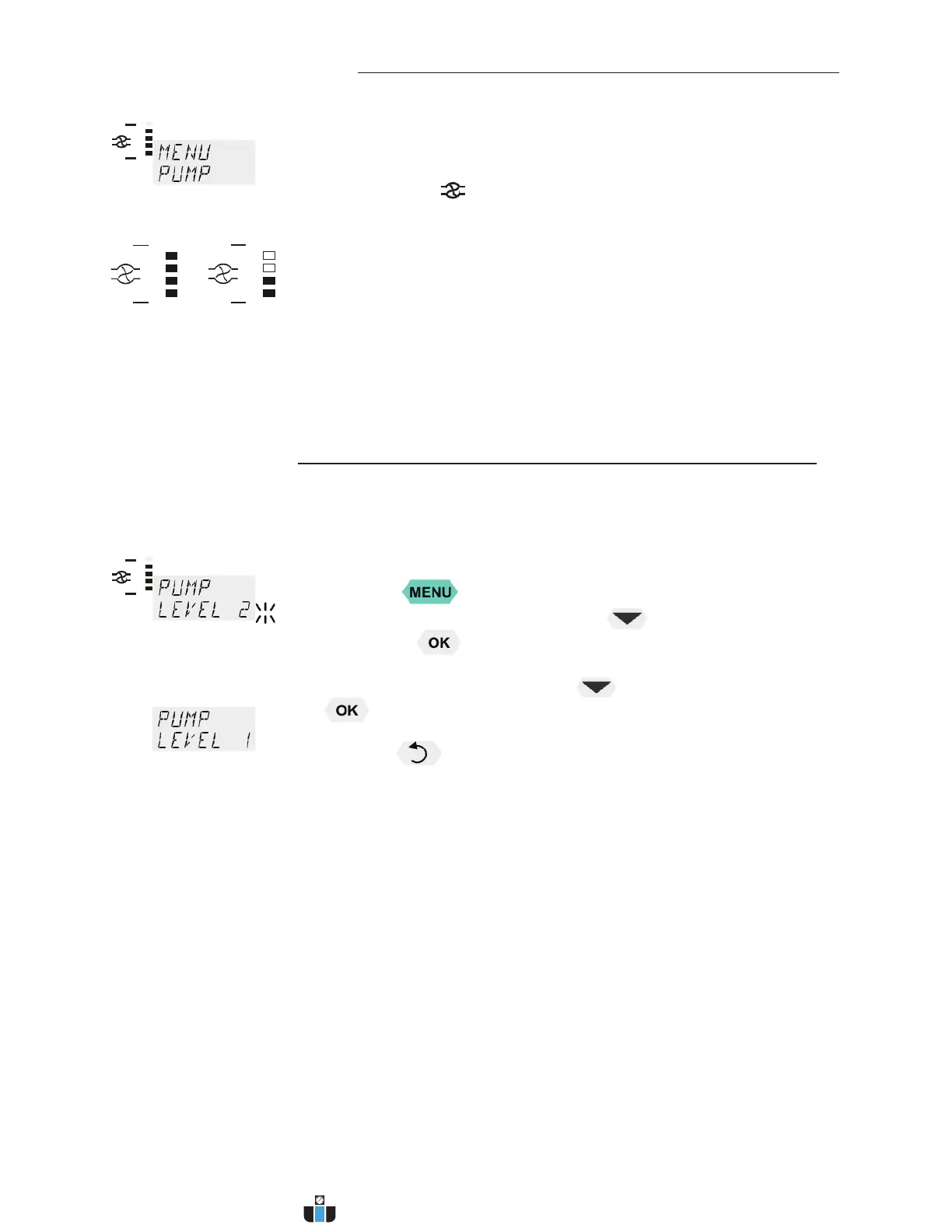
9.3. MENU PUMP - Setting of pump pressure
Examples:
Soll Ist
Factory setting:
stage 1
The pressure of the circulating pump is adjustable in four stages. After
setting, the VFD COMFORT-DISPLAY indicates the corresponding value.
Adjustable pump capacity stage 1 ... 4
Illuminated display:
for pump pressure
L Adjusted:Display for the adjusted pump pressure stage in the –OFF-
mode.
L Effective: Display for the effective pump pressure stage (rotation
speed) after start.
For protecting the pump motor, the rotation speed (i.e. the pump pressure
stage) changes with the load applied.
Example: The viscosity of the bath fluid (i.e. the load applied to the pump
motor) changes with the working temperature in the bath.
Flow rate: 22 ... 26 l/min
Pump capacity stage 1 2 3 4
Pump pressure [bar] 0.4 0.5 0.6 0.7
Suction pump [bar] 0.2 0.26 0.33 0.4
Total capacity [bar] 0.6 0.76 0.93 1.1
in a loop circuit
1. Press the key.
2. Select the menu >PUMP< pressing the key and confirm by
pressing the
key
The set parameter flashes (example: >LEVEL 2<)
3. Change the parameter by pressing and confirm by pressing the
key.
or
Press the key if the parameter is to be retained.
www.calcert.com sales@calcert.com1.888.610.7664
0
5
10
15
20
25
30


 To Next Page