8.4.6.1 Websites
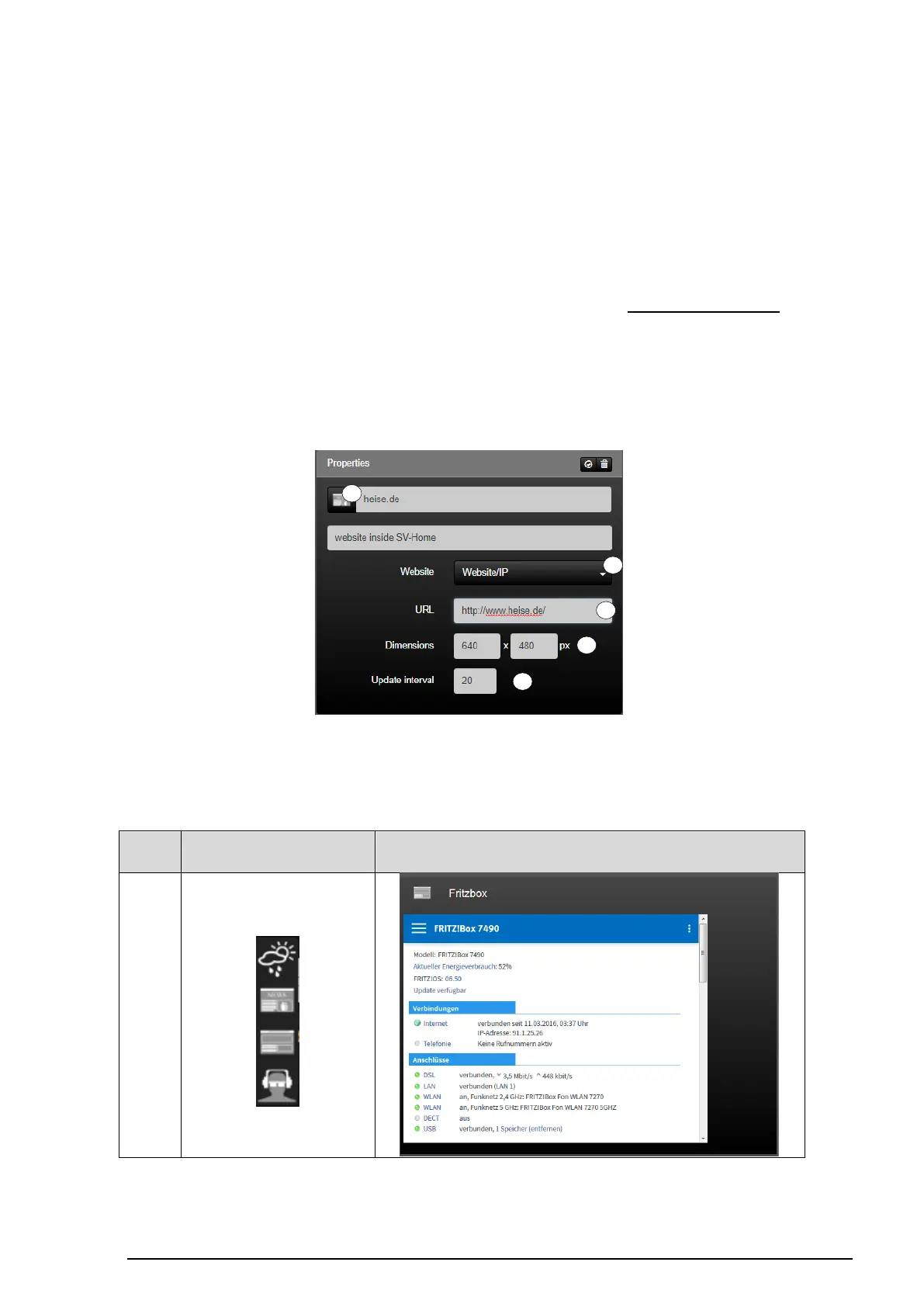
The "Website" function (1) can be used to integrate a website in SV-Home into selectable
areas. This function can be used, for example, to add your favourite weather forecasting
service to your building automation. In the same way, any other websites can be added to
the user interface of the SV-Home of your building automation.
The web address to be displayed can be entered in the "URL" input field (2). When making
an entry, ensure that your entry begins with http:// or https://. Besides Internet addresses, it
is also possible to enter local websites using the IP address, e.g. http://192.168.180.1 of a
local device.
Using the two "Size" input fields (3), you can define the depiction size of the website within
SV-Home in pixels. As website content can change on a regular basis, you can define a
reload time in minutes using the "Update interval" input field (4). After the set time has
elapsed, the website is reloaded for display in SV-Home.
Figure 111: Parameters of the "Website" function
The "Website" function possesses the following individualisation options within the icon
library (5).



 To Next Page
 Loading...
