7.7.1 SV-Home – User interface
The SV-Home is the integrated web interface of the Smart Visu Server for the
visualisation, status display and operation of the KNX system and the Philips Hue system.
The SV-Home is generated automatically from the configuration set up in SV-Control.
A current HTML5-compatible browser (input device) is required for access to SV-Home.
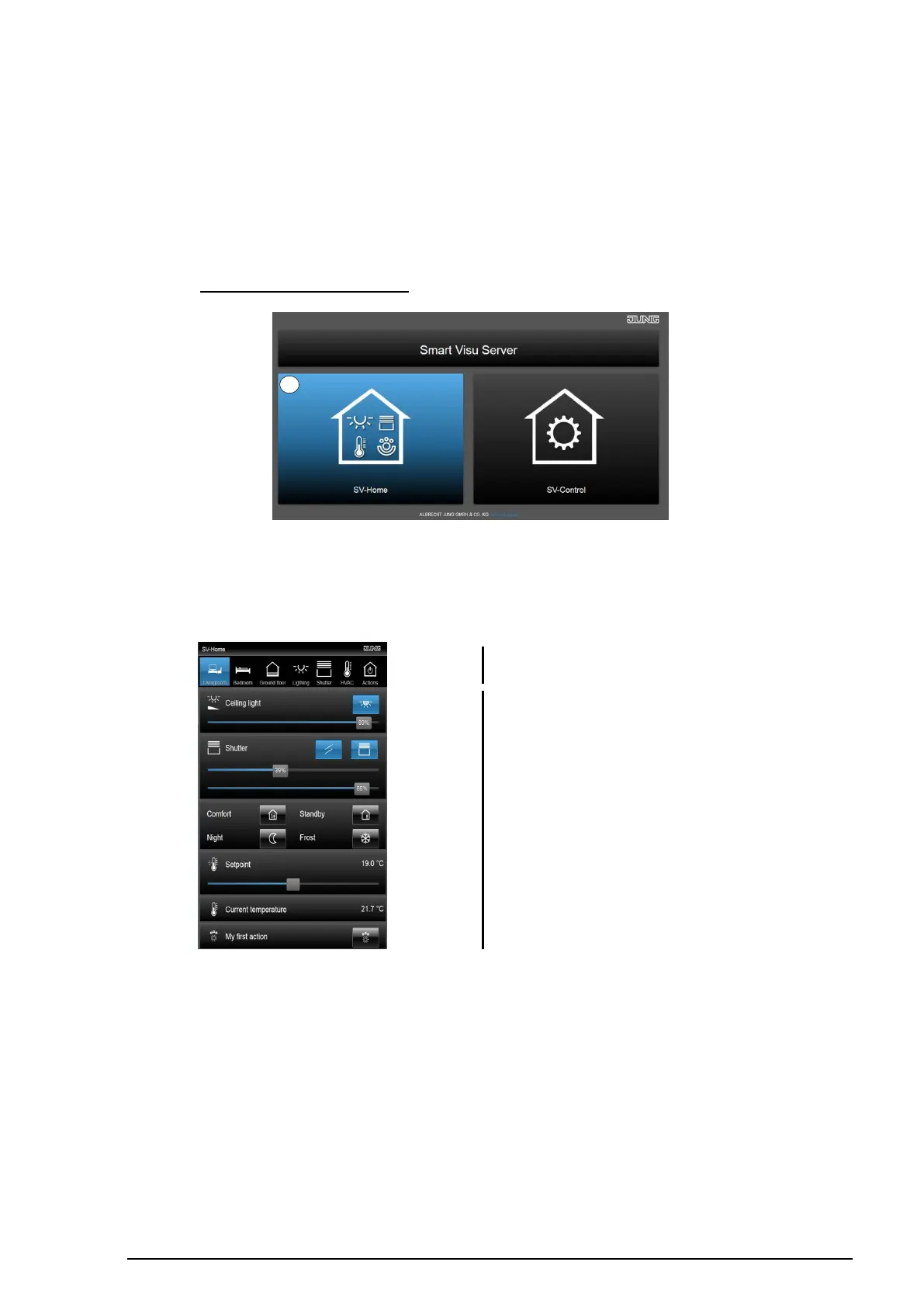
When the server is opened, the SV-Home visualisation can be started by selecting the left
button or http://IP-address/SV-Home/ (1).
Figure 69: Opening SV-Home
The top pane (1) displays the areas created in SV-Control with the selected icon and
name. Selecting an area displays the assigned functions and actions (2) beneath.
Figure 70: Structure of the SV-Home visualisation
Depending on the created function type, these functions visualise their status (e.g. the
current room temperature) or offer a chance to influence it (e.g. move a Venetian blind or
dim a Philips Hue lamp).



 To Next Page
 Loading...
